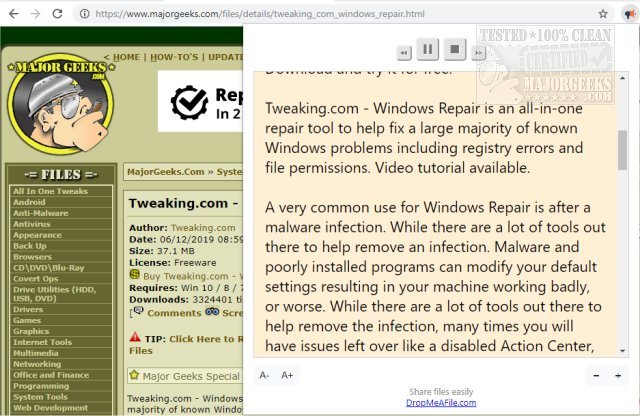
The Read Aloud extension, version 2.26.0, for Chrome, Firefox, and Edge, offers a convenient text-to-speech feature that allows users to listen to entire web pages with just a single click. This extension supports over 40 languages, making it accessible to a diverse audience. Users can enhance their listening experience by connecting their Amazon Web Services (AWS) or Google Cloud Platform (GCP) accounts to access advanced voice options like Amazon Polly and Google Wavenet.
Read Aloud is particularly beneficial for individuals who prefer audio content over reading text, including those with dyslexia, learning disabilities, and young readers developing their skills. The extension can be used on a wide range of websites, from news and blogs to educational resources and online courses.
In addition to the native browser voices, users have the option to choose from a variety of text-to-speech voices provided by cloud services like Google Wavenet, Amazon Polly, IBM Watson, and Microsoft, allowing for a personalized audio experience.
As an extension aimed at enhancing accessibility and usability, Read Aloud makes consuming web content easier and more enjoyable for all users.
Looking ahead, future updates could focus on improving voice quality, adding more languages, and integrating additional features that allow for customizable playback speeds and voice modulation. This could further cater to the needs of diverse users, making web content more inclusive
Read Aloud is particularly beneficial for individuals who prefer audio content over reading text, including those with dyslexia, learning disabilities, and young readers developing their skills. The extension can be used on a wide range of websites, from news and blogs to educational resources and online courses.
In addition to the native browser voices, users have the option to choose from a variety of text-to-speech voices provided by cloud services like Google Wavenet, Amazon Polly, IBM Watson, and Microsoft, allowing for a personalized audio experience.
As an extension aimed at enhancing accessibility and usability, Read Aloud makes consuming web content easier and more enjoyable for all users.
Looking ahead, future updates could focus on improving voice quality, adding more languages, and integrating additional features that allow for customizable playback speeds and voice modulation. This could further cater to the needs of diverse users, making web content more inclusive
Read Aloud: A Text-to-Speech Voice Reader for Chrome, Firefox, and Edge 2.26.0 released
Read Aloud: A Text-to-Speech Voice Reader for Chrome, Firefox, and Edge will read entire web pages aloud in as little as one click and include support for more than 40 different languages.
Read Aloud: A Text-to-Speech Voice Reader for Chrome, Firefox, and Edge 2.26.0 released @ MajorGeeks