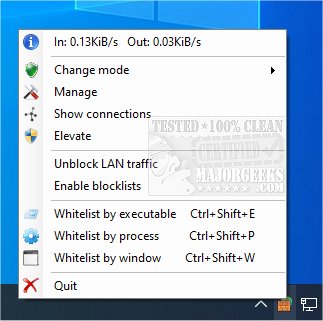
TinyWall has released version 3.6.1, enhancing its role as a free tool designed to strengthen and manage the advanced firewall integrated into Windows 7 and later versions.
Key features of TinyWall include:
- Non-intrusive Operation: It operates quietly in the background, allowing users to work without interruptions from pop-ups or complex configurations.
- Lightweight Performance: By leveraging the existing Windows Firewall, TinyWall maintains a minimal performance impact on the system.
- Enhanced Security Features: TinyWall provides additional security measures such as password protection, safeguards against unauthorized changes to firewall settings, and a set of robust built-in firewall rules.
- System Stability: The program does not install any drivers or kernel components, ensuring that the operating system remains stable.
- User-Friendly: With various firewall modes and convenient features, TinyWall is designed to be accessible for all users, regardless of technical expertise.
- Cost-Free: TinyWall is completely free of charge, without ads, limitations, or the need for paid upgrades.
In addition to its primary functionality, users may seek information on related topics such as restoring Windows Defender Firewall settings, understanding firewall and network protection in Windows 10, and insights into Windows device performance and health.
Overall, TinyWall 3.6.1 is an excellent choice for users looking to enhance their system's security without sacrificing convenience or performance. Future updates could include even more advanced features or integrations with emerging security technologies to further protect users from evolving threats
Key features of TinyWall include:
- Non-intrusive Operation: It operates quietly in the background, allowing users to work without interruptions from pop-ups or complex configurations.
- Lightweight Performance: By leveraging the existing Windows Firewall, TinyWall maintains a minimal performance impact on the system.
- Enhanced Security Features: TinyWall provides additional security measures such as password protection, safeguards against unauthorized changes to firewall settings, and a set of robust built-in firewall rules.
- System Stability: The program does not install any drivers or kernel components, ensuring that the operating system remains stable.
- User-Friendly: With various firewall modes and convenient features, TinyWall is designed to be accessible for all users, regardless of technical expertise.
- Cost-Free: TinyWall is completely free of charge, without ads, limitations, or the need for paid upgrades.
In addition to its primary functionality, users may seek information on related topics such as restoring Windows Defender Firewall settings, understanding firewall and network protection in Windows 10, and insights into Windows device performance and health.
Overall, TinyWall 3.6.1 is an excellent choice for users looking to enhance their system's security without sacrificing convenience or performance. Future updates could include even more advanced features or integrations with emerging security technologies to further protect users from evolving threats
TinyWall 3.6.1 released
TinyWall is a free program to harden and control the advanced firewall built into Windows 7 and above.