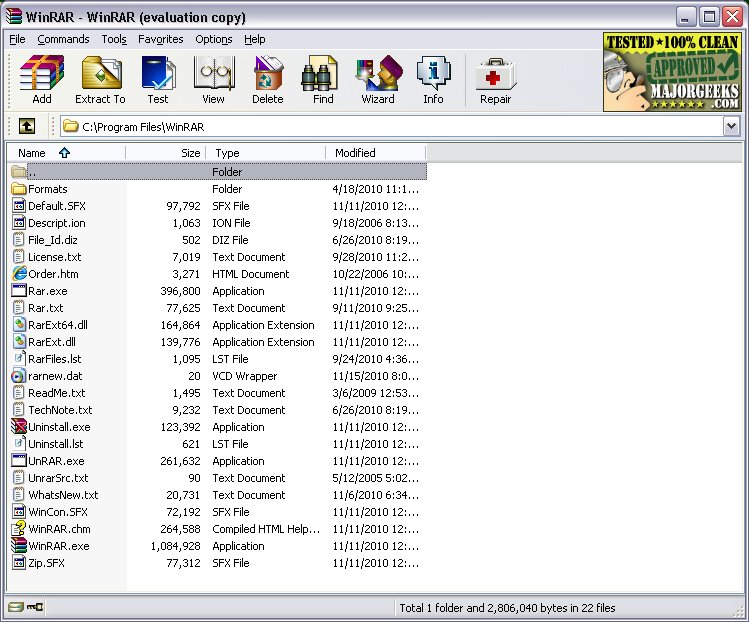
WinRAR, a longstanding and highly regarded file compression tool, recently released versions 7.30 Beta 2 and 7.23. Renowned for its reliability, it offers users the ability to easily open, create, extract, and manage various archive formats, including RAR, ZIP, 7Z, TAR, and more. WinRAR's user-friendly interface remains consistent over the years, allowing users to access essential features like file splitting, password encryption, and virus scanning effortlessly.
Key Features of WinRAR:
- Versatile Extraction: Supports an extensive range of formats, such as RAR, ZIP, CAB, and ISO.
- Efficient Compression: Users can compress files into RAR or ZIP archives, which is particularly useful for conserving space or bundling files for email.
- File Splitting: Large files can be divided into smaller parts for easier handling.
- Security: AES-256 encryption ensures sensitive data remains protected.
- Recovery Records: WinRAR allows the addition of recovery records to repair damaged archives.
Despite its age, WinRAR continues to receive updates that enhance file format support and performance, making it a valuable tool for developers, IT professionals, and everyday users alike. While it offers a trial version that doesn't expire, supporting the developers by purchasing a license is encouraged.
Pros and Cons:
Pros:
- Fast and reliable for both compression and extraction.
- Supports a wide range of archive formats.
- Built-in features for password protection and file repair.
- Capable of creating self-extracting archives.
- Compatible with all Windows versions, including Windows 11.
Cons:
- The interface may feel outdated to some users.
- Technically not free software, but can be used indefinitely.
- Limited support for newer formats like Zstandard without additional plugins.
Practical Applications:
WinRAR is particularly useful for tasks such as compressing large files—like game mods—into manageable chunks or securely backing up important documents. Its utility in everyday scenarios reinforces its continued relevance.
Conclusion:
WinRAR remains a top choice among file archivers for Windows users. While it may lack flashy features, its dependability, ease of use, and robust functionality make it a staple tool for anyone needing to manage files effectively. The ongoing debate between WinRAR and alternatives like 7-Zip shows the strong loyalty and appreciation users have for this classic software. Whether for work, gaming, or personal organization, WinRAR continues to prove its worth.
Additional Resources:
For users seeking to explore file management further, related topics include:
- How to Open and Use a CAB File in Windows
- Extracting and Creating CAB Files with Command-Line Tools
- Understanding RAR Files and Their Usage
- An Overview of LZMA Compression Techniques
Key Features of WinRAR:
- Versatile Extraction: Supports an extensive range of formats, such as RAR, ZIP, CAB, and ISO.
- Efficient Compression: Users can compress files into RAR or ZIP archives, which is particularly useful for conserving space or bundling files for email.
- File Splitting: Large files can be divided into smaller parts for easier handling.
- Security: AES-256 encryption ensures sensitive data remains protected.
- Recovery Records: WinRAR allows the addition of recovery records to repair damaged archives.
Despite its age, WinRAR continues to receive updates that enhance file format support and performance, making it a valuable tool for developers, IT professionals, and everyday users alike. While it offers a trial version that doesn't expire, supporting the developers by purchasing a license is encouraged.
Pros and Cons:
Pros:
- Fast and reliable for both compression and extraction.
- Supports a wide range of archive formats.
- Built-in features for password protection and file repair.
- Capable of creating self-extracting archives.
- Compatible with all Windows versions, including Windows 11.
Cons:
- The interface may feel outdated to some users.
- Technically not free software, but can be used indefinitely.
- Limited support for newer formats like Zstandard without additional plugins.
Practical Applications:
WinRAR is particularly useful for tasks such as compressing large files—like game mods—into manageable chunks or securely backing up important documents. Its utility in everyday scenarios reinforces its continued relevance.
Conclusion:
WinRAR remains a top choice among file archivers for Windows users. While it may lack flashy features, its dependability, ease of use, and robust functionality make it a staple tool for anyone needing to manage files effectively. The ongoing debate between WinRAR and alternatives like 7-Zip shows the strong loyalty and appreciation users have for this classic software. Whether for work, gaming, or personal organization, WinRAR continues to prove its worth.
Additional Resources:
For users seeking to explore file management further, related topics include:
- How to Open and Use a CAB File in Windows
- Extracting and Creating CAB Files with Command-Line Tools
- Understanding RAR Files and Their Usage
- An Overview of LZMA Compression Techniques
WinRAR 7.30 Beta 2 / 7.23 released
WinRAR is an excellent program for opening, creating, extracting, or adding files to your ZIP and RAR files.