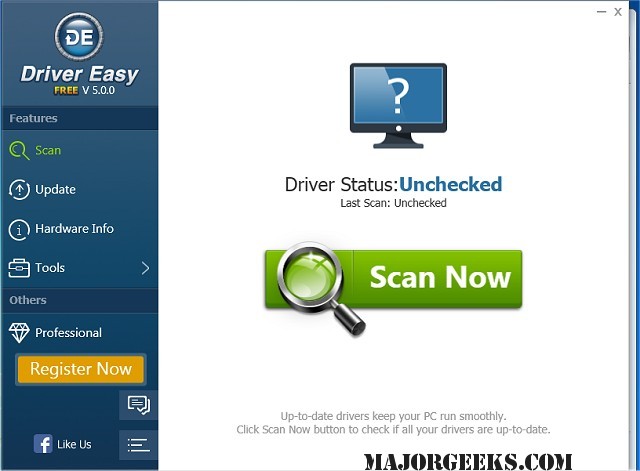
Driver Easy has released version 7.2.3.6590, a tool designed to enhance your computer's performance by identifying and downloading missing or outdated drivers. With a vast database containing over 3 million drivers, it provides daily updates to ensure all drivers are current, thereby maximizing PC efficiency. The software simplifies the process of maintaining drivers, eliminating the need to scour unreliable websites for updates.
One of the standout features of Driver Easy is its Offline Scan capability, which allows users to analyze drivers on a computer without an internet connection. This feature enables users to save a driver analysis file and download drivers from another internet-connected device, streamlining the process of finding the correct network drivers.
In addition to scanning and updating drivers, Driver Easy offers backup and restoration options, allowing users to securely back up their drivers and restore them when needed. It can identify all hardware components within the system, extracting their drivers for safe storage. The software also includes a Windows Update tool that enhances the speed of updates through a smart download server and concurrent downloads.
Another useful feature is the Uninstall Removed Hardware Driver option, which helps resolve conflicts and improve boot times by completely removing drivers associated with hardware that has been replaced, such as graphics cards.
To sum up, Driver Easy is a comprehensive solution for managing drivers on Windows systems, featuring capabilities for backup, restoration, offline scanning, and efficient updates, making it an essential tool for both casual users and tech enthusiasts looking to optimize their computer's performance.
Additionally, users can explore related topics such as downloading the latest Windows drivers, backing up and restoring drivers, preventing unwanted driver downloads during Windows Updates, troubleshooting driver issues with Driver Verifier Manager, and understanding Windows Hardware Quality Labs (WHQL) standards
One of the standout features of Driver Easy is its Offline Scan capability, which allows users to analyze drivers on a computer without an internet connection. This feature enables users to save a driver analysis file and download drivers from another internet-connected device, streamlining the process of finding the correct network drivers.
In addition to scanning and updating drivers, Driver Easy offers backup and restoration options, allowing users to securely back up their drivers and restore them when needed. It can identify all hardware components within the system, extracting their drivers for safe storage. The software also includes a Windows Update tool that enhances the speed of updates through a smart download server and concurrent downloads.
Another useful feature is the Uninstall Removed Hardware Driver option, which helps resolve conflicts and improve boot times by completely removing drivers associated with hardware that has been replaced, such as graphics cards.
To sum up, Driver Easy is a comprehensive solution for managing drivers on Windows systems, featuring capabilities for backup, restoration, offline scanning, and efficient updates, making it an essential tool for both casual users and tech enthusiasts looking to optimize their computer's performance.
Additionally, users can explore related topics such as downloading the latest Windows drivers, backing up and restoring drivers, preventing unwanted driver downloads during Windows Updates, troubleshooting driver issues with Driver Verifier Manager, and understanding Windows Hardware Quality Labs (WHQL) standards
Driver Easy 7.2.3.6590 released
Driver Easy will scan your computer, identify missing or outdated drivers, and then download them all.