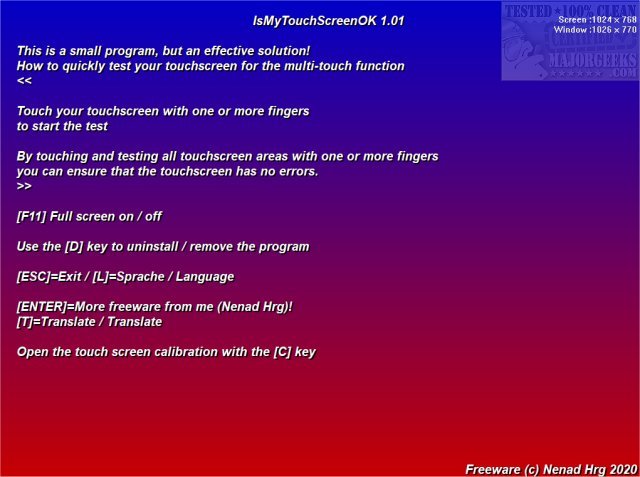
IsMyTouchScreenOK is a portable application specifically designed to test the functionality of LCD and plasma monitors equipped with multi-touch capabilities. This newly released version, 3.33, enhances the user experience by enabling quick and efficient checks of touchscreens for any non-functioning contact points.
The application operates through a straightforward testing process: users simply touch their screens with one or multiple fingers. Following this, IsMyTouchScreenOK executes a sequence of tests to identify any defective touchpoints, ensuring that the touchscreen operates as intended. This feature makes it an invaluable tool for prospective buyers looking to assess a new touchscreen's quality before purchase, as well as for consumers wishing to verify the functionality of their current touch monitors during the warranty period. If any faults are detected, users can inform the manufacturer and potentially receive a replacement.
In addition to its core functionality, IsMyTouchScreenOK offers a user-friendly interface and is lightweight, making it easy to use without installation. It is an excellent resource for both casual users and professionals who rely on touchscreens for their daily tasks.
Furthermore, the app complements other tools and settings available for Windows 10 users, such as managing the touch keyboard icon and adjusting the DPI scaling level, providing a holistic approach to touchscreen management and optimization.
Overall, IsMyTouchScreenOK 3.33 serves as a critical utility for ensuring touchscreen devices function flawlessly, enhancing user experience and device reliability
The application operates through a straightforward testing process: users simply touch their screens with one or multiple fingers. Following this, IsMyTouchScreenOK executes a sequence of tests to identify any defective touchpoints, ensuring that the touchscreen operates as intended. This feature makes it an invaluable tool for prospective buyers looking to assess a new touchscreen's quality before purchase, as well as for consumers wishing to verify the functionality of their current touch monitors during the warranty period. If any faults are detected, users can inform the manufacturer and potentially receive a replacement.
In addition to its core functionality, IsMyTouchScreenOK offers a user-friendly interface and is lightweight, making it easy to use without installation. It is an excellent resource for both casual users and professionals who rely on touchscreens for their daily tasks.
Furthermore, the app complements other tools and settings available for Windows 10 users, such as managing the touch keyboard icon and adjusting the DPI scaling level, providing a holistic approach to touchscreen management and optimization.
Overall, IsMyTouchScreenOK 3.33 serves as a critical utility for ensuring touchscreen devices function flawlessly, enhancing user experience and device reliability
IsMyTouchScreenOK 3.33 released
IsMyTouchScreenOK is a portable app that allows you to check your LCD or plasma monitor for properly functioning multi-touch.