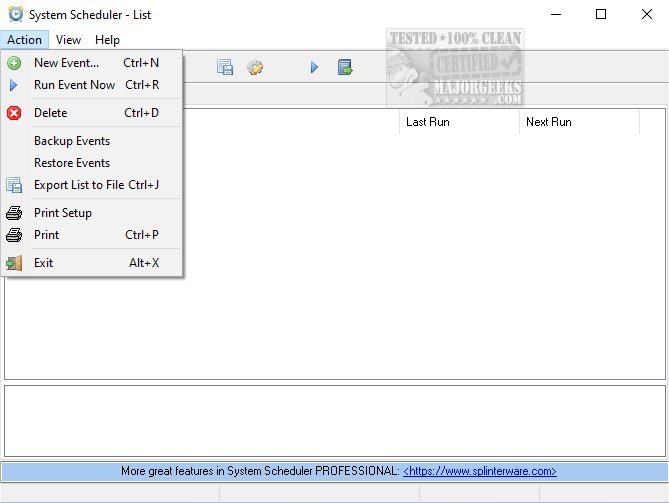
System Scheduler 5.68 has been released, providing a robust solution for scheduling the execution of batch files, applications, and scripts. This software serves as an efficient alternative to the Windows Task Manager, particularly due to its lack of dependencies, making it a lightweight option for users.
With System Scheduler, users can easily set specific times for various programs to launch, facilitating the automation of tasks during unattended periods, such as overnight or on weekends. Additionally, the software allows for the creation of pop-up reminders and audible alarms for important tasks, all managed through a straightforward and user-friendly interface.
An added feature of System Scheduler is the Window Watcher, which monitors the presence of designated windows. This tool can send key presses or issue close commands to terminate running applications, thereby assisting in the management of error messages and enabling the execution of specific actions without user intervention.
In summary, System Scheduler 5.68 enhances user productivity by automating routine tasks, providing essential notifications, and offering advanced window management capabilities. As a result, it is an excellent tool for both casual users and professionals seeking to optimize their workflow.
For users interested in maximizing their efficiency further, they may explore complementary topics such as identifying processes or services on their computer, restoring default services in various Windows versions, customizing Task Manager views, and understanding both automatic and manual trigger starts. Additionally, users can familiarize themselves with different methods to access Task Manager in Windows
With System Scheduler, users can easily set specific times for various programs to launch, facilitating the automation of tasks during unattended periods, such as overnight or on weekends. Additionally, the software allows for the creation of pop-up reminders and audible alarms for important tasks, all managed through a straightforward and user-friendly interface.
An added feature of System Scheduler is the Window Watcher, which monitors the presence of designated windows. This tool can send key presses or issue close commands to terminate running applications, thereby assisting in the management of error messages and enabling the execution of specific actions without user intervention.
In summary, System Scheduler 5.68 enhances user productivity by automating routine tasks, providing essential notifications, and offering advanced window management capabilities. As a result, it is an excellent tool for both casual users and professionals seeking to optimize their workflow.
For users interested in maximizing their efficiency further, they may explore complementary topics such as identifying processes or services on their computer, restoring default services in various Windows versions, customizing Task Manager views, and understanding both automatic and manual trigger starts. Additionally, users can familiarize themselves with different methods to access Task Manager in Windows
System Scheduler 5.68 released
System Scheduler enables you to schedule the running of batch files, applications, and scripts. It is a viable alternative to the Windows Task Manager but has zero dependencies.