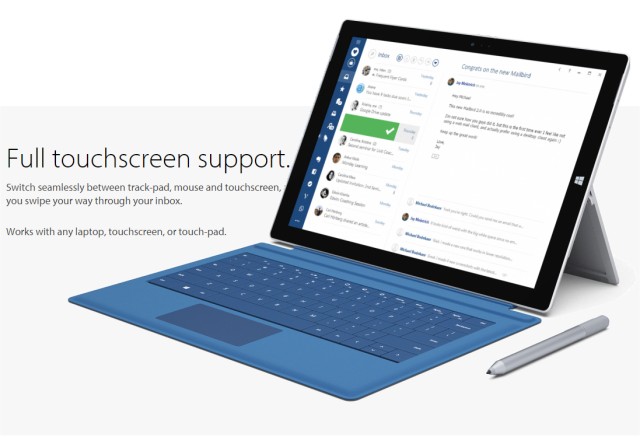
Mailbird has released version 3.0.63.0, enhancing its functionality as a comprehensive utility for managing emails, calendars, tasks, and messaging applications all in one place. This versatile platform supports multi-account configurations using IMAP and POP3 protocols, allowing users to access a unified email inbox effortlessly.
Key features of Mailbird include complete touch support, which enables a seamless experience across devices, and the integration of various messaging and task management apps, as well as calendar applications. The software is multilingual, supporting over 15 languages, and offers a customizable interface, allowing users to adjust colors and layouts according to their preferences.
Furthermore, Mailbird allows for minor modifications, enabling users to change text size and font, utilize auto-spellcheck, and easily drag and drop attachments within the composition window. Other notable features include a built-in contacts manager and the ability to integrate with various apps, enhancing productivity by streamlining workflows.
In conclusion, Mailbird 3.0.63.0 is an ideal solution for those seeking an organized and efficient way to manage their digital communications and tasks, making it easier to stay productive and connected across multiple platforms. As technology continues to evolve, we can expect further updates and enhancements that will continue to improve user experience and functionality in subsequent versions
Key features of Mailbird include complete touch support, which enables a seamless experience across devices, and the integration of various messaging and task management apps, as well as calendar applications. The software is multilingual, supporting over 15 languages, and offers a customizable interface, allowing users to adjust colors and layouts according to their preferences.
Furthermore, Mailbird allows for minor modifications, enabling users to change text size and font, utilize auto-spellcheck, and easily drag and drop attachments within the composition window. Other notable features include a built-in contacts manager and the ability to integrate with various apps, enhancing productivity by streamlining workflows.
In conclusion, Mailbird 3.0.63.0 is an ideal solution for those seeking an organized and efficient way to manage their digital communications and tasks, making it easier to stay productive and connected across multiple platforms. As technology continues to evolve, we can expect further updates and enhancements that will continue to improve user experience and functionality in subsequent versions
Mailbird 3.0.63.0 released
Mailbird connects all your preferred email, calendar, task, and messaging apps into one versatile utility.