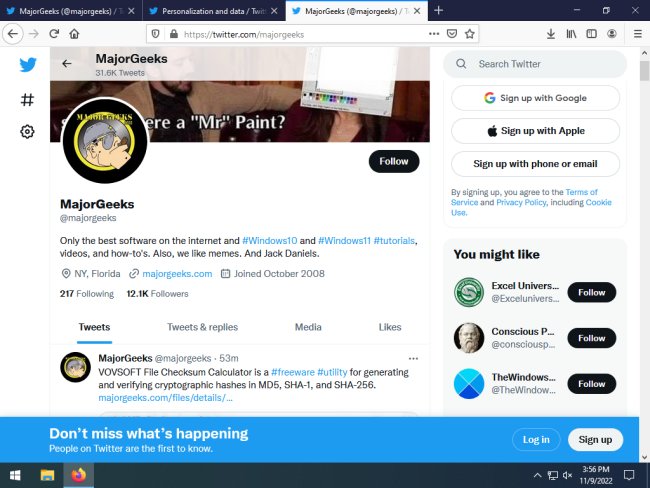
The latest release of the Old Twitter Layout for Chrome, Firefox, and Edge, version 1.9.9, allows users to revert to the classic Twitter interface from 2015, appealing to those who prefer the pre-Elon Musk design. Unlike other extensions, it replaces the new Twitter client without adding any additional CSS, providing a streamlined experience that prioritizes speed and functionality. The extension defaults to a chronological timeline but allows users to switch to an algorithmic timeline if desired.
Key features of the Old Twitter Layout include:
- Comprehensive implementation of nearly all of Twitter's functionalities.
- Faster page load times compared to the original Twitter.
- Customizable profile link colors, which are visible to other users of the extension.
- Options to enable or disable Twemoji, revert favorites to likes, and adjust link colors and fonts.
- Dark mode support and removal of all advertisements.
- Simplified media downloading for videos and GIFs.
- A variety of hotkeys to enhance navigation and interaction.
The hotkey system is designed to improve user efficiency, allowing quick access to features like searching, tweeting, and navigating through tweets. For example, users can focus on the search bar, open new tweet modals, and manage tweets with specific keyboard shortcuts.
Furthermore, the extension provides users with customizable options, such as disabling hotkeys and adjusting settings for media uploads. This tailored experience enhances user satisfaction by offering control over the interface and functionality.
In summary, the Old Twitter Layout extension not only revives the classic Twitter look but also introduces numerous enhancements and conveniences, making it a popular choice for users seeking a familiar and fast experience on the platform. As social media continues to evolve, tools like this can help users retain their preferred online environments amidst constant changes
Key features of the Old Twitter Layout include:
- Comprehensive implementation of nearly all of Twitter's functionalities.
- Faster page load times compared to the original Twitter.
- Customizable profile link colors, which are visible to other users of the extension.
- Options to enable or disable Twemoji, revert favorites to likes, and adjust link colors and fonts.
- Dark mode support and removal of all advertisements.
- Simplified media downloading for videos and GIFs.
- A variety of hotkeys to enhance navigation and interaction.
The hotkey system is designed to improve user efficiency, allowing quick access to features like searching, tweeting, and navigating through tweets. For example, users can focus on the search bar, open new tweet modals, and manage tweets with specific keyboard shortcuts.
Furthermore, the extension provides users with customizable options, such as disabling hotkeys and adjusting settings for media uploads. This tailored experience enhances user satisfaction by offering control over the interface and functionality.
In summary, the Old Twitter Layout extension not only revives the classic Twitter look but also introduces numerous enhancements and conveniences, making it a popular choice for users seeking a familiar and fast experience on the platform. As social media continues to evolve, tools like this can help users retain their preferred online environments amidst constant changes
Old Twitter Layout for Chrome, Firefox, and Edge 1.9.9 released
Old Twitter Layout gives you back the classic Twitter layout from 2015.
Old Twitter Layout for Chrome, Firefox, and Edge 1.9.9 released @ MajorGeeks