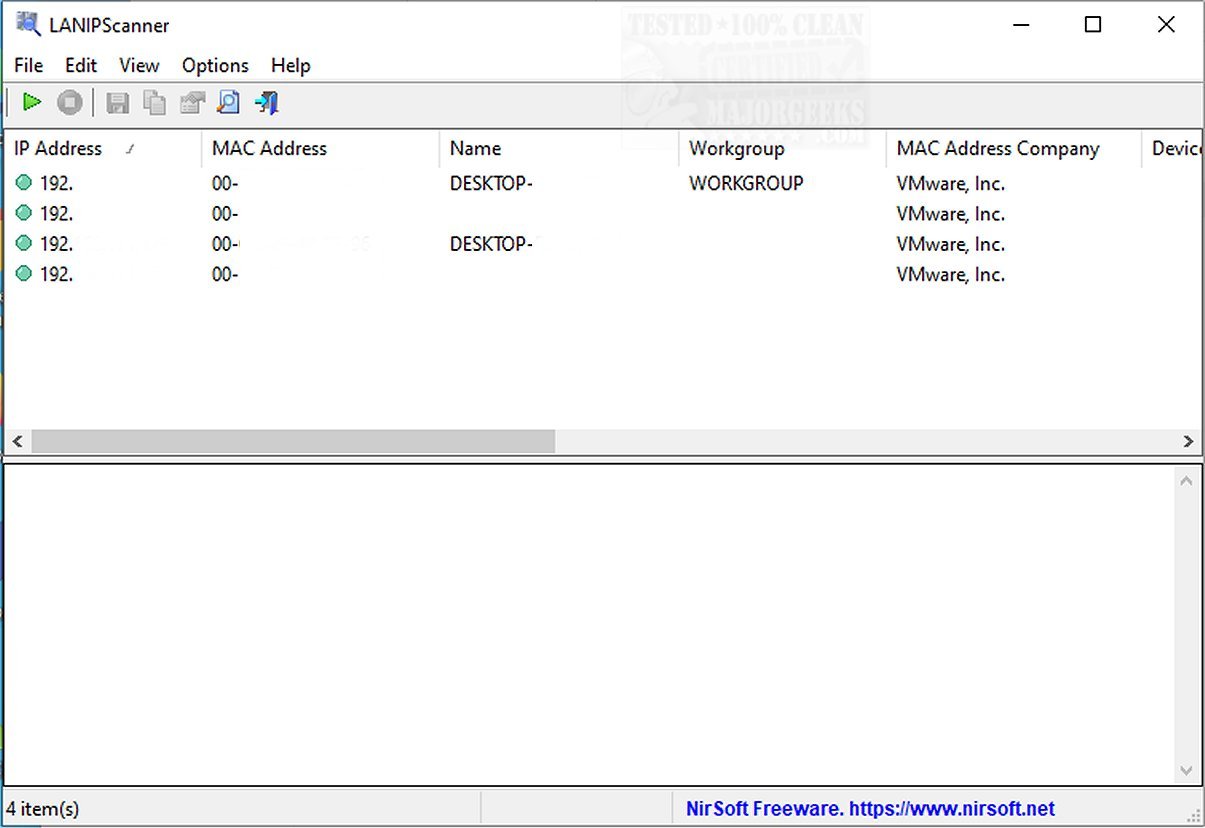
LANIPScanner 1.10 has been released, offering users a straightforward networking tool tailored for Windows. This software allows users to scan their local networks effortlessly, providing a detailed list of all connected devices and computers. By leveraging various network protocols such as ICMP (ping), ARP, NBNS, SSDP, mDNS, and DNS, LANIPScanner effectively identifies devices on the network.
Upon detection, LANIPScanner supplies a wealth of pertinent information for each device, including IP Address, MAC Address, MAC Address Company, Device Name, Workgroup, Device String, Protocol List, Ping Time, Ping TTL, Device Type, IPv6 Address, and IPv6 Link-Local Address. Furthermore, when devices respond via SSDP or mDNS protocols, users can view detailed raw data in a dedicated pane, enhancing their ability to monitor and manage the network.
This tool is particularly beneficial for network administrators, aiding in the identification and troubleshooting of potential bottlenecks, which can help minimize downtime during network issues. Although LANIPScanner may not feature as many advanced options as some competitors, it stands out for its rapid scanning capabilities, quickly gathering critical information about connected devices and network status.
In summary, LANIPScanner 1.10 is a reliable solution for effective network management, combining simplicity with performance, making it an excellent choice for users looking to optimize their network monitoring processes.
As the demand for efficient network management tools continues to grow, LANIPScanner could potentially integrate more advanced features in future updates, such as enhanced security scanning capabilities and automated alerts for network anomalies. This would further solidify its position as a go-to tool for both IT professionals and casual users alike, ensuring that they remain equipped to handle the complexities of modern networking environments
Upon detection, LANIPScanner supplies a wealth of pertinent information for each device, including IP Address, MAC Address, MAC Address Company, Device Name, Workgroup, Device String, Protocol List, Ping Time, Ping TTL, Device Type, IPv6 Address, and IPv6 Link-Local Address. Furthermore, when devices respond via SSDP or mDNS protocols, users can view detailed raw data in a dedicated pane, enhancing their ability to monitor and manage the network.
This tool is particularly beneficial for network administrators, aiding in the identification and troubleshooting of potential bottlenecks, which can help minimize downtime during network issues. Although LANIPScanner may not feature as many advanced options as some competitors, it stands out for its rapid scanning capabilities, quickly gathering critical information about connected devices and network status.
In summary, LANIPScanner 1.10 is a reliable solution for effective network management, combining simplicity with performance, making it an excellent choice for users looking to optimize their network monitoring processes.
As the demand for efficient network management tools continues to grow, LANIPScanner could potentially integrate more advanced features in future updates, such as enhanced security scanning capabilities and automated alerts for network anomalies. This would further solidify its position as a go-to tool for both IT professionals and casual users alike, ensuring that they remain equipped to handle the complexities of modern networking environments
LANIPScanner 1.10 released
LANIPScanner gives you an easy-to-use networking tool designed for Windows that enables you to scan your local network and provides a comprehensive list of all connected computers and devices.