InstallerClean 1.8.2 has been released, offering a robust solution for cleaning the often-overlooked C:\Windows\Installer folder, which can accumulate excessive data over time—sometimes exceeding 100 GB, especially on systems with Adobe Acrobat installed. This utility serves as a modern alternative to PatchCleaner, which has not been updated since 2016.
The C:\Windows\Installer folder is a repository for residual files generated during software installations and Windows updates. Over time, these files can consume significant storage space without users' knowledge. InstallerClean is designed specifically to address this issue by targeting and removing leftover files that linger post installation or updates.
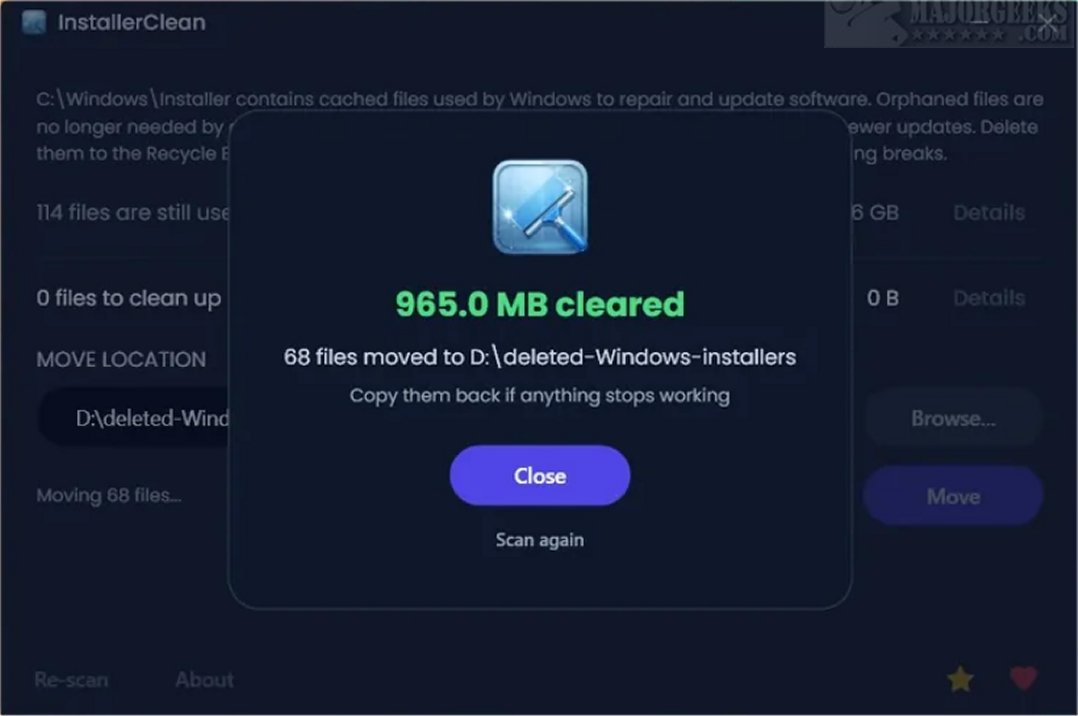
User-friendly in design, InstallerClean features an intuitive interface that displays a list of all installer files detected on the system, along with their sizes to help users identify which files can be safely deleted. After the cleanup process, it shows the total space reclaimed, with a clear prompt to finalize the operation. It also automatically scans for leftover files upon system startup, requiring user confirmation before deleting or moving any files. This ensures that users maintain control over their system and can make informed decisions based on the identified files.
The tool employs a verification process to ensure that only files safe for deletion are targeted, communicating directly with the operating system's built-in installer. Users are advised to have a current restore point available to mitigate any potential issues.
InstallerClean effectively identifies orphaned files—remnants from previous installations no longer linked to active programs—and superseded patches, which are older update files replaced by more recent versions. These unnecessary files can take up valuable space on the system.
The application is available in three download options:
- InstallerClean: A standard Windows installer.
- InstallerClean Portable: A self-contained executable requiring no installation.
- InstallerClean Slim: For users who already have the .NET 10 Desktop Runtime.
InstallerClean is especially useful for users looking to periodically tidy up their systems or manage multiple application reinstalls. Although these extraneous files do not accumulate as frequently as one might think, occasional use of InstallerClean provides a practical means of maintaining a clean and efficient system. After cleanup, the tool presents a completion screen detailing the files found and removed, allowing users to review the cleanup process's results.
To further enhance its functionality, future updates could include features such as automated scheduling for regular scans, advanced filtering options for more granular control over which files to delete, or integration with other system optimization tools to offer users a comprehensive maintenance solution
The C:\Windows\Installer folder is a repository for residual files generated during software installations and Windows updates. Over time, these files can consume significant storage space without users' knowledge. InstallerClean is designed specifically to address this issue by targeting and removing leftover files that linger post installation or updates.
User-friendly in design, InstallerClean features an intuitive interface that displays a list of all installer files detected on the system, along with their sizes to help users identify which files can be safely deleted. After the cleanup process, it shows the total space reclaimed, with a clear prompt to finalize the operation. It also automatically scans for leftover files upon system startup, requiring user confirmation before deleting or moving any files. This ensures that users maintain control over their system and can make informed decisions based on the identified files.
The tool employs a verification process to ensure that only files safe for deletion are targeted, communicating directly with the operating system's built-in installer. Users are advised to have a current restore point available to mitigate any potential issues.
InstallerClean effectively identifies orphaned files—remnants from previous installations no longer linked to active programs—and superseded patches, which are older update files replaced by more recent versions. These unnecessary files can take up valuable space on the system.
The application is available in three download options:
- InstallerClean: A standard Windows installer.
- InstallerClean Portable: A self-contained executable requiring no installation.
- InstallerClean Slim: For users who already have the .NET 10 Desktop Runtime.
InstallerClean is especially useful for users looking to periodically tidy up their systems or manage multiple application reinstalls. Although these extraneous files do not accumulate as frequently as one might think, occasional use of InstallerClean provides a practical means of maintaining a clean and efficient system. After cleanup, the tool presents a completion screen detailing the files found and removed, allowing users to review the cleanup process's results.
To further enhance its functionality, future updates could include features such as automated scheduling for regular scans, advanced filtering options for more granular control over which files to delete, or integration with other system optimization tools to offer users a comprehensive maintenance solution
InstallerClean 1.8.2 released
InstallerClean is a tool designed to effectively clean the hidden C:\Windows\Installer folder, which can potentially accumulate significant data over time. On many systems, this folder can grow to tens of gigabytes, and in cases where Adobe Acrobat is installed, it may exceed 100 GB.