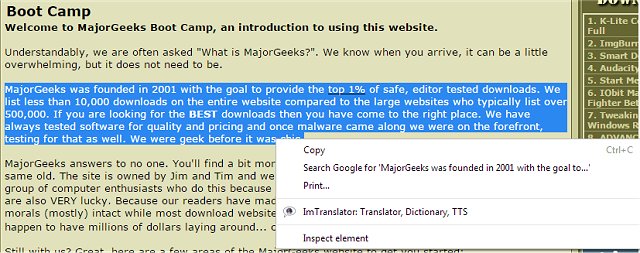
The latest version of ImTranslator, designed for Chrome, Firefox, and Opera, has been released as version 18.2. This powerful tool allows users to translate up to 10,000 characters of text, words, web pages, and phrases across 91 different languages using various translation providers such as Google and Microsoft.
ImTranslator offers four main translation functionalities: the ImTranslator for standalone translations, the Pop-up Bubble Translator for quick translations in a pop-up window, the Inline Translator that integrates translations directly into web pages, and the Webpage Translation feature that allows users to translate entire web pages while enabling mouseover translations for individual words or phrases.
Additional features include Text-to-Speech functionality, Translation History for easy access to previously translated phrases, and a Dictionary for word definitions. Users can customize their language settings for faster translations and can enjoy a user interface available in 22 languages. Further enhancements include automatic language detection, back translation capabilities, and customizable shortcut keys.
The ImTranslator tool is particularly useful for anyone needing efficient and versatile translation solutions, whether for personal use or professional purposes. Users can also explore related topics, such as managing language settings in Windows and Google Chrome, enhancing their overall experience with language tools and settings.
In summary, ImTranslator for Chrome, Firefox, and Opera 18.2 is a comprehensive translation tool that not only facilitates multilingual communication but also offers several useful features to enhance user convenience and efficiency. As globalization continues to connect people from diverse linguistic backgrounds, tools like ImTranslator play a crucial role in bridging language barriers and fostering understanding
ImTranslator offers four main translation functionalities: the ImTranslator for standalone translations, the Pop-up Bubble Translator for quick translations in a pop-up window, the Inline Translator that integrates translations directly into web pages, and the Webpage Translation feature that allows users to translate entire web pages while enabling mouseover translations for individual words or phrases.
Additional features include Text-to-Speech functionality, Translation History for easy access to previously translated phrases, and a Dictionary for word definitions. Users can customize their language settings for faster translations and can enjoy a user interface available in 22 languages. Further enhancements include automatic language detection, back translation capabilities, and customizable shortcut keys.
The ImTranslator tool is particularly useful for anyone needing efficient and versatile translation solutions, whether for personal use or professional purposes. Users can also explore related topics, such as managing language settings in Windows and Google Chrome, enhancing their overall experience with language tools and settings.
In summary, ImTranslator for Chrome, Firefox, and Opera 18.2 is a comprehensive translation tool that not only facilitates multilingual communication but also offers several useful features to enhance user convenience and efficiency. As globalization continues to connect people from diverse linguistic backgrounds, tools like ImTranslator play a crucial role in bridging language barriers and fostering understanding
ImTranslator for Chrome, Firefox, and Opera 18.2 released
ImTranslator for Chrome, Firefox, and Opera can assist you in translating up to 10,000 characters of text, words, web pages, and phrases from 91 languages via Google, Microsoft, and others.
ImTranslator for Chrome, Firefox, and Opera 18.2 released @ MajorGeeks