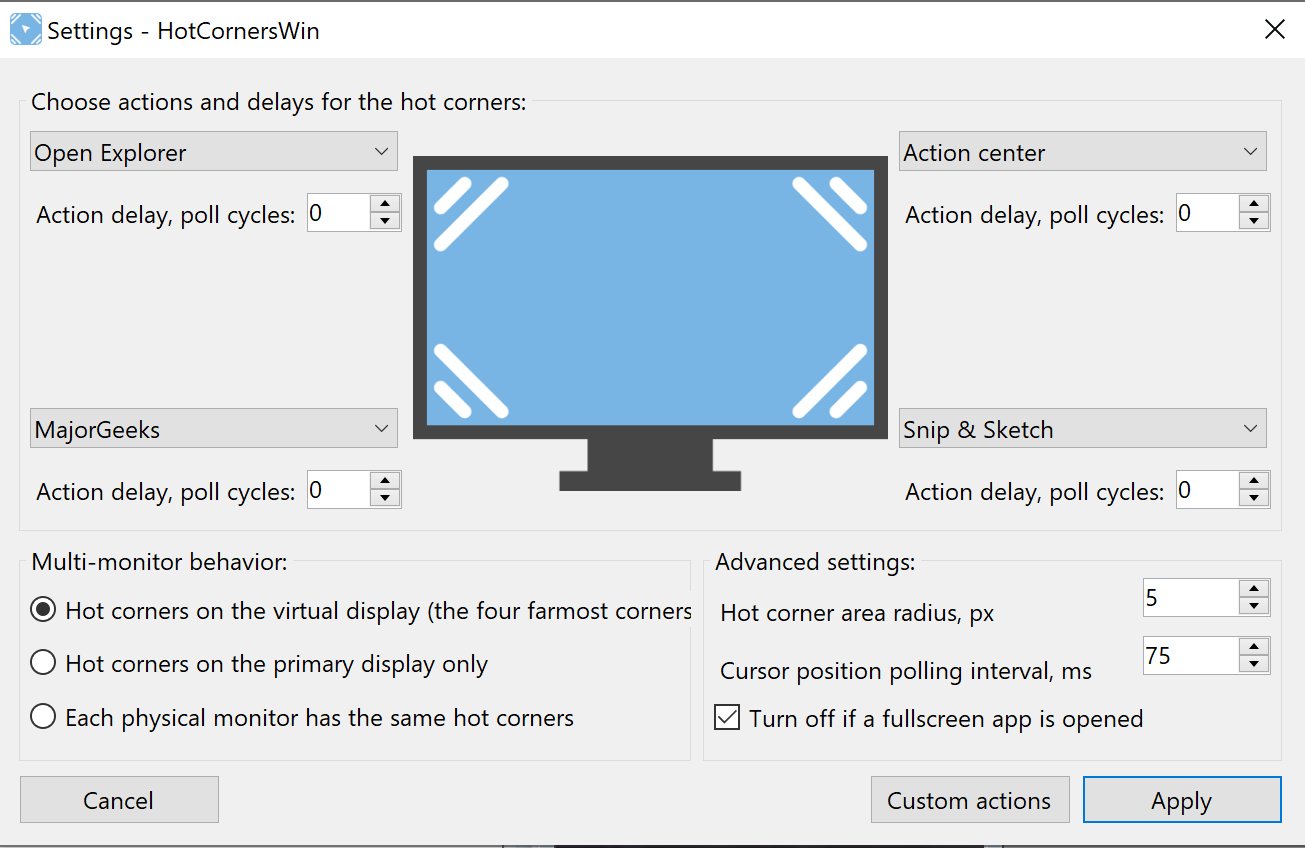
HotCornersWin 0.9.5 Beta has been released, offering Windows users an innovative tool that mimics the macOS hot corners feature to enhance productivity and ease of use. This application allows for a more intuitive desktop experience, making navigation and task execution efficient and seamless. With its exceptional adaptability to multi-monitor setups and its ability to auto-adjust for full-screen applications, HotCornersWin stands out as a valuable asset for anyone looking to optimize their workflow.
The installation process is straightforward, and the program is designed to have a minimal system impact, ensuring a smooth user experience. It operates by monitoring mouse movements at regular intervals, with a default setting of 75 milliseconds that balances responsiveness and CPU usage. Users can easily perform various actions, such as accessing the Start menu, managing virtual desktops, and locking their PCs, all without extensive configuration.
One of the key features of HotCornersWin is its customizable actions, allowing users to tailor the application to fit their specific needs. However, it is important to note that the software requires initial configuration after installation; users must locate the program's icon in the system tray to set it up.
In summary, HotCornersWin 0.9.5 Beta is a game-changing utility for Windows users, offering a blend of customization, ease of use, and productivity enhancement that can significantly improve their desktop experience. As users explore its capabilities, they can look forward to a more personalized and efficient computing environment. Future updates could potentially include even more customization options and additional features, further solidifying its place as a must-have tool for Windows users seeking to streamline their workflow
The installation process is straightforward, and the program is designed to have a minimal system impact, ensuring a smooth user experience. It operates by monitoring mouse movements at regular intervals, with a default setting of 75 milliseconds that balances responsiveness and CPU usage. Users can easily perform various actions, such as accessing the Start menu, managing virtual desktops, and locking their PCs, all without extensive configuration.
One of the key features of HotCornersWin is its customizable actions, allowing users to tailor the application to fit their specific needs. However, it is important to note that the software requires initial configuration after installation; users must locate the program's icon in the system tray to set it up.
In summary, HotCornersWin 0.9.5 Beta is a game-changing utility for Windows users, offering a blend of customization, ease of use, and productivity enhancement that can significantly improve their desktop experience. As users explore its capabilities, they can look forward to a more personalized and efficient computing environment. Future updates could potentially include even more customization options and additional features, further solidifying its place as a must-have tool for Windows users seeking to streamline their workflow
HotCornersWin 0.9.5 Beta released
HotCornersWin enhances productivity and ease of use on Windows by bringing macOS-like hot corners functionality.