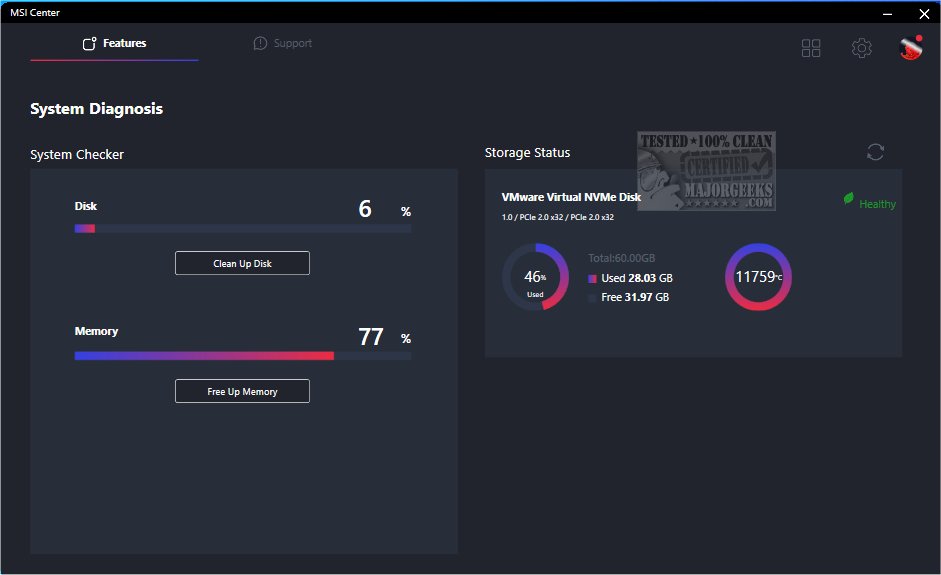
The MSI Center has been updated to version 2.0.75.0, consolidating MSI's exclusive features to enhance both gaming and productivity experiences. The application houses all favorite functionalities on the Feature Sets page, including Gaming Mode and Smart Priority, allowing users to build a customized control center tailored to their preferences.
Expanded Feature Set
What sets MSI Center apart from competitors is its extensive range of user-focused features. The Monitor tab provides clear data on system performance, detailing CPU and GPU usage, as well as fan speeds. Moreover, additional features are included to cater to diverse user needs.
For Gamers
MSI Center's Gaming Mode optimizes system performance by shutting down unnecessary background applications, ensuring a smooth gaming experience. The Smart Priority and User Scenario functions further enhance this optimization by intelligently prioritizing tasks based on user preferences. The Game Highlights feature enables gamers to easily capture and revisit exciting moments during gameplay. Additionally, users can enhance their audio and visual experiences with Sound Tune and True Color options for a more immersive gaming atmosphere.
Duet Display
An innovative feature, Duet Display, transforms a tablet into a secondary screen for enhanced gaming immersion. This allows gamers to display critical game elements, such as the minimap in League of Legends, on a portable device. The MSI Companion overlay also facilitates easy adjustments to PC settings without interrupting gameplay.
Compatibility and Support
MSI Center supports a wide range of MSI hardware, including:
- Motherboards: Intel Series (X299/300/400/500/600 or newer) and AMD Series (X399/TRX40/A320/400/500 or newer).
- Notebooks: Gaming Series laptops powered by Intel's 11th gen CPU or AMD's 5000 series.
- Graphics Cards: NVIDIA GPUs (RTX 40, 30, 20, GTX 16 series) and AMD GPUs (Radeon RX 6000, 5000 series).
- Desktops: MEG/MPG Gaming Series and Creator Series desktops with Intel's 11th gen CPU or newer, along with PRO Series models.
- Gaming Gear: Supporting various MSI peripherals, including VIGOR keyboards and CLUTCH mice.
Conclusion
The latest update to MSI Center aims to elevate gaming and creative experiences, merging advanced technology with user-centric design. The combination of powerful features and broad hardware support positions MSI Center as a comprehensive tool for gamers and professionals alike, encouraging users to maximize their performance and enjoyment.
As MSI continues to innovate, future updates are likely to introduce even more functionalities, solidifying MSI Center as a leading application in the gaming and productivity space
Expanded Feature Set
What sets MSI Center apart from competitors is its extensive range of user-focused features. The Monitor tab provides clear data on system performance, detailing CPU and GPU usage, as well as fan speeds. Moreover, additional features are included to cater to diverse user needs.
For Gamers
MSI Center's Gaming Mode optimizes system performance by shutting down unnecessary background applications, ensuring a smooth gaming experience. The Smart Priority and User Scenario functions further enhance this optimization by intelligently prioritizing tasks based on user preferences. The Game Highlights feature enables gamers to easily capture and revisit exciting moments during gameplay. Additionally, users can enhance their audio and visual experiences with Sound Tune and True Color options for a more immersive gaming atmosphere.
Duet Display
An innovative feature, Duet Display, transforms a tablet into a secondary screen for enhanced gaming immersion. This allows gamers to display critical game elements, such as the minimap in League of Legends, on a portable device. The MSI Companion overlay also facilitates easy adjustments to PC settings without interrupting gameplay.
Compatibility and Support
MSI Center supports a wide range of MSI hardware, including:
- Motherboards: Intel Series (X299/300/400/500/600 or newer) and AMD Series (X399/TRX40/A320/400/500 or newer).
- Notebooks: Gaming Series laptops powered by Intel's 11th gen CPU or AMD's 5000 series.
- Graphics Cards: NVIDIA GPUs (RTX 40, 30, 20, GTX 16 series) and AMD GPUs (Radeon RX 6000, 5000 series).
- Desktops: MEG/MPG Gaming Series and Creator Series desktops with Intel's 11th gen CPU or newer, along with PRO Series models.
- Gaming Gear: Supporting various MSI peripherals, including VIGOR keyboards and CLUTCH mice.
Conclusion
The latest update to MSI Center aims to elevate gaming and creative experiences, merging advanced technology with user-centric design. The combination of powerful features and broad hardware support positions MSI Center as a comprehensive tool for gamers and professionals alike, encouraging users to maximize their performance and enjoyment.
As MSI continues to innovate, future updates are likely to introduce even more functionalities, solidifying MSI Center as a leading application in the gaming and productivity space
MSI Center 2.0.75.0 released
MSI Center combines all of MSI's exclusive features to elevate the time spent gaming and working on your machine.