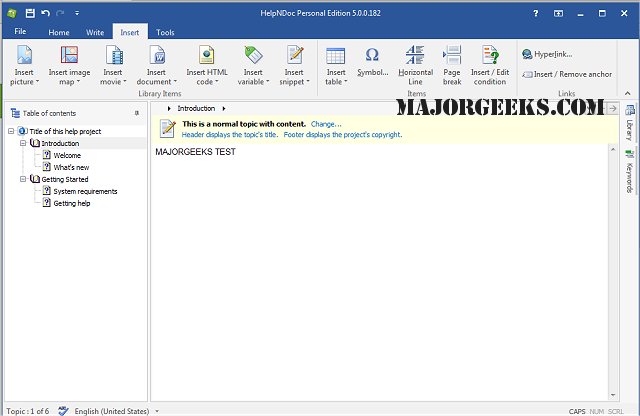
HelpNDoc version 10.6.0.365 has been released, offering users a streamlined and effective interface for creating various types of documentation, including CHM help files, web-based content, PDF, and Word documents, all from a single source. This software is designed to simplify the process of generating help files, eliminating the need for complex tools and user interfaces. Users can easily input or import their content into HelpNDoc's built-in word processor and compile it with a single click, resulting in a professional-looking help file that matches their vision.
HelpNDoc emphasizes user-friendliness, making it accessible for anyone familiar with standard word processing software. The program includes robust features such as live spell checking and a fully WYSIWYG (What You See Is What You Get) editing environment, which enhances the speed and efficiency of document creation.
In summary, HelpNDoc is an intuitive tool that provides advanced capabilities in a user-friendly format, allowing users to focus on content creation without being bogged down by technical details. With its recent update, it continues to enhance the documentation experience for users across various platforms and formats.
Additionally, users may find it beneficial to explore related topics, such as installing or uninstalling Microsoft WordPad, running and using WordPad in Windows 10 and 11, and modifying context menus to include "Open With Notepad" options, as these can complement their documentation needs
HelpNDoc emphasizes user-friendliness, making it accessible for anyone familiar with standard word processing software. The program includes robust features such as live spell checking and a fully WYSIWYG (What You See Is What You Get) editing environment, which enhances the speed and efficiency of document creation.
In summary, HelpNDoc is an intuitive tool that provides advanced capabilities in a user-friendly format, allowing users to focus on content creation without being bogged down by technical details. With its recent update, it continues to enhance the documentation experience for users across various platforms and formats.
Additionally, users may find it beneficial to explore related topics, such as installing or uninstalling Microsoft WordPad, running and using WordPad in Windows 10 and 11, and modifying context menus to include "Open With Notepad" options, as these can complement their documentation needs
HelpNDoc 10.6.0.365 released
HeHelpNDoc provides you with a clear and efficient interface for building CHM help files, WEB-based documentation, PDF, and Word documents from a single free source.