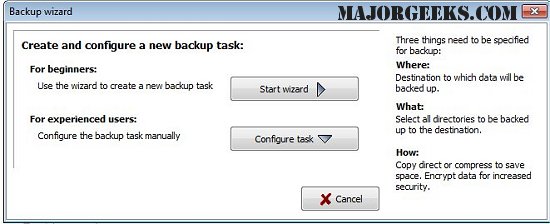
Personal Backup version 6.4.10.0 has been released, offering users a robust solution for saving personal data to various destinations, including local fixed or removable drives, Windows network servers, and FTP servers. This software allows users to configure and store an unlimited number of backup tasks, with a focus on folder-based file selection. By default, all subfolders are included in the backup, but users have the flexibility to exclude or include specific subdirectories using filters. Criteria for file selection can be based on file type, age, or name.
The software maintains the original directory structure while creating subdirectories (e.g., LwC, LwD) for the original drives. Users can also choose to compress their files using gzip or zip formats, with options for AES encryption for added security.
Key features of Personal Backup include:
- A user-friendly wizard for creating new backup tasks.
- An unlimited number of configurable backup tasks.
- The ability to back up complete directory structures.
- Flexible backup initiation options, either on-demand or through automated scheduling.
- Support for FTP backups, with options for proxy use and FTPS (FTP over SSL).
- Multiple backup options, including:
- Copying files with or without data compression while retaining the original directory structure.
- Creating zip files that can handle files larger than 4GB, with various configurations for file organization.
Additional resources related to system management are also mentioned, such as guides on resetting or reinstalling Windows 10, managing system restore settings, and adjusting system protection storage sizes in Windows 10 and 11.
To extend this, users could benefit from tips on optimizing their backup strategies, such as regularly reviewing and updating backup tasks to ensure critical data is always protected. It may also be valuable to highlight the importance of testing backups periodically to confirm that data can be successfully restored when needed. Additionally, considering the increasing prevalence of cyber threats, incorporating security practices like regular software updates and using strong passwords for encrypted backups could significantly enhance data protection
The software maintains the original directory structure while creating subdirectories (e.g., LwC, LwD) for the original drives. Users can also choose to compress their files using gzip or zip formats, with options for AES encryption for added security.
Key features of Personal Backup include:
- A user-friendly wizard for creating new backup tasks.
- An unlimited number of configurable backup tasks.
- The ability to back up complete directory structures.
- Flexible backup initiation options, either on-demand or through automated scheduling.
- Support for FTP backups, with options for proxy use and FTPS (FTP over SSL).
- Multiple backup options, including:
- Copying files with or without data compression while retaining the original directory structure.
- Creating zip files that can handle files larger than 4GB, with various configurations for file organization.
Additional resources related to system management are also mentioned, such as guides on resetting or reinstalling Windows 10, managing system restore settings, and adjusting system protection storage sizes in Windows 10 and 11.
To extend this, users could benefit from tips on optimizing their backup strategies, such as regularly reviewing and updating backup tasks to ensure critical data is always protected. It may also be valuable to highlight the importance of testing backups periodically to confirm that data can be successfully restored when needed. Additionally, considering the increasing prevalence of cyber threats, incorporating security practices like regular software updates and using strong passwords for encrypted backups could significantly enhance data protection
Personal Backup 6.4.10.0 released
Personal Backup saves personal data to any destination folder located on a local fixed or removable drive, Windows network server, or an FTP server.