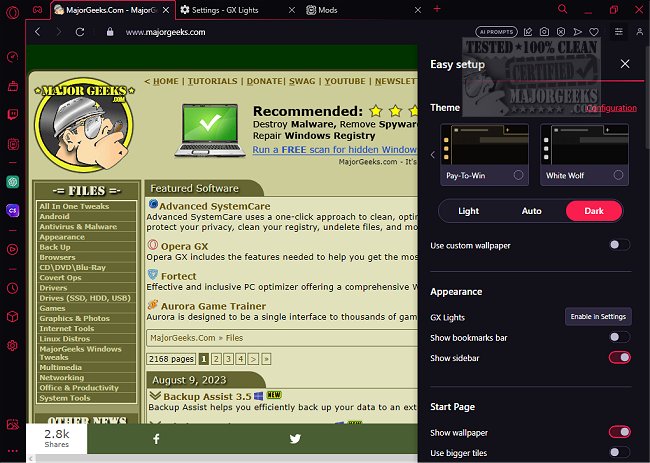
Opera GX version 131.0.5877.104 has been released, offering a browser specifically designed for gamers and multitaskers. This free browser is available for Windows, macOS, Chromebooks, and has plans for Linux support. Opera GX distinguishes itself from other browsers through its focus on performance management, allowing users to control CPU, RAM, and bandwidth usage, which is particularly beneficial for streamers and gamers looking to minimize system lag.
Built on Chromium, Opera GX integrates seamlessly with popular gaming platforms like Twitch and Discord. Its key features include:
- Resource Management Tools: Limiters for CPU, RAM, and bandwidth.
- Privacy Features: A built-in ad blocker, free VPN (no account required), and tracker blocking to enhance user privacy.
- Customization Options: A high-contrast interface with customizable elements, including sounds and UI music via GX Mods.
- Integrated Gaming Tools: GX Cleaner for removing browser junk and GX Corner for game deals and news.
Safety is a priority for Opera GX, backed by Opera Software's long-standing reputation in browser development. The browser allows users to adjust privacy settings and even has a "Save My Soul Feature" that modifies or deletes browsing history after a period of inactivity.
Opera GX also supports Chrome extensions, so users can maintain their preferred functionalities without sacrificing performance.
- Built-in resource limiters
- Free VPN and ad blocker
- Ideal for multitasking and streaming
- Cross-platform availability
- Extension support from the Chrome Web Store
Cons:
- Heavier than minimalistic browsers
- No native Linux version
- Aesthetic features may not appeal to all users
Conclusion
Opera GX is not merely a visually appealing browser; it provides practical tools for gamers and heavy users to manage resources effectively while browsing. If you seek a more controlled and efficient browsing experience without compromising speed, Opera GX is a commendable choice.
Built on Chromium, Opera GX integrates seamlessly with popular gaming platforms like Twitch and Discord. Its key features include:
- Resource Management Tools: Limiters for CPU, RAM, and bandwidth.
- Privacy Features: A built-in ad blocker, free VPN (no account required), and tracker blocking to enhance user privacy.
- Customization Options: A high-contrast interface with customizable elements, including sounds and UI music via GX Mods.
- Integrated Gaming Tools: GX Cleaner for removing browser junk and GX Corner for game deals and news.
Safety is a priority for Opera GX, backed by Opera Software's long-standing reputation in browser development. The browser allows users to adjust privacy settings and even has a "Save My Soul Feature" that modifies or deletes browsing history after a period of inactivity.
Opera GX also supports Chrome extensions, so users can maintain their preferred functionalities without sacrificing performance.
Pros and Cons
Pros:- Built-in resource limiters
- Free VPN and ad blocker
- Ideal for multitasking and streaming
- Cross-platform availability
- Extension support from the Chrome Web Store
Cons:
- Heavier than minimalistic browsers
- No native Linux version
- Aesthetic features may not appeal to all users
Conclusion
Opera GX is not merely a visually appealing browser; it provides practical tools for gamers and heavy users to manage resources effectively while browsing. If you seek a more controlled and efficient browsing experience without compromising speed, Opera GX is a commendable choice.
Further Exploration
For those interested in new features, consider trying Opera Air, which offers innovative browsing capabilities. Additionally, explore articles on topics like utilizing Windows gaming task manager, uninstalling Xbox applications, and enhancing your gaming experience in WindowsOpera GX 131.0.5877.104 released
Opera GX includes the features needed to help you get the most out of gaming and browsing.