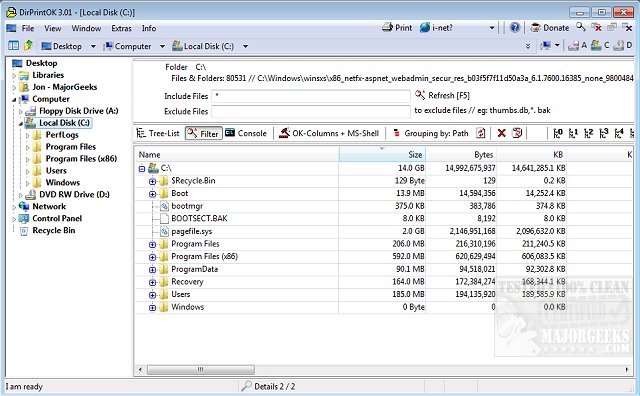
DirPrintOK version 7.69 has been released, offering users an efficient, free, and portable solution for printing directory contents. The software simplifies the printing process: users can easily select a target directory, apply filters (including the option to include or exclude MP3 ID3 tags), and proceed to print. The application features a print preview that accommodates variable aspect ratios and supports exporting the directory listing to various formats including XLS, HTML, CSV, and TXT.
DirPrintOK provides several viewing options such as tree-list, tree-list-plus, filters, and console, enhancing user experience. Key features include:
- Grouping capabilities based on file extension, modification time, size, or folders
- Multi-tab functionality that allows users to open an additional folder in a new tab
- Printing options that include a print preview and variable aspect ratio
- The ability to print directory lists from the command line (cmd.exe)
Additionally, users can refer to related guides on managing printers in Windows, including how to view all installed printers, add or remove 'Devices and Printers' from the desktop, and incorporate any printer into the Send to context menu.
As DirPrintOK continues to evolve, users can expect improvements and new features that further streamline directory management and printing tasks. Future updates may include enhanced export functionalities, additional filtering options, or integration with cloud storage services, making it an even more versatile tool for organizing and printing directory contents effectively
DirPrintOK provides several viewing options such as tree-list, tree-list-plus, filters, and console, enhancing user experience. Key features include:
- Grouping capabilities based on file extension, modification time, size, or folders
- Multi-tab functionality that allows users to open an additional folder in a new tab
- Printing options that include a print preview and variable aspect ratio
- The ability to print directory lists from the command line (cmd.exe)
Additionally, users can refer to related guides on managing printers in Windows, including how to view all installed printers, add or remove 'Devices and Printers' from the desktop, and incorporate any printer into the Send to context menu.
As DirPrintOK continues to evolve, users can expect improvements and new features that further streamline directory management and printing tasks. Future updates may include enhanced export functionalities, additional filtering options, or integration with cloud storage services, making it an even more versatile tool for organizing and printing directory contents effectively
DirPrintOK 7.69 released
DirPrintOK is a fast, freeware, portable option for printing the content of a specific directory.