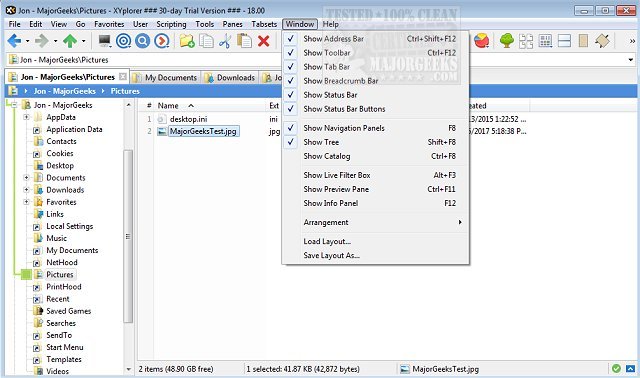
XYplorer has released two new versions, 28.30.2000 and 27.20.1506, enhancing its reputation as a robust tabbed file manager for Windows. This software is renowned for its powerful features, including advanced file search capabilities, zip file support, and a duplicate file finder, among others.
In addition to these functionalities, XYplorer offers a versatile preview feature, allowing users to view files without opening them, and a highly customizable interface that can be tailored to individual preferences. The program also supports an optional dual-pane layout, enabling users to manage files more efficiently by viewing two directories side by side.
Other notable features of XYplorer include fast and lightweight operation, innovative automation options for recurring tasks, tabbed browsing, six-key navigation for quick access, queued file operations, batch renaming capabilities, and one-click previews.
For users looking to optimize their file management experience, XYplorer provides several tips and tricks, such as disabling Quick Access and customizing folder view settings.
In summary, XYplorer is an excellent choice for users seeking a powerful, portable, and customizable file management solution that streamlines file organization and enhances productivity on Windows systems.
As an extension, users may also explore additional functionalities such as integration with cloud storage, enhanced security features for sensitive files, and collaborative tools that allow file sharing across networks. Future updates could further improve user experience by incorporating artificial intelligence for smarter file recommendations and organization suggestions
In addition to these functionalities, XYplorer offers a versatile preview feature, allowing users to view files without opening them, and a highly customizable interface that can be tailored to individual preferences. The program also supports an optional dual-pane layout, enabling users to manage files more efficiently by viewing two directories side by side.
Other notable features of XYplorer include fast and lightweight operation, innovative automation options for recurring tasks, tabbed browsing, six-key navigation for quick access, queued file operations, batch renaming capabilities, and one-click previews.
For users looking to optimize their file management experience, XYplorer provides several tips and tricks, such as disabling Quick Access and customizing folder view settings.
In summary, XYplorer is an excellent choice for users seeking a powerful, portable, and customizable file management solution that streamlines file organization and enhances productivity on Windows systems.
As an extension, users may also explore additional functionalities such as integration with cloud storage, enhanced security features for sensitive files, and collaborative tools that allow file sharing across networks. Future updates could further improve user experience by incorporating artificial intelligence for smarter file recommendations and organization suggestions
XYplorer 28.30.2000 / 27.20.1506 released
XYplorer is a tabbed file manager for Windows featuring powerful file search, zip support, duplicate file finder and much more.