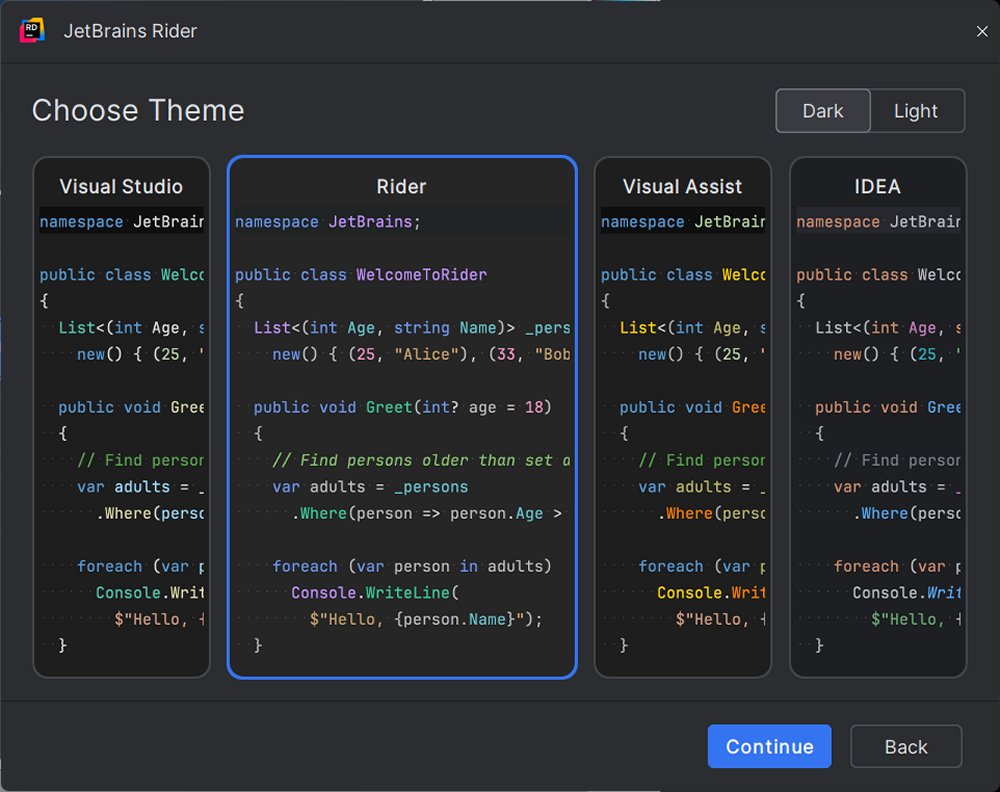
JetBrains Rider is a cross-platform Integrated Development Environment (IDE) specifically designed for .NET and C# developers, offering deep code insights, excellent performance, and seamless integration with various tools, both modern and legacy. It shares a foundation with popular JetBrains products like IntelliJ IDEA and PyCharm, providing a familiar interface for users of those IDEs. Rider is particularly appealing to developers seeking an alternative to Visual Studio, which can be slow at times, as it provides a customizable, plugin-friendly environment.
Key Features:
- Comprehensive Support: Rider supports .NET Framework, .NET Core, Mono, Xamarin, ASP.NET, Unity, and even front-end technologies like JavaScript and TypeScript, along with built-in support for SQL, Docker, and Git.
- Performance: Designed for speed, Rider remains efficient on large projects, unlike Visual Studio with ReSharper.
- Code Analysis and Refactoring: Offers over 2200 code inspections and 1000+ context actions to help identify and fix issues quickly.
- Debugger and Test Runner: Full support for various testing frameworks ensures thorough debugging capabilities.
Real-World Applications:
Rider is versatile, making it suitable for a variety of development tasks, including game development with Unity, web development with ASP.NET, and enterprise applications utilizing microservices and databases. Its all-in-one environment is particularly beneficial for developers working on both frontend and backend code.
Transitioning from Visual Studio:
Switching to Rider from Visual Studio is straightforward, as it can directly open existing .sln and .csproj files. While some settings may need adjustment, Rider also offers a Visual Studio keymap to facilitate the transition.
System Requirements and Pricing:
Rider is compatible with Windows, macOS, and Linux, requiring .NET Framework 4.6.1 or later. It is free for non-commercial use, while commercial licenses start at $149 per year, with a 30-day free trial available.
Pros and Cons:
- Pros: Fast performance, built-in ReSharper, excellent support for various frameworks, cross-platform consistency, and robust version control and database tools.
- Cons: Initial indexing may be time-consuming for large projects, and there may be a learning curve for those transitioning from Visual Studio.
Overall Verdict:
JetBrains Rider is an ideal choice for developers seeking a faster, more efficient, and customizable IDE. Whether working with large .NET solutions or game development, Rider enhances the development experience by allowing developers to focus on building software without unnecessary distractions.
Extension: Future Considerations
As the software development landscape continues to evolve, JetBrains Rider is likely to introduce even more features and enhancements. Future updates may include improved AI-driven code suggestions, deeper integration with cloud services, and expanded support for emerging technologies like machine learning and blockchain development. Additionally, community feedback could lead to further customization options and plugins, ensuring that Rider remains a top choice for developers in the ever-changing tech ecosystem
Key Features:
- Comprehensive Support: Rider supports .NET Framework, .NET Core, Mono, Xamarin, ASP.NET, Unity, and even front-end technologies like JavaScript and TypeScript, along with built-in support for SQL, Docker, and Git.
- Performance: Designed for speed, Rider remains efficient on large projects, unlike Visual Studio with ReSharper.
- Code Analysis and Refactoring: Offers over 2200 code inspections and 1000+ context actions to help identify and fix issues quickly.
- Debugger and Test Runner: Full support for various testing frameworks ensures thorough debugging capabilities.
Real-World Applications:
Rider is versatile, making it suitable for a variety of development tasks, including game development with Unity, web development with ASP.NET, and enterprise applications utilizing microservices and databases. Its all-in-one environment is particularly beneficial for developers working on both frontend and backend code.
Transitioning from Visual Studio:
Switching to Rider from Visual Studio is straightforward, as it can directly open existing .sln and .csproj files. While some settings may need adjustment, Rider also offers a Visual Studio keymap to facilitate the transition.
System Requirements and Pricing:
Rider is compatible with Windows, macOS, and Linux, requiring .NET Framework 4.6.1 or later. It is free for non-commercial use, while commercial licenses start at $149 per year, with a 30-day free trial available.
Pros and Cons:
- Pros: Fast performance, built-in ReSharper, excellent support for various frameworks, cross-platform consistency, and robust version control and database tools.
- Cons: Initial indexing may be time-consuming for large projects, and there may be a learning curve for those transitioning from Visual Studio.
Overall Verdict:
JetBrains Rider is an ideal choice for developers seeking a faster, more efficient, and customizable IDE. Whether working with large .NET solutions or game development, Rider enhances the development experience by allowing developers to focus on building software without unnecessary distractions.
Extension: Future Considerations
As the software development landscape continues to evolve, JetBrains Rider is likely to introduce even more features and enhancements. Future updates may include improved AI-driven code suggestions, deeper integration with cloud services, and expanded support for emerging technologies like machine learning and blockchain development. Additionally, community feedback could lead to further customization options and plugins, ensuring that Rider remains a top choice for developers in the ever-changing tech ecosystem
Rider 2026.2.3.1 released
JetBrains Rider is a cross-platform .NET IDE built for serious developers who want deep code insight, fast performance, and smooth integration tailored for .NET and C#.