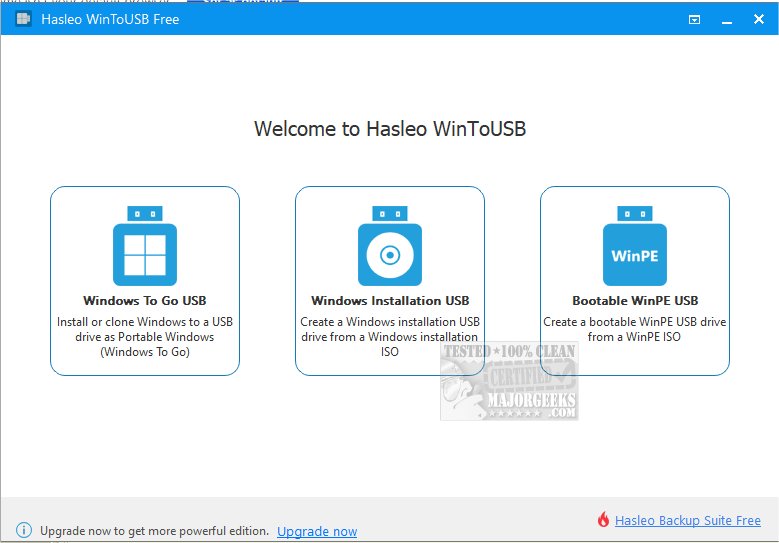
The latest version, WinToUSB 10.9.0.2, has been released, enhancing the software's ability to install and run the Windows operating system on USB drives, whether they are USB hard drives or flash drives. This process utilizes an ISO image or a CD/DVD drive as the source for installation. Users can easily set up Windows on their USB drives if they have a Windows installation source (like a DVD or an image file) and a valid Windows product key.
Key features of WinToUSB include:
- A simple three-step process for installing or cloning Windows onto a USB drive.
- Compatibility with any edition of Windows 8(.1) or 10 to create a Windows To Go USB drive.
- The ability to create a Windows To Go workspace on USB drives that are not officially certified for Windows To Go.
- Support for Windows 7, 8(.1), and 10 Technical Preview, as well as WinPE versions 2 through 5, across both 32-bit and 64-bit architectures.
In addition to the core functionalities, the software is accompanied by various resources that guide users on optimizing USB drives for better performance, retrieving embedded Windows keys, transferring Windows licenses to different computers, diagnosing USB problems, and obtaining detailed information about Windows 10 and 11 installation ISOs.
As USB technology continues to evolve, WinToUSB remains a valuable tool for users looking to create portable versions of Windows. Future updates may further enhance performance, expand compatibility with newer Windows versions, and introduce more user-friendly features to streamline the installation process
Key features of WinToUSB include:
- A simple three-step process for installing or cloning Windows onto a USB drive.
- Compatibility with any edition of Windows 8(.1) or 10 to create a Windows To Go USB drive.
- The ability to create a Windows To Go workspace on USB drives that are not officially certified for Windows To Go.
- Support for Windows 7, 8(.1), and 10 Technical Preview, as well as WinPE versions 2 through 5, across both 32-bit and 64-bit architectures.
In addition to the core functionalities, the software is accompanied by various resources that guide users on optimizing USB drives for better performance, retrieving embedded Windows keys, transferring Windows licenses to different computers, diagnosing USB problems, and obtaining detailed information about Windows 10 and 11 installation ISOs.
As USB technology continues to evolve, WinToUSB remains a valuable tool for users looking to create portable versions of Windows. Future updates may further enhance performance, expand compatibility with newer Windows versions, and introduce more user-friendly features to streamline the installation process
WinToUSB 10.9.0.2 released
WinToUSB will install and run the Windows operating system on a USB hard drive or USB flash drive, using an ISO image or CD/DVD drive as the installation source.