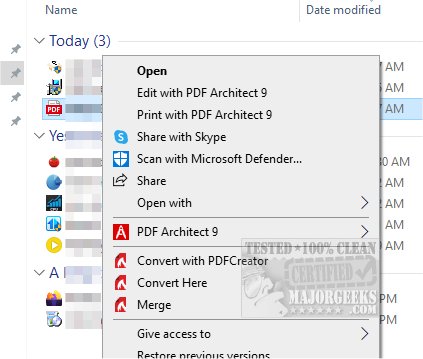
PDFCreator 6.3.1 has been released, enhancing the ability to create PDF files from virtually any Windows application. This versatile tool allows users to generate PDFs from any program that is print-ready, ensuring a seamless experience. One of its standout features is robust security; PDFCreator enables users to encrypt their PDFs, safeguarding them from unauthorized access. Additionally, users can digitally sign their documents to verify authorship and confirm that the content has not been altered.
Beyond security, PDFCreator offers essential functionalities such as merging multiple PDF files and automatically saving documents based on user-defined criteria for folders and filenames. The installation process allows users to customize these options according to their needs.
While its primary function revolves around PDF creation, PDFCreator is also capable of producing various graphic formats, including PNG, JPG, and BMP, broadening its utility for users who require versatile output options.
Furthermore, users may find helpful resources related to PDF management, such as guides on creating PDFs in Windows, enabling two-page views for PDF documents in Google Chrome, and preventing Microsoft Edge from automatically opening PDF and HTML files.
In summary, PDFCreator 6.3.1 not only simplifies the PDF creation process but also enhances document security, providing a comprehensive tool for both personal and professional use. The software continues to evolve, catering to the varying needs of its users by incorporating features that enhance usability and security
Beyond security, PDFCreator offers essential functionalities such as merging multiple PDF files and automatically saving documents based on user-defined criteria for folders and filenames. The installation process allows users to customize these options according to their needs.
While its primary function revolves around PDF creation, PDFCreator is also capable of producing various graphic formats, including PNG, JPG, and BMP, broadening its utility for users who require versatile output options.
Furthermore, users may find helpful resources related to PDF management, such as guides on creating PDFs in Windows, enabling two-page views for PDF documents in Google Chrome, and preventing Microsoft Edge from automatically opening PDF and HTML files.
In summary, PDFCreator 6.3.1 not only simplifies the PDF creation process but also enhances document security, providing a comprehensive tool for both personal and professional use. The software continues to evolve, catering to the varying needs of its users by incorporating features that enhance usability and security
PDFCreator 6.3.1 released
Create PDF files from almost any Windows application and more with PDFCreator.