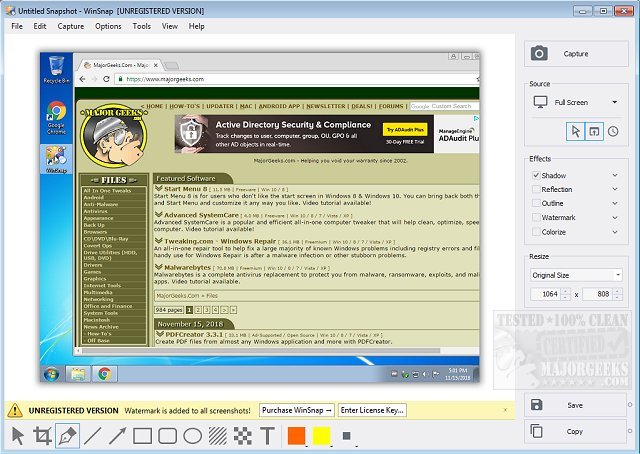
WinSnap version 6.2.4 has been released, enhancing the utility's capabilities for taking and editing screenshots. Originally designed for capturing non-rectangular windows, such as those with XP visual styles and skinned media players, WinSnap now offers a range of advanced features that simplify the screenshot process, eliminating the need for manual adjustments in complex image editing software like Photoshop.
The latest version includes professional smoothing shadows, a variety of coloring effects, and canvas transformations, making it an ideal tool for both casual users and professionals. It supports multiple image formats for saving, streamlining the workflow for users who need high-quality screenshots.
Key features of WinSnap include:
- Flexible screen capture options
- Professional shadow effects and advanced image processing
- Basic canvas transformations for enhanced editing
- Aero Glass capturing, preserving shadows and transparencies
- Support for Alpha-Channel and PNG transparency
In addition to these features, future updates could focus on improving user interface customization, adding more advanced editing tools, and expanding compatibility with different operating systems and screen resolutions. This would further solidify WinSnap's position as a versatile and powerful screenshot utility for a wide range of users
The latest version includes professional smoothing shadows, a variety of coloring effects, and canvas transformations, making it an ideal tool for both casual users and professionals. It supports multiple image formats for saving, streamlining the workflow for users who need high-quality screenshots.
Key features of WinSnap include:
- Flexible screen capture options
- Professional shadow effects and advanced image processing
- Basic canvas transformations for enhanced editing
- Aero Glass capturing, preserving shadows and transparencies
- Support for Alpha-Channel and PNG transparency
In addition to these features, future updates could focus on improving user interface customization, adding more advanced editing tools, and expanding compatibility with different operating systems and screen resolutions. This would further solidify WinSnap's position as a versatile and powerful screenshot utility for a wide range of users
WinSnap 6.2.4 released
WinSnap is a small enhancement utility for taking and editing screenshots.