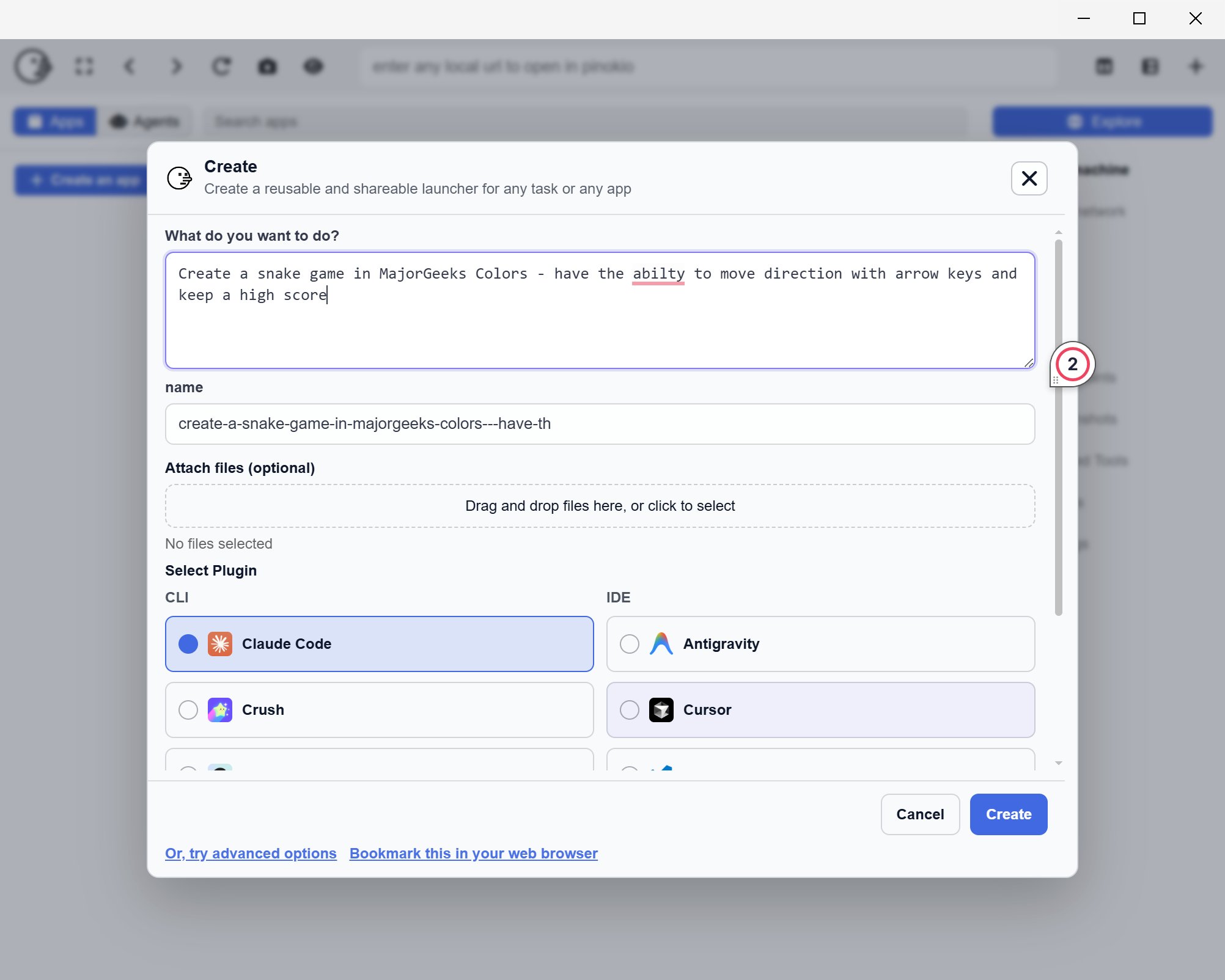
Pinokio is a free, cross-platform desktop application that transforms your PC into a personal cloud environment, allowing users to install, run, and manage AI applications and server-oriented software with a single click. The latest version, Pinokio 8.0.0, enhances the user experience for those looking to run AI tools and other localhost projects without the hassle of manual setup.
Key Features and Benefits
Pinokio is designed for individuals who prefer to operate applications locally but wish to avoid the time-consuming process of troubleshooting dependencies like Python, Git, or Node. By consolidating various software that typically requires terminal commands into a user-friendly interface, Pinokio simplifies the installation and launching of local projects. This tool is particularly valuable for users concerned about privacy and control, as it allows for local execution without relying on external servers, making it easier to experiment with AI tools without incurring costs associated with API usage.
Some of the notable features include:
- A centralized platform for installing and launching local applications.
- Automated background setup to ease the installation process.
- Simplified testing of localhost tools without the need for terminal use.
- An assurance of safety with verified scripts, which have been reviewed by the Pinokio admin, although caution is still advised.
Using Pinokio for App Development
While Pinokio streamlines the management of dependencies, it does not replace coding environments like VS Code or Cursor where actual application development occurs. Instead, it assists in handling backend installations and configurations, allowing developers to focus on building their applications. For instance, a developer creating an AI-powered note-taking app can leverage Pinokio to set up the necessary backend services, connect them with their app, and test everything locally without relying on paid services.
Limitations and Considerations
Despite its strengths, Pinokio introduces a layer between users and the software, which can complicate troubleshooting when issues arise. Users must exercise caution when allowing automated scripts to run on their machines, and it’s advisable to stick with verified scripts to minimize risks.
Conclusion
In essence, Pinokio is a valuable tool that reduces the complexity of running local AI applications and other localhost tools, significantly lowering the barrier to entry for users. While it is not without its challenges, the benefits of streamlining setup processes and facilitating local experimentation make it a worthwhile addition for developers seeking efficiency in their workflow.
Future Improvements
To enhance its functionality, Pinokio could focus on refining its troubleshooting capabilities, providing clearer error messages, and integrating more comprehensive support resources. Additionally, expanding the library of verified scripts and offering better community engagement could further ensure user confidence and satisfaction. Overall, Pinokio 8.0.0 positions itself as a robust ally in the realm of local application management, but ongoing improvements will be essential to meet the evolving needs of its user base
Key Features and Benefits
Pinokio is designed for individuals who prefer to operate applications locally but wish to avoid the time-consuming process of troubleshooting dependencies like Python, Git, or Node. By consolidating various software that typically requires terminal commands into a user-friendly interface, Pinokio simplifies the installation and launching of local projects. This tool is particularly valuable for users concerned about privacy and control, as it allows for local execution without relying on external servers, making it easier to experiment with AI tools without incurring costs associated with API usage.
Some of the notable features include:
- A centralized platform for installing and launching local applications.
- Automated background setup to ease the installation process.
- Simplified testing of localhost tools without the need for terminal use.
- An assurance of safety with verified scripts, which have been reviewed by the Pinokio admin, although caution is still advised.
Using Pinokio for App Development
While Pinokio streamlines the management of dependencies, it does not replace coding environments like VS Code or Cursor where actual application development occurs. Instead, it assists in handling backend installations and configurations, allowing developers to focus on building their applications. For instance, a developer creating an AI-powered note-taking app can leverage Pinokio to set up the necessary backend services, connect them with their app, and test everything locally without relying on paid services.
Limitations and Considerations
Despite its strengths, Pinokio introduces a layer between users and the software, which can complicate troubleshooting when issues arise. Users must exercise caution when allowing automated scripts to run on their machines, and it’s advisable to stick with verified scripts to minimize risks.
Conclusion
In essence, Pinokio is a valuable tool that reduces the complexity of running local AI applications and other localhost tools, significantly lowering the barrier to entry for users. While it is not without its challenges, the benefits of streamlining setup processes and facilitating local experimentation make it a worthwhile addition for developers seeking efficiency in their workflow.
Future Improvements
To enhance its functionality, Pinokio could focus on refining its troubleshooting capabilities, providing clearer error messages, and integrating more comprehensive support resources. Additionally, expanding the library of verified scripts and offering better community engagement could further ensure user confidence and satisfaction. Overall, Pinokio 8.0.0 positions itself as a robust ally in the realm of local application management, but ongoing improvements will be essential to meet the evolving needs of its user base
Pinokio 8.0.0 released
Pinokio is a free, cross-platform desktop tool that turns your PC into a “personal cloud,” letting you install, run, and manage AI apps and server-style software locally with one click.