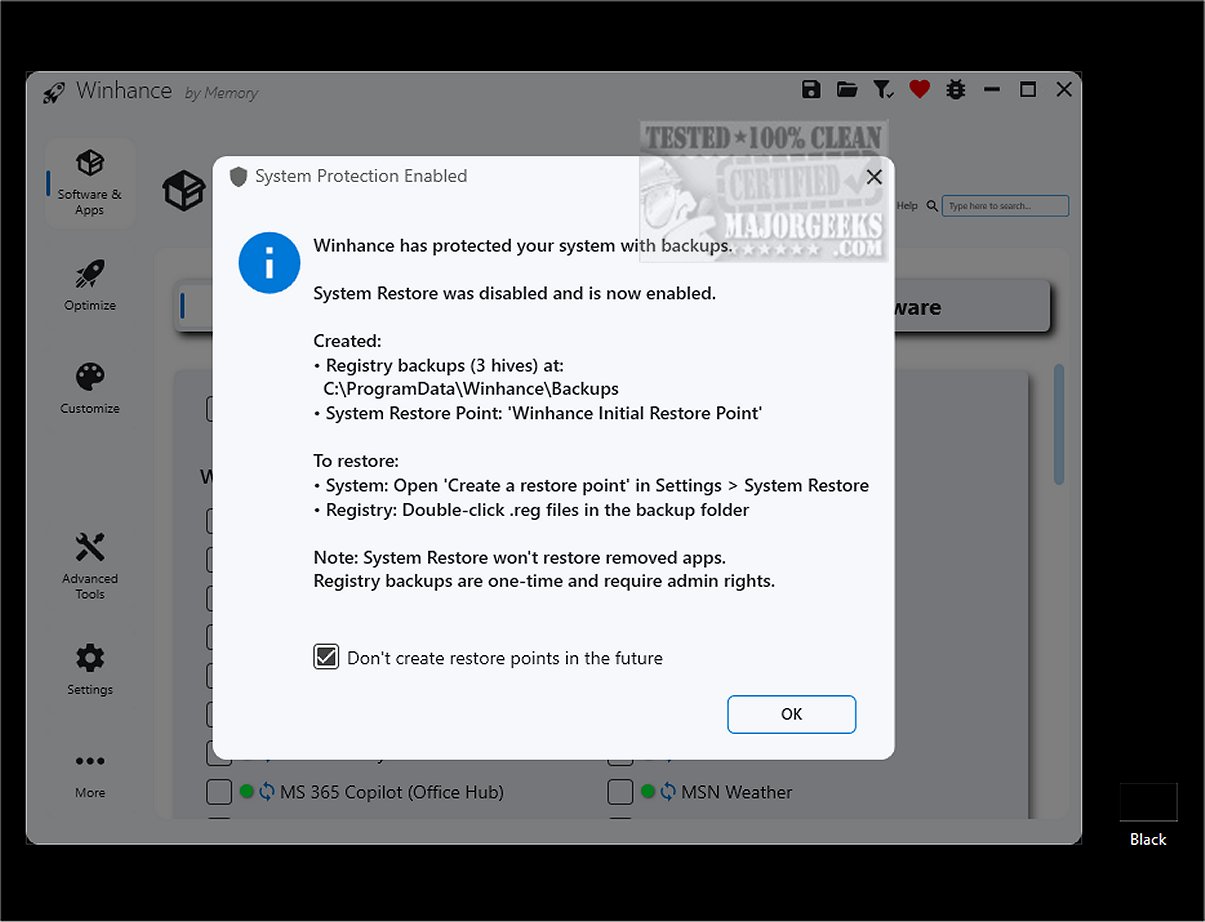
Winhance 26.04.17 has been released, offering a comprehensive solution to improve and personalize the Windows experience for users of Windows 10 and 11. This software enables users to efficiently remove unnecessary applications, optimize system performance, and customize various settings according to individual preferences. A standout feature of Winhance is its user-friendly interface, which simplifies the process of adding or removing Windows components, making it more accessible than traditional methods like PowerShell scripts.
Many Windows installations come preloaded with applications and features that may not be useful for everyone, leading to resource wastage and potential privacy concerns. Winhance allows users to effectively manage these unwanted components, ensuring a more streamlined and secure computing environment tailored to personal needs.
Key features of Winhance include:
- Debloating: Safely removing unwanted Windows apps and features.
- Optimizing: Adjusting system settings for enhanced performance, privacy, and gaming.
- Customizing: Easily modifying Windows themes, taskbar, start menu, and explorer settings.
- Automating: Creating custom installation media and automated setup files.
The software's Optimization tab provides a centralized location for managing privacy and security settings, power management, gaming performance, and notifications, simplifying the user experience compared to navigating traditional settings menus. Additionally, Winhance allows users to modify a Windows ISO before installation, improving efficiency.
Before running Winhance, it is recommended to create a system restore point, which the program can assist with, ensuring a backup is available if needed. The Winhance website also features a well-organized documentation section covering all functionalities.
In summary, Winhance is an essential tool for users looking to enhance their Windows experience by debloating, customizing, and optimizing their systems. With its powerful features and intuitive design, Winhance empowers users to take control of their computing environment, ultimately leading to improved performance and privacy.
As Windows continues to evolve, tools like Winhance will play a crucial role in helping users navigate the complexities of modern operating systems, making technology more accessible and tailored to individual needs. Whether you are a casual user or a tech enthusiast, Winhance offers valuable functionalities that can significantly enhance your interaction with Windows
Many Windows installations come preloaded with applications and features that may not be useful for everyone, leading to resource wastage and potential privacy concerns. Winhance allows users to effectively manage these unwanted components, ensuring a more streamlined and secure computing environment tailored to personal needs.
Key features of Winhance include:
- Debloating: Safely removing unwanted Windows apps and features.
- Optimizing: Adjusting system settings for enhanced performance, privacy, and gaming.
- Customizing: Easily modifying Windows themes, taskbar, start menu, and explorer settings.
- Automating: Creating custom installation media and automated setup files.
The software's Optimization tab provides a centralized location for managing privacy and security settings, power management, gaming performance, and notifications, simplifying the user experience compared to navigating traditional settings menus. Additionally, Winhance allows users to modify a Windows ISO before installation, improving efficiency.
Before running Winhance, it is recommended to create a system restore point, which the program can assist with, ensuring a backup is available if needed. The Winhance website also features a well-organized documentation section covering all functionalities.
In summary, Winhance is an essential tool for users looking to enhance their Windows experience by debloating, customizing, and optimizing their systems. With its powerful features and intuitive design, Winhance empowers users to take control of their computing environment, ultimately leading to improved performance and privacy.
As Windows continues to evolve, tools like Winhance will play a crucial role in helping users navigate the complexities of modern operating systems, making technology more accessible and tailored to individual needs. Whether you are a casual user or a tech enthusiast, Winhance offers valuable functionalities that can significantly enhance your interaction with Windows
Winhance 26.04.17 released
Winhance provides an efficient solution to streamline and enhance your Windows experience. It allows you to easily remove unnecessary applications, optimize system performance, and customize your settings to better suit individual preferences.