VOVSOFT has released version 9.5 of its software, VOVSOFT Hide Files, which provides users with an easy and effective way to secure confidential folders, files, and entire drives. This user-friendly application allows individuals to hide files and folders with password protection, ensuring that sensitive information remains inaccessible to unauthorized users.
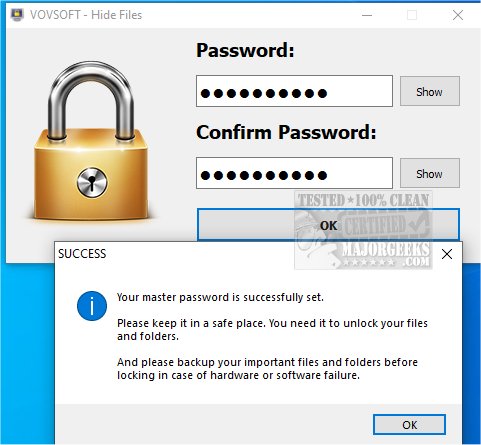
The program emphasizes security by requiring users to set a master password upon their first use. This password must be entered every time the application is accessed. Additionally, VOVSOFT Hide Files features encryption and decryption capabilities, allowing users to safeguard their private documents, photo albums, videos, and other important data. By doing so, users can keep their secret or potentially embarrassing files secure from prying eyes. Only those with the correct password can access the hidden files.
VOVSOFT Hide Files supports a variety of file system types, including NTFS, exFAT, ReFS, FAT32, and FAT16, making it compatible with different storage devices like local hard drives, external drives, SSDs, HDDs, SD/MMC memory cards, and USB flash drives. The software excels at hiding and encrypting batch files, allowing users to secure large amounts of data quickly.
In terms of usability, VOVSOFT Hide Files simplifies the process of protecting personal files and folders. Users can add files and folders easily via a dedicated menu or by dragging and dropping them from Windows Explorer. To hide selected items, users simply click the "Lock" button, and they can unlock them later with the "Unlock" button. The software also includes a "Stealth Mode" feature, which can be activated using a keyboard shortcut (Ctrl + Alt + Shift + Z) to hide the application from view, taskbar, and system tray.
Overall, VOVSOFT Hide Files is a practical solution for users looking to protect their important files and folders securely and conveniently.
In extension, the software could benefit from additional features such as cloud integration for backing up hidden files, automated locking/unlocking based on user-defined schedules, and improved user interface customization options. Furthermore, incorporating multi-factor authentication could enhance security, making it even more robust against unauthorized access. As data privacy continues to be a pressing concern, ongoing updates to address emerging threats and vulnerabilities would also be essential for maintaining user trust and safety
The program emphasizes security by requiring users to set a master password upon their first use. This password must be entered every time the application is accessed. Additionally, VOVSOFT Hide Files features encryption and decryption capabilities, allowing users to safeguard their private documents, photo albums, videos, and other important data. By doing so, users can keep their secret or potentially embarrassing files secure from prying eyes. Only those with the correct password can access the hidden files.
VOVSOFT Hide Files supports a variety of file system types, including NTFS, exFAT, ReFS, FAT32, and FAT16, making it compatible with different storage devices like local hard drives, external drives, SSDs, HDDs, SD/MMC memory cards, and USB flash drives. The software excels at hiding and encrypting batch files, allowing users to secure large amounts of data quickly.
In terms of usability, VOVSOFT Hide Files simplifies the process of protecting personal files and folders. Users can add files and folders easily via a dedicated menu or by dragging and dropping them from Windows Explorer. To hide selected items, users simply click the "Lock" button, and they can unlock them later with the "Unlock" button. The software also includes a "Stealth Mode" feature, which can be activated using a keyboard shortcut (Ctrl + Alt + Shift + Z) to hide the application from view, taskbar, and system tray.
Overall, VOVSOFT Hide Files is a practical solution for users looking to protect their important files and folders securely and conveniently.
In extension, the software could benefit from additional features such as cloud integration for backing up hidden files, automated locking/unlocking based on user-defined schedules, and improved user interface customization options. Furthermore, incorporating multi-factor authentication could enhance security, making it even more robust against unauthorized access. As data privacy continues to be a pressing concern, ongoing updates to address emerging threats and vulnerabilities would also be essential for maintaining user trust and safety
VOVSOFT Hide Files 9.5 released
With VOVSOFT Hide Files, you can easily secure your confidential folders, files, and even entire drives.