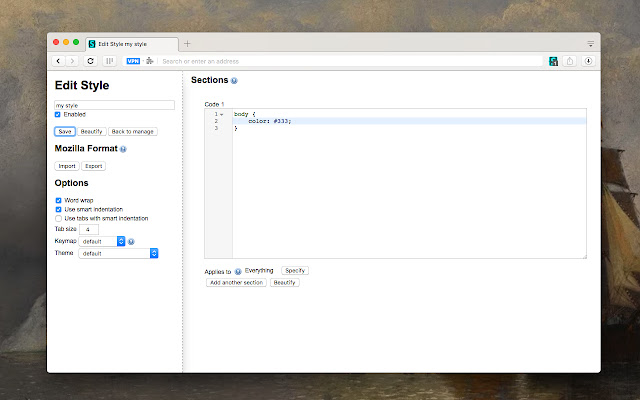
Stylus for Chrome, Firefox, and Opera has released version 2.4.17, enhancing the user experience for those looking to customize their web browsing. This extension allows users to easily install themes and skins for popular websites, enabling a personalized browsing experience. Stylus is actively developed and community-driven, serving as a user styles manager that simplifies the process of redesigning websites with custom themes.
Key features of Stylus include:
- Versatile Theme Installation: Users can install styles from various online repositories or use .user.CSS and .user stylesheets via specific URLs, offering flexibility in customization.
- Backup Functionality: The extension includes a backup feature that secures your database of installed styles and ensures compatibility with other user style managers.
- Automatic Updates: Stylus provides an intuitive and configurable automatic update feature for installed styles, keeping them current with minimal effort.
- Customizable User Interface: Users can personalize the UI with various options for theming, layout, icon styles, and color choices.
- Code Validators: The extension offers two optional code validators with user-configurable rules, making it easier for users to maintain their custom styles.
In addition to these features, the community-driven aspect of Stylus encourages users to contribute to the repository of themes and skins, fostering a collaborative environment for web customization. As web experiences continue to evolve, tools like Stylus empower users to take control of their browsing experience, enhancing both functionality and aesthetics. Future updates could further enhance compatibility with new web standards and introduce additional features based on user feedback, ensuring Stylus remains a relevant and powerful tool for web customization
Key features of Stylus include:
- Versatile Theme Installation: Users can install styles from various online repositories or use .user.CSS and .user stylesheets via specific URLs, offering flexibility in customization.
- Backup Functionality: The extension includes a backup feature that secures your database of installed styles and ensures compatibility with other user style managers.
- Automatic Updates: Stylus provides an intuitive and configurable automatic update feature for installed styles, keeping them current with minimal effort.
- Customizable User Interface: Users can personalize the UI with various options for theming, layout, icon styles, and color choices.
- Code Validators: The extension offers two optional code validators with user-configurable rules, making it easier for users to maintain their custom styles.
In addition to these features, the community-driven aspect of Stylus encourages users to contribute to the repository of themes and skins, fostering a collaborative environment for web customization. As web experiences continue to evolve, tools like Stylus empower users to take control of their browsing experience, enhancing both functionality and aesthetics. Future updates could further enhance compatibility with new web standards and introduce additional features based on user feedback, ensuring Stylus remains a relevant and powerful tool for web customization
Stylus for Chrome, Firefox, and Opera 2.4.17 released
Stylus for Chrome, Firefox, and Opera allows you to install themes and skins for many popular sites easily.
Stylus for Chrome, Firefox, and Opera 2.4.17 released @ MajorGeeks