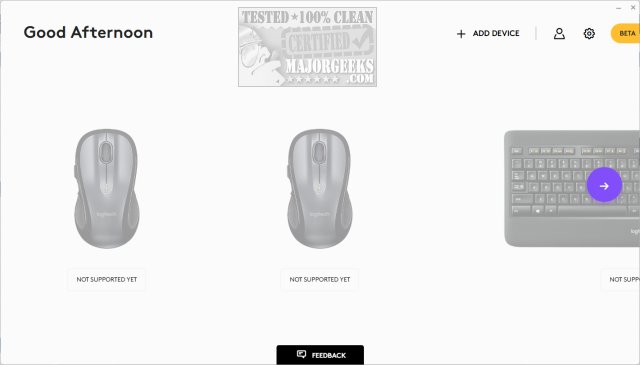
Logi Options+ version 2.9.994631 has been released, enhancing the management and customization of supported Logitech mice and keyboards. This next-generation application merges the best aspects of Logitech Options with a user-friendly interface, aiming to streamline daily tasks and improve overall productivity.
With Logi Options+, users can efficiently navigate their routines across various applications, such as Google Chrome, Edge, Safari, Zoom, Microsoft Office suite (Word, PowerPoint, Excel), and creative software like Photoshop, Premiere Pro, and Final Cut Pro. The app includes predefined settings optimized for these popular applications, facilitating a smoother workflow.
Key features of Logi Options+ include customizable mouse gestures for easier desktop navigation and the Options+ Flow functionality, which enables seamless work across multiple computers. Users have the ability to tailor buttons and keys for repetitive tasks, adjust scrolling behavior, and optimize cursor speed according to personal preferences.
Additionally, the application offers features to prevent disruptions caused by low battery levels or accidental Caps Lock activation, providing status information and timely notifications to keep users informed about their devices.
In the future, we can expect further updates and improvements to Logi Options+, potentially introducing more integrations with additional applications, enhanced customization options, and even smarter notifications to further elevate user experience and productivity. This commitment to innovation reinforces Logitech's role in supporting users in their daily tasks and creative endeavors.
For those interested in optimizing their productivity, resources are available, such as guides on enabling or disabling mouse acceleration in Windows 10 and 11, troubleshooting mouse issues, and utilizing Logitech's firmware update and unifying software. Furthermore, exploring time-saving keyboard shortcuts can further enhance efficiency in daily activities
With Logi Options+, users can efficiently navigate their routines across various applications, such as Google Chrome, Edge, Safari, Zoom, Microsoft Office suite (Word, PowerPoint, Excel), and creative software like Photoshop, Premiere Pro, and Final Cut Pro. The app includes predefined settings optimized for these popular applications, facilitating a smoother workflow.
Key features of Logi Options+ include customizable mouse gestures for easier desktop navigation and the Options+ Flow functionality, which enables seamless work across multiple computers. Users have the ability to tailor buttons and keys for repetitive tasks, adjust scrolling behavior, and optimize cursor speed according to personal preferences.
Additionally, the application offers features to prevent disruptions caused by low battery levels or accidental Caps Lock activation, providing status information and timely notifications to keep users informed about their devices.
In the future, we can expect further updates and improvements to Logi Options+, potentially introducing more integrations with additional applications, enhanced customization options, and even smarter notifications to further elevate user experience and productivity. This commitment to innovation reinforces Logitech's role in supporting users in their daily tasks and creative endeavors.
For those interested in optimizing their productivity, resources are available, such as guides on enabling or disabling mouse acceleration in Windows 10 and 11, troubleshooting mouse issues, and utilizing Logitech's firmware update and unifying software. Furthermore, exploring time-saving keyboard shortcuts can further enhance efficiency in daily activities
Logi Options+ 2.9.994631 released
Logi Options+ is a next-gen app that lets you manage and customize your supported mice and keyboards. It combines the best features of Logitech Options with a brand new easy-to-use interface. Options+ is designed to transform your daily tasks.