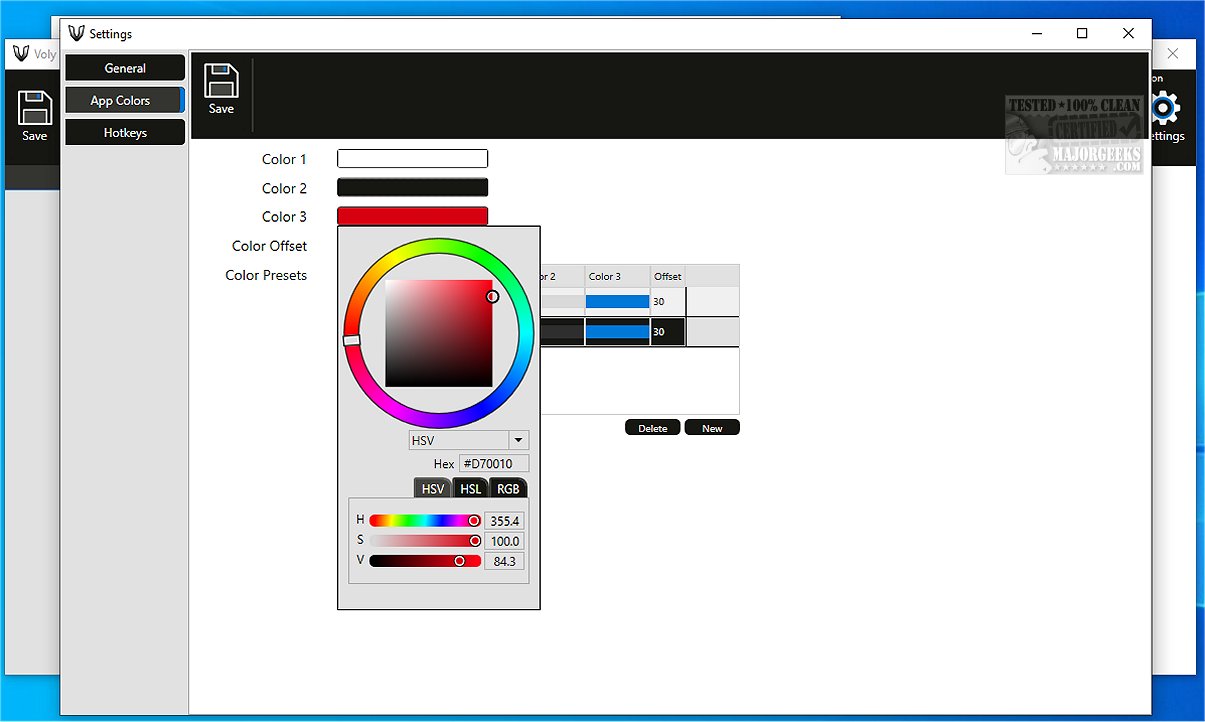
Voly, a cutting-edge audio utility, has recently launched version 0.4.1, designed to optimize audio management via the Windows Volume Mixer. Offering users detailed control over audio settings for individual applications and various input and output devices, Voly is set to revolutionize the way you manage sound on your computer.
Key Features of Voly
Built on the Windows Presentation Foundation (WPF) and Prism, Voly boasts a modern user interface that greatly enriches the user experience. Its seamless integration with Windows allows for real-time audio adjustments, ensuring optimal sound balance across all applications. This addresses a common frustration among users who frequently find themselves adjusting playback volumes for videos or games, particularly when audio levels fluctuate.
While those with dedicated audio interfaces may find volume management straightforward, most users can benefit significantly from a dedicated software solution like Voly. It allows for simple, system-wide control over audio settings or targeted adjustments for specific applications and devices.
User-Friendly Interface and Features
Voly's interface is designed for intuitiveness, featuring a drag-and-drop capability that makes managing audio sources a breeze. Each audio source—be it an output/input device, an individual application, or an audio group—can be easily controlled using a dedicated volume knob. To enhance productivity, users are encouraged to learn the available hotkeys in the Settings menu, which can significantly streamline audio management. For instance, using the Left Ctrl key in combination with the Left or Right arrow keys allows users to cycle through audio sources quickly.
The Geek Verdict
Voly is engineered to simplify audio volume management, providing an intuitive and effortless experience for its users. If you’ve previously found the built-in Volume Mixer cumbersome, Voly offers a refreshing and user-friendly alternative. Whether you’re gaming, watching videos, or participating in virtual meetings, Voly empowers you to customize your audio experience seamlessly.
What’s Next for Users?
As Voly continues to evolve, users can expect further enhancements that may include additional features, improved performance, and even more intuitive controls. Embrace the simplicity and elevate your auditory experience with Voly—your go-to solution for all audio management needs.
Related Resources:
- How to Enable Windows Sonic Surround Sound on Windows 10 & 11
- How to Turn Toggle Key Sounds on or off in Windows 10 & 11
- How to Rename Your Sound Input or Output Devices
- Troubleshooting Low Computer Sound Volume on Windows
- Solutions for Common Sound Problems in Window
Key Features of Voly
Built on the Windows Presentation Foundation (WPF) and Prism, Voly boasts a modern user interface that greatly enriches the user experience. Its seamless integration with Windows allows for real-time audio adjustments, ensuring optimal sound balance across all applications. This addresses a common frustration among users who frequently find themselves adjusting playback volumes for videos or games, particularly when audio levels fluctuate.
While those with dedicated audio interfaces may find volume management straightforward, most users can benefit significantly from a dedicated software solution like Voly. It allows for simple, system-wide control over audio settings or targeted adjustments for specific applications and devices.
User-Friendly Interface and Features
Voly's interface is designed for intuitiveness, featuring a drag-and-drop capability that makes managing audio sources a breeze. Each audio source—be it an output/input device, an individual application, or an audio group—can be easily controlled using a dedicated volume knob. To enhance productivity, users are encouraged to learn the available hotkeys in the Settings menu, which can significantly streamline audio management. For instance, using the Left Ctrl key in combination with the Left or Right arrow keys allows users to cycle through audio sources quickly.
The Geek Verdict
Voly is engineered to simplify audio volume management, providing an intuitive and effortless experience for its users. If you’ve previously found the built-in Volume Mixer cumbersome, Voly offers a refreshing and user-friendly alternative. Whether you’re gaming, watching videos, or participating in virtual meetings, Voly empowers you to customize your audio experience seamlessly.
What’s Next for Users?
As Voly continues to evolve, users can expect further enhancements that may include additional features, improved performance, and even more intuitive controls. Embrace the simplicity and elevate your auditory experience with Voly—your go-to solution for all audio management needs.
Related Resources:
- How to Enable Windows Sonic Surround Sound on Windows 10 & 11
- How to Turn Toggle Key Sounds on or off in Windows 10 & 11
- How to Rename Your Sound Input or Output Devices
- Troubleshooting Low Computer Sound Volume on Windows
- Solutions for Common Sound Problems in Window
Voly 0.4.1 released
Voly is a powerful and intuitive audio utility designed to streamline your audio management through the Windows Volume Mixer. It provides users with granular control over the volume settings for individual applications, as well as for various input and output devices.