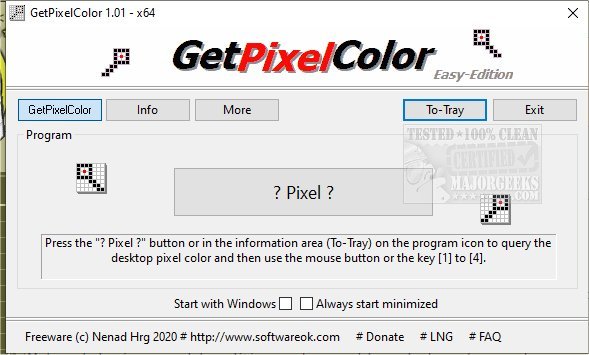
The recently released GetPixelColor 3.55 is a versatile tool designed to help users identify and understand pixel color values effectively. It caters to a wide audience, including graphic designers, web administrators, and individuals simply curious about color values. The application enables users to explore the RGB color space in an engaging manner, and it can accurately detect the color of pixels on the desktop background at specified coordinates, such as X: 235 Y: 133.
Since this functionality is not natively available in Windows, the developer created GetPixelColor to fill this gap, allowing users to query color values in various formats including RGB, RGBA, and HLS. Initially part of the DesktopOK suite, GetPixelColor is user-friendly, making it accessible for both novices and seasoned graphic designers alike. Users can easily interact with the tool by clicking the '? Pixel ?' button and dragging a selection box to the desired area on the screen, followed by a mouse click to reveal the color information. The color data can then be copied directly to the clipboard using shortcut keys.
Key features of GetPixelColor include:
- Ability to query color values in multiple formats (RGB, RGBA, HLS, etc.)
- An information display area in the taskbar for quick access to color data
- A customizable color palette for precise adjustments
- An option to launch the application automatically with Windows
GetPixelColor serves as an essential resource for anyone looking to enhance their understanding of color values and improve their design skills. As an extension of its capabilities, future updates could consider adding advanced features such as color contrast analysis for accessibility, integration with design software for seamless workflow, or even a mobile version for on-the-go color identification
Since this functionality is not natively available in Windows, the developer created GetPixelColor to fill this gap, allowing users to query color values in various formats including RGB, RGBA, and HLS. Initially part of the DesktopOK suite, GetPixelColor is user-friendly, making it accessible for both novices and seasoned graphic designers alike. Users can easily interact with the tool by clicking the '? Pixel ?' button and dragging a selection box to the desired area on the screen, followed by a mouse click to reveal the color information. The color data can then be copied directly to the clipboard using shortcut keys.
Key features of GetPixelColor include:
- Ability to query color values in multiple formats (RGB, RGBA, HLS, etc.)
- An information display area in the taskbar for quick access to color data
- A customizable color palette for precise adjustments
- An option to launch the application automatically with Windows
GetPixelColor serves as an essential resource for anyone looking to enhance their understanding of color values and improve their design skills. As an extension of its capabilities, future updates could consider adding advanced features such as color contrast analysis for accessibility, integration with design software for seamless workflow, or even a mobile version for on-the-go color identification
GetPixelColor 3.55 released
GetPixelColor is a handy tool for determining pixel color values.