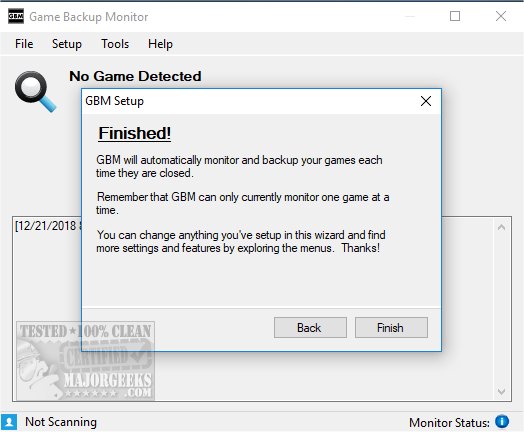
Game Backup Monitor has released version 1.4.5, a tool designed to help gamers create backup copies of their games either locally or in the cloud. The software is available in two formats: an installer and a portable 7z file. Upon the first use, users will go through an initial setup to select backup locations and specify which games to monitor. The software supports over 340 games, and users can either import the official game list or utilize features like Game Wizard and Game Manager for customization.
Once set up, Game Backup Monitor continuously monitors the selected games, allowing users to "set it and forget it." However, it also offers a variety of setup options and tools for those who prefer a different configuration. Users can manage the monitoring process easily, with the ability to stop and start it whenever they wish. The application also provides links to an online manual for further assistance.
In terms of performance, Game Backup Monitor is resource-efficient, using approximately 0.05% of CPU and 21 MB of RAM, ensuring that it does not disrupt gaming sessions. The interface is designed to be user-friendly, making it accessible for both casual and hardcore gamers.
In addition to its core features, Game Backup Monitor could benefit from additional functionalities, such as cloud storage integration with popular platforms, automated scheduling for backups, and enhanced reporting features to keep users informed about their backup status. Furthermore, integrating community feedback or a forum for users could foster a more interactive environment, allowing gamers to share tips and tricks for optimizing their backup processes. Overall, Game Backup Monitor is a valuable tool for gamers looking to safeguard their game collections with minimal hassle
Once set up, Game Backup Monitor continuously monitors the selected games, allowing users to "set it and forget it." However, it also offers a variety of setup options and tools for those who prefer a different configuration. Users can manage the monitoring process easily, with the ability to stop and start it whenever they wish. The application also provides links to an online manual for further assistance.
In terms of performance, Game Backup Monitor is resource-efficient, using approximately 0.05% of CPU and 21 MB of RAM, ensuring that it does not disrupt gaming sessions. The interface is designed to be user-friendly, making it accessible for both casual and hardcore gamers.
In addition to its core features, Game Backup Monitor could benefit from additional functionalities, such as cloud storage integration with popular platforms, automated scheduling for backups, and enhanced reporting features to keep users informed about their backup status. Furthermore, integrating community feedback or a forum for users could foster a more interactive environment, allowing gamers to share tips and tricks for optimizing their backup processes. Overall, Game Backup Monitor is a valuable tool for gamers looking to safeguard their game collections with minimal hassle
Game Backup Monitor 1.4.5 released
Game Backup Monitor allows you to make backup copies of your games locally or in the cloud.