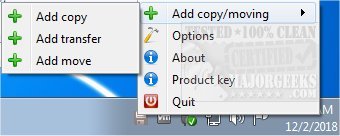
Ultracopier version 3.1.0.7 has been released, showcasing its capabilities as an Open Source file management utility focused on enhancing the speed and efficiency of file operations such as copying, moving, and transferring files or folders. This tool serves as an alternative to the default Windows Explorer file copy dialogs, providing users with a more streamlined and efficient way to manage their files.
The application is designed to reduce the time and effort typically involved in file management tasks. It allows users to view a comprehensive list of files, offering customizable order for copying, as well as the ability to pause, resume, or skip files during the transfer process. Ultracopier's user-friendly interface caters to individuals of all skill levels, making it accessible and easy to navigate.
Key features of Ultracopier include:
- Play/pause functionality for transfers
- Speed limitation settings
- On-error resume options
- Advanced error and collision management
- Enhanced data security measures
- Intelligent reorganization of file transfers to optimize performance
Additionally, Ultracopier is akin to other tools that assist with Windows file management, providing users with various options to customize their experience. For instance, users can adjust default drag-and-drop actions, reset folder view settings, and manage hidden files and folders.
In summary, Ultracopier emerges as a powerful tool for users seeking greater control and efficiency over their file management tasks, making it an essential utility for both casual and advanced users alike. With its recent updates, Ultracopier continues to evolve, meeting the diverse needs of its user community
The application is designed to reduce the time and effort typically involved in file management tasks. It allows users to view a comprehensive list of files, offering customizable order for copying, as well as the ability to pause, resume, or skip files during the transfer process. Ultracopier's user-friendly interface caters to individuals of all skill levels, making it accessible and easy to navigate.
Key features of Ultracopier include:
- Play/pause functionality for transfers
- Speed limitation settings
- On-error resume options
- Advanced error and collision management
- Enhanced data security measures
- Intelligent reorganization of file transfers to optimize performance
Additionally, Ultracopier is akin to other tools that assist with Windows file management, providing users with various options to customize their experience. For instance, users can adjust default drag-and-drop actions, reset folder view settings, and manage hidden files and folders.
In summary, Ultracopier emerges as a powerful tool for users seeking greater control and efficiency over their file management tasks, making it an essential utility for both casual and advanced users alike. With its recent updates, Ultracopier continues to evolve, meeting the diverse needs of its user community
Ultracopier 3.1.0.7 released
Ultracopier is an Open Source file management utility designed for fast copying, moving, and transferring of files/folders.