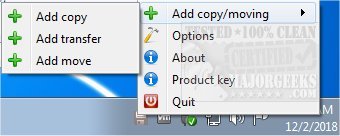
Ultracopier 3.1.0.5 has been released, enhancing the functionality of this Open Source file management utility which specializes in efficient file copying, moving, and transferring. Designed to serve as a replacement for the standard Windows Explorer file copy dialogs, Ultracopier simplifies the file organization process, allowing users to save time and effort when handling files, images, and documents.
The software provides a comprehensive view of files involved in the transfer, enabling users to select the order in which they want to copy them. Key features include the ability to pause and resume transfers, skip files that may cause issues, and manage errors effectively. With a user-friendly interface, Ultracopier caters to users of all skill levels by combining simplicity with enhanced control and speed.
Some of its main features are:
- Play/pause functionality for transfers
- Speed limitation options
- On-error resume capability
- Error and collision management
- Data security measures
- Intelligent reorganization of file transfers to optimize performance
In addition to these features, Ultracopier provides various tips and guides related to file management in Windows, including how to change default drag-and-drop actions, reset folder views, and manage hidden files.
The release of Ultracopier 3.1.0.5 not only improves user experience but also positions it as a robust tool for anyone looking to enhance their file management capabilities in a seamless and efficient manner. As file sizes and user demands grow, utilities like Ultracopier will continue to evolve, offering even more features and integrations to meet the needs of its users
The software provides a comprehensive view of files involved in the transfer, enabling users to select the order in which they want to copy them. Key features include the ability to pause and resume transfers, skip files that may cause issues, and manage errors effectively. With a user-friendly interface, Ultracopier caters to users of all skill levels by combining simplicity with enhanced control and speed.
Some of its main features are:
- Play/pause functionality for transfers
- Speed limitation options
- On-error resume capability
- Error and collision management
- Data security measures
- Intelligent reorganization of file transfers to optimize performance
In addition to these features, Ultracopier provides various tips and guides related to file management in Windows, including how to change default drag-and-drop actions, reset folder views, and manage hidden files.
The release of Ultracopier 3.1.0.5 not only improves user experience but also positions it as a robust tool for anyone looking to enhance their file management capabilities in a seamless and efficient manner. As file sizes and user demands grow, utilities like Ultracopier will continue to evolve, offering even more features and integrations to meet the needs of its users
Ultracopier 3.1.0.5 released
Ultracopier is an Open Source file management utility designed for fast copying, moving, and transferring of files/folders.