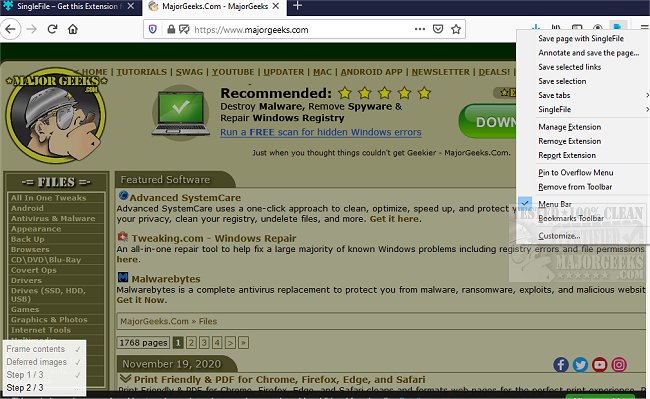
The recently released version 1.25.0 of SingleFile for Chrome, Firefox, and Edge is a command-line interface (CLI) tool designed to facilitate the saving of complete web pages as single HTML files. This handy browser extension enables users to capture entire web pages, including their HTML, CSS, JavaScript, images, and other essential resources, allowing for offline access or further modifications. By packaging a webpage into a single self-contained file, SingleFile simplifies the process of sharing, referencing, or experimenting with web content without requiring an internet connection. This tool automates a task that many users have traditionally performed manually, enhancing the overall web browsing experience.
To further expand on this, SingleFile not only provides convenience but also fosters creativity and productivity for developers, researchers, and everyday users who wish to archive information or create a personal library of web content. With its user-friendly interface and efficient functionality, users can easily save articles, tutorials, and other valuable resources for later use. Additionally, as the digital landscape continues to evolve, tools like SingleFile become essential for preserving web content that may otherwise be ephemeral or subject to change. As more people rely on the internet for information, the ability to save and organize web pages effectively becomes increasingly important
To further expand on this, SingleFile not only provides convenience but also fosters creativity and productivity for developers, researchers, and everyday users who wish to archive information or create a personal library of web content. With its user-friendly interface and efficient functionality, users can easily save articles, tutorials, and other valuable resources for later use. Additionally, as the digital landscape continues to evolve, tools like SingleFile become essential for preserving web content that may otherwise be ephemeral or subject to change. As more people rely on the internet for information, the ability to save and organize web pages effectively becomes increasingly important
SingleFile for Chrome, Firefox, and Edge 1.25.0 released
SingleFile for Chrome, Firefox, and Edge is a CLI tool capable of helping you save a complete web page as a single HTML file.
SingleFile for Chrome, Firefox, and Edge 1.25.0 released @ MajorGeeks