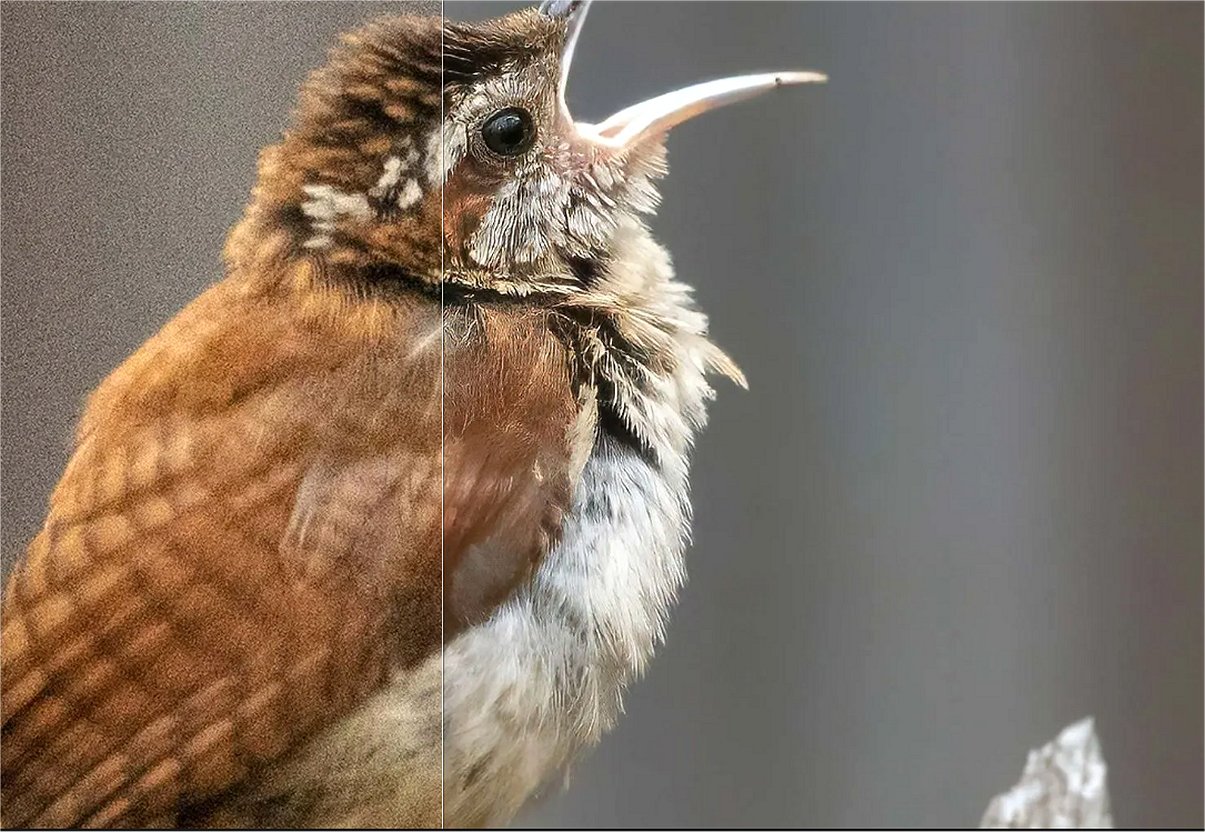
Topaz Photo 1.6.0 has recently been released, showcasing its advanced image enhancement capabilities powered by artificial intelligence. This software provides photographers with 12 innovative tools designed to enhance image quality, including options for sharpening details, restoring focus, adjusting lighting, and removing noise. Users can either manually fine-tune their images or utilize an autopilot feature to streamline the editing process. Compatible with both Mac and Windows operating systems, Topaz Photo is accessible to a diverse user base.
The suite of tools within Topaz Photo addresses a wide range of editing needs, such as Dust & Scratch Removal, Super Focus, Background Removal, Denoise, Sharpen, Upscale, Adjust Lighting, Balance Color, Recover Faces, Preserve Text, and the Healing Brush. Each tool is tailored to enhance specific aspects of photography, resulting in professional-grade images that reflect the photographer's artistic vision.
A significant highlight of Topaz Photo is its commitment to user privacy, featuring private local rendering that keeps files stored on the user's computer. This is particularly advantageous for professionals handling sensitive material. Additionally, Topaz Photo offers unlimited cloud rendering options, which can accelerate processing times without straining personal hardware.
The software has garnered praise for its effectiveness in noise reduction, image sharpening, and upscaling, although some users have noted that results can sometimes appear overly artificial. For those desiring precise control over their edits, older individual plugins may offer a more customized experience.
In conclusion, Topaz Photo 1.6.0 stands out as a powerful and user-friendly solution for photographers looking to enhance their images with cutting-edge AI technology, providing both privacy and efficiency in the editing process. It serves as a valuable tool for anyone from casual photographers to professionals looking to refine their work to the highest standards
The suite of tools within Topaz Photo addresses a wide range of editing needs, such as Dust & Scratch Removal, Super Focus, Background Removal, Denoise, Sharpen, Upscale, Adjust Lighting, Balance Color, Recover Faces, Preserve Text, and the Healing Brush. Each tool is tailored to enhance specific aspects of photography, resulting in professional-grade images that reflect the photographer's artistic vision.
A significant highlight of Topaz Photo is its commitment to user privacy, featuring private local rendering that keeps files stored on the user's computer. This is particularly advantageous for professionals handling sensitive material. Additionally, Topaz Photo offers unlimited cloud rendering options, which can accelerate processing times without straining personal hardware.
The software has garnered praise for its effectiveness in noise reduction, image sharpening, and upscaling, although some users have noted that results can sometimes appear overly artificial. For those desiring precise control over their edits, older individual plugins may offer a more customized experience.
In conclusion, Topaz Photo 1.6.0 stands out as a powerful and user-friendly solution for photographers looking to enhance their images with cutting-edge AI technology, providing both privacy and efficiency in the editing process. It serves as a valuable tool for anyone from casual photographers to professionals looking to refine their work to the highest standards
Topaz Photo 1.6.0 released
Topaz Photo is an advanced image enhancement software that utilizes cutting-edge artificial intelligence to elevate the quality of your photography.