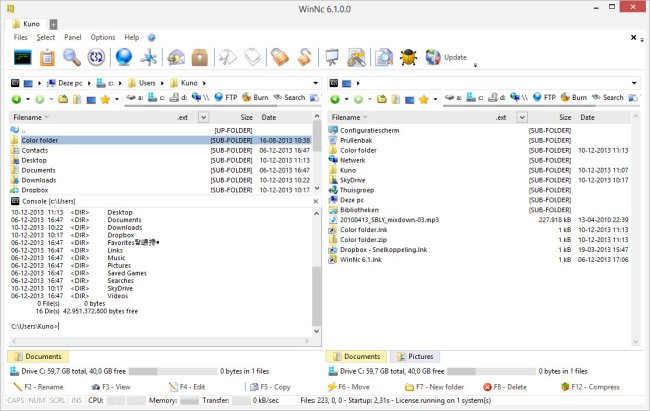
WinNc version 11.7.0.0 has been released, continuing to build on its legacy as a file manager inspired by the classic Norton Commander. This software features a dual-panel layout, making it easy for users to manage their files efficiently. WinNc offers quick access to all Windows special folders and provides a tabbed interface that helps users organize their files by project. Each project tab can encompass files and folders from various locations on the disk, facilitating better data management.
In addition to standard file management operations such as copying, moving, deleting, compressing, and creating links, WinNc boasts a range of advanced features. Users can convert audio files, burn media to DVDs and CDs, create ISO files, and synchronize files across different locations.
This latest version enhances the user experience with an updated interface and potentially new features that streamline workflow. For those looking to improve their file management skills, there are several resources available, including guides on resetting folder view settings in Windows 10 and 11, comprehensive lists of keyboard shortcuts for Windows File Explorer, and methods to restart File Explorer without rebooting the system.
Looking ahead, the ongoing development of WinNc suggests a commitment to incorporating user feedback and adapting to the evolving needs of its clientele, ensuring that it remains a relevant and powerful tool for file management in the digital age
WinNc 11.7.0.0 released
WinNc is a Norton Commander clone file manager inspired by the old file manager Norton Commander's dual panel concept.