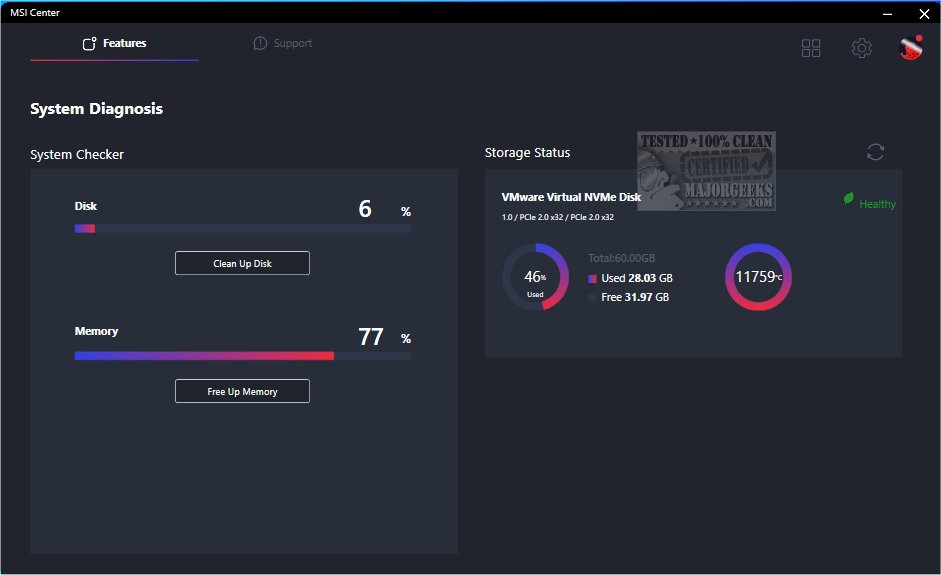
MSI has released version 2.0.76.0 of its MSI Center, a comprehensive application designed to enhance both gaming and productivity on MSI machines. This latest update consolidates all of MSI's exclusive features, allowing users to customize their experience with tools such as Gaming Mode and Smart Priority, as well as new features like Smart Image Finder and MSI Companion.
MSI Center sets itself apart from other applications by offering an extensive suite of tools tailored for diverse user needs. The app includes a Monitor tab that displays clear metrics on system performance, such as CPU and GPU usage and fan speeds. For gamers, a standout feature is the Gaming Mode, which optimizes system performance by shutting down unnecessary background processes. Complementing this are Smart Priority and User Scenario options that intelligently prioritize tasks based on user preferences. Additionally, the Game Highlights feature enables easy capturing of thrilling gaming moments, while Sound Tune and True Color options provide users with the ability to customize their audio and visual settings for a more immersive experience.
A notable innovation in this version is the Duet Display feature, which allows users to utilize a tablet as a secondary display, enhancing gameplay by placing elements like the League of Legends minimap on a portable device. The MSI Companion overlay further enhances usability by allowing users to adjust PC settings without disrupting their gaming sessions.
The MSI Center is compatible with a range of MSI hardware, including Intel and AMD motherboards, notebooks, graphics cards, and desktops, specifically those equipped with 11th gen CPUs or newer. It also supports various gaming peripherals, such as VIGOR keyboards, CLUTCH mice, and IMMERSE headsets.
In conclusion, MSI Center 2.0.76.0 is a robust tool designed to maximize the gaming and creative experience for users, providing them with the necessary features to elevate their skills and enjoyment. With ongoing updates, MSI continues to reinforce its commitment to enhancing user experience through innovative technology and dedicated support for a wide array of devices
MSI Center 2.0.76.0 released
MSI Center combines all of MSI's exclusive features to elevate the time spent gaming and working on your machine.