NetSpeedTray 2.2.1 has been released, offering users a convenient tool to monitor and evaluate their network speeds in real-time. This application is designed to provide quick insights into internet performance, ensuring that users remain informed about their connection status.
- Specific Network Interface Monitoring: Users can monitor a specific network interface, enabling focused assessments of network activity. An enhancement to this feature could be the ability to track individual program or process network usage, providing even deeper insights into performance.
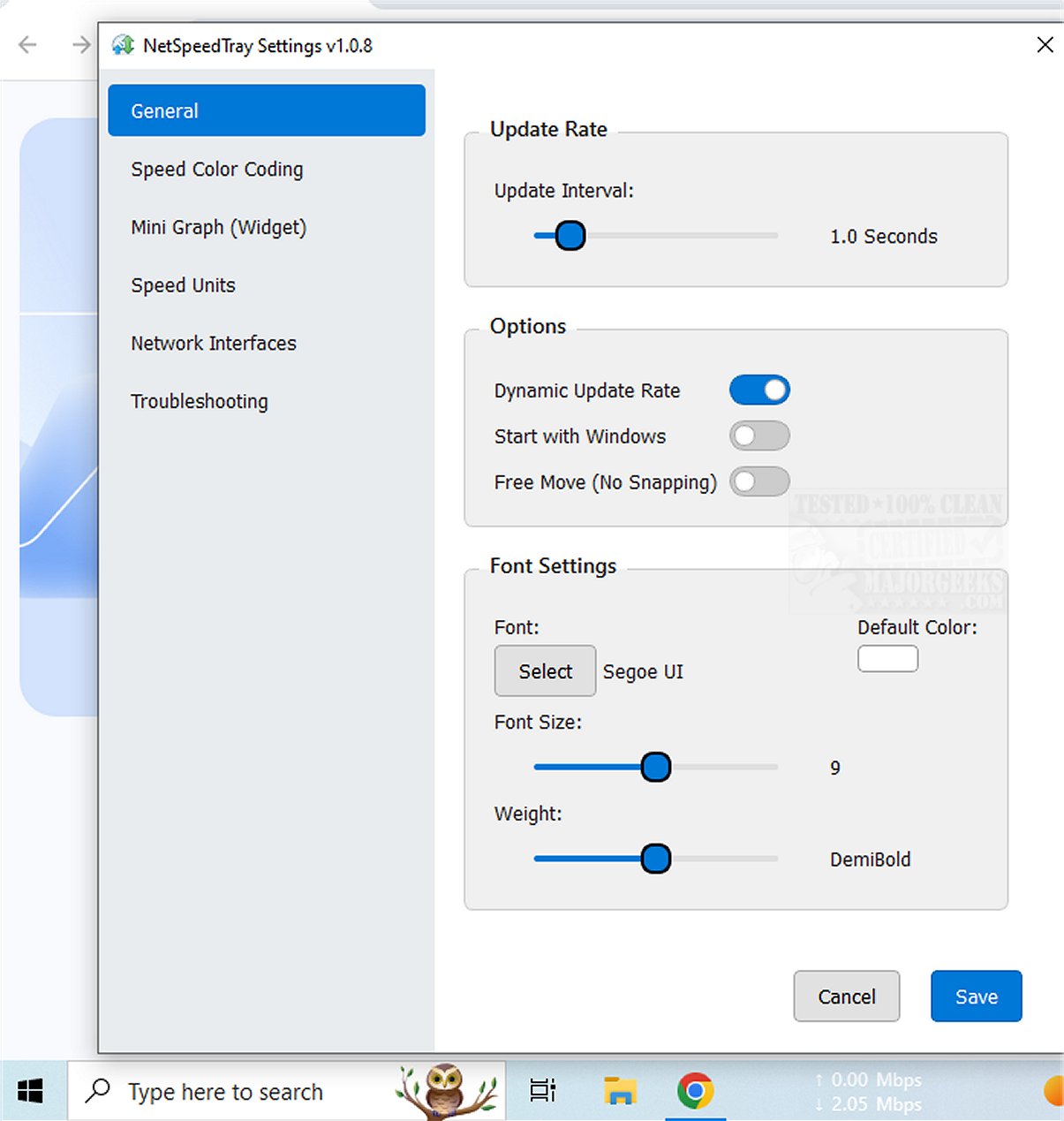
- Customization Options: The software includes various customization features, such as Speed Color Coding, which visually indicates speed performance. The Settings menu allows adjustments to font, color coding for download and upload speeds, and the addition of a mini graph widget for visual representation of speed metrics.
- Alerts for Speed Fluctuations: Users could receive notifications when their network speeds drop below a certain threshold.
- Data Usage Tracking: A feature to track monthly data consumption could help users manage their internet plans better.
- Integration with Network Troubleshooting Tools: Connecting with diagnostic tools could provide deeper insights when issues arise.
In summary, NetSpeedTray 2.2.1 is an effective tool for monitoring network performance, with room for enhancements that could elevate its utility even further. As internet connectivity becomes increasingly vital in daily life, tools like this can play a significant role in ensuring optimal performance
Key Features of NetSpeedTray
- Tray-Based Utility: NetSpeedTray operates from the system tray, allowing easy access to network speed information without intruding on the user's workflow. This is particularly useful for those transferring files or experiencing unexpected slowdowns, as it provides quick statistics at a glance.- Specific Network Interface Monitoring: Users can monitor a specific network interface, enabling focused assessments of network activity. An enhancement to this feature could be the ability to track individual program or process network usage, providing even deeper insights into performance.
- Customization Options: The software includes various customization features, such as Speed Color Coding, which visually indicates speed performance. The Settings menu allows adjustments to font, color coding for download and upload speeds, and the addition of a mini graph widget for visual representation of speed metrics.
Geek Verdict
NetSpeedTray stands out as a sleek and user-friendly network monitor tailored for Windows users. It displays real-time upload and download speeds directly on the Taskbar, making network performance monitoring intuitive and visually appealing. This tool enhances the user experience by keeping vital information at their fingertips while maintaining an integrated look with the operating system.Future Enhancements
To further improve the functionality of NetSpeedTray, it would be beneficial to include features such as:- Alerts for Speed Fluctuations: Users could receive notifications when their network speeds drop below a certain threshold.
- Data Usage Tracking: A feature to track monthly data consumption could help users manage their internet plans better.
- Integration with Network Troubleshooting Tools: Connecting with diagnostic tools could provide deeper insights when issues arise.
In summary, NetSpeedTray 2.2.1 is an effective tool for monitoring network performance, with room for enhancements that could elevate its utility even further. As internet connectivity becomes increasingly vital in daily life, tools like this can play a significant role in ensuring optimal performance
NetSpeedTray 2.2.1 released
NetSpeedTray allows you to monitor and assess your network speeds in real-time. This tool provides valuable insights into your internet performance, helping you stay informed about your connection status.