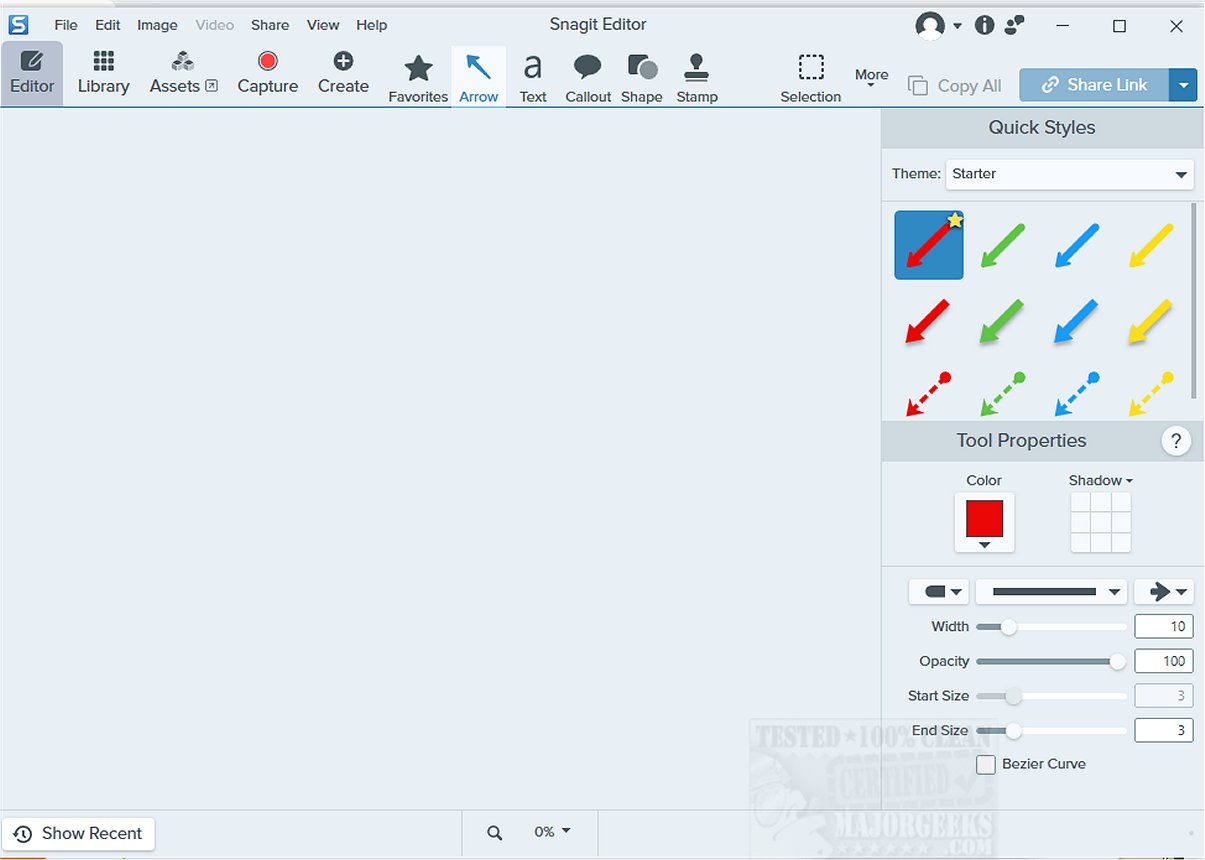
Snagit is a robust screen capture and screen recording tool that allows users to capture high-quality images and videos directly from their computer screens. This versatile software is particularly useful for creating visual documentation, tutorials, and various communication materials. With Snagit, users can enhance their captures using a comprehensive suite of editing and annotation tools, which enable the highlighting of essential areas, the addition of arrows for clarity, and the incorporation of explanatory text.
User-Friendly Interface with Essential Features
Snagit's intuitive interface makes it accessible for both novices and experienced users, making it a great option for creating educational content, professional presentations, and visual documentation. The software includes advanced features like scrolling capture, allowing users to take long images of web pages or documents without losing context. Snagit's panoramic capture feature also enables wide-angle screenshots, ideal for displaying extensive software interfaces or detailed workflows. Additionally, the screen recording functionality is particularly valuable for crafting in-depth tutorials or product demonstrations, offering a dynamic representation of software features.
Integration with TechSmith Products
One of Snagit's significant advantages is its seamless integration with other TechSmith products, such as Camtasia. This compatibility allows for a cohesive workflow, enabling users to edit and produce high-quality video content alongside their screenshots. The collaboration between Snagit and Camtasia enhances productivity, facilitating the creation of engaging educational materials and compelling presentations.
Geek Verdict
With its powerful functionality and user-centric design, Snagit has established itself as a preferred choice among educators, corporate trainers, and professionals across various fields. The tool not only enhances visual communication by simplifying complex ideas but also enriches the overall learning experience, making it more captivating for viewers.
Future Directions and Extensions
As Snagit continues to evolve, future updates may include even more sophisticated editing options, AI-driven features for automatic tagging or categorizing captures, and enhanced collaboration tools for teams working remotely. These enhancements could further streamline the content creation process and empower users to generate impactful visual communication materials more efficiently. Additionally, expanding compatibility with other software applications and platforms could widen Snagit's appeal, making it an indispensable tool in various industries.
Overall, Snagit remains a powerful ally in visual communication, and its ongoing development assures users that it will adapt to meet the demands of modern content creation
User-Friendly Interface with Essential Features
Snagit's intuitive interface makes it accessible for both novices and experienced users, making it a great option for creating educational content, professional presentations, and visual documentation. The software includes advanced features like scrolling capture, allowing users to take long images of web pages or documents without losing context. Snagit's panoramic capture feature also enables wide-angle screenshots, ideal for displaying extensive software interfaces or detailed workflows. Additionally, the screen recording functionality is particularly valuable for crafting in-depth tutorials or product demonstrations, offering a dynamic representation of software features.
Integration with TechSmith Products
One of Snagit's significant advantages is its seamless integration with other TechSmith products, such as Camtasia. This compatibility allows for a cohesive workflow, enabling users to edit and produce high-quality video content alongside their screenshots. The collaboration between Snagit and Camtasia enhances productivity, facilitating the creation of engaging educational materials and compelling presentations.
Geek Verdict
With its powerful functionality and user-centric design, Snagit has established itself as a preferred choice among educators, corporate trainers, and professionals across various fields. The tool not only enhances visual communication by simplifying complex ideas but also enriches the overall learning experience, making it more captivating for viewers.
Future Directions and Extensions
As Snagit continues to evolve, future updates may include even more sophisticated editing options, AI-driven features for automatic tagging or categorizing captures, and enhanced collaboration tools for teams working remotely. These enhancements could further streamline the content creation process and empower users to generate impactful visual communication materials more efficiently. Additionally, expanding compatibility with other software applications and platforms could widen Snagit's appeal, making it an indispensable tool in various industries.
Overall, Snagit remains a powerful ally in visual communication, and its ongoing development assures users that it will adapt to meet the demands of modern content creation
Snagit 2026.2.2.11088 released
Snagit is a powerful screen capture and screen recording software that enables you to capture high-quality images and videos of your computer screen.