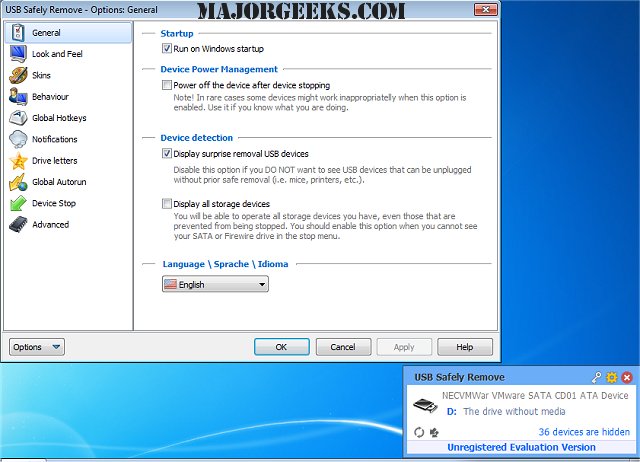
USB Safely Remove version 7.5.1 has been released, providing users with a superior alternative to the default Windows safe removal tool. This software enhances the user experience by allowing for more efficient management of USB and eSATA devices, ultimately saving time and effort during active work sessions. One of its standout features is the ability to identify what is preventing a device from being safely removed, along with the option to execute safe removal using customizable hotkeys.
The program boasts a user-friendly interface, complete with device icons and real names, enabling quick recognition of connected devices. Users can also rename devices and hide those that are rarely used, streamlining the experience further. USB Safely Remove improves the functionality of portable devices by enabling autorun programs upon connection or disconnection and supporting command line operations for safe device removal.
Additionally, the software offers unique features such as hiding drives from empty card-reader slots, powering off devices in Windows Vista and 7, and facilitating the ejection of memory cards one at a time from a card reader.
Overall, USB Safely Remove not only simplifies the process of safely ejecting devices but also enhances productivity for users who frequently work with multiple USB peripherals.
For those looking to optimize their USB drives, various related guides are available, covering topics such as performance enhancement, enabling or disabling USB write protection, understanding SS USB ports, managing the visibility of the safely remove hardware icon, and troubleshooting USB issues
The program boasts a user-friendly interface, complete with device icons and real names, enabling quick recognition of connected devices. Users can also rename devices and hide those that are rarely used, streamlining the experience further. USB Safely Remove improves the functionality of portable devices by enabling autorun programs upon connection or disconnection and supporting command line operations for safe device removal.
Additionally, the software offers unique features such as hiding drives from empty card-reader slots, powering off devices in Windows Vista and 7, and facilitating the ejection of memory cards one at a time from a card reader.
Overall, USB Safely Remove not only simplifies the process of safely ejecting devices but also enhances productivity for users who frequently work with multiple USB peripherals.
For those looking to optimize their USB drives, various related guides are available, covering topics such as performance enhancement, enabling or disabling USB write protection, understanding SS USB ports, managing the visibility of the safely remove hardware icon, and troubleshooting USB issues
USB Safely Remove 7.5.1 released
USB Safely Remove is an enhanced and hassle-free replacement for Windows safe removal tool.