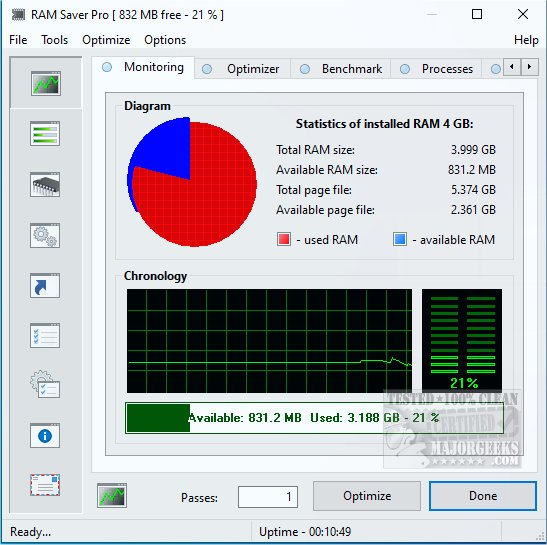
Ram Saver Pro version 26.5.1 has been released as an effective RAM optimizer designed for Windows operating systems. This tool provides users with enhanced control over memory management, helping to alleviate performance issues commonly experienced when multiple applications or browser tabs are open. By reducing memory usage and freeing up system resources, Ram Saver Pro aims to improve the speed and performance of older PCs or those under heavy use, without necessitating hardware upgrades.
Notable features include:
- Real-Time RAM Monitoring: Users can track their memory performance through an intuitive interface.
- One-Click RAM Optimization: Instantly free up memory for enhanced performance during demanding tasks like gaming or video editing.
- System Tray Integration: Quick access to controls without needing to navigate through the full application.
- Memory Benchmarking Tool: Assess system performance using built-in tests.
- Startup Manager: Manage background applications that slow down boot times.
- Efficient real-time optimization of RAM
- Lightweight application that uses minimal system resources
- Customizable options for scheduled optimization and automatic tweaks
- A comprehensive suite of system tools included
Cons:
- The user interface may appear outdated compared to contemporary Windows applications
- Some features require a paid version
- Lacks a portable version for use on different devices
Key Features
Ram Saver Pro operates by continuously monitoring and cleaning RAM in real-time. It identifies and clears unused memory, optimizing active processes. Users can view detailed statistics regarding their memory usage, including what’s free and what’s being consumed. The software can optimize memory automatically on a schedule or be manually triggered when needed.Notable features include:
- Real-Time RAM Monitoring: Users can track their memory performance through an intuitive interface.
- One-Click RAM Optimization: Instantly free up memory for enhanced performance during demanding tasks like gaming or video editing.
- System Tray Integration: Quick access to controls without needing to navigate through the full application.
- Memory Benchmarking Tool: Assess system performance using built-in tests.
- Startup Manager: Manage background applications that slow down boot times.
Target Audience
Ram Saver Pro is ideal for users with older Windows desktops or budget laptops that typically have limited RAM (4–8 GB). It is particularly beneficial for those who frequently manage multiple browser tabs or run resource-intensive software such as Adobe Photoshop, Chrome, or Integrated Development Environments (IDEs). Even casual users will notice improvements during everyday tasks like streaming, emailing, or document editing.Pros and Cons
Pros:- Efficient real-time optimization of RAM
- Lightweight application that uses minimal system resources
- Customizable options for scheduled optimization and automatic tweaks
- A comprehensive suite of system tools included
Cons:
- The user interface may appear outdated compared to contemporary Windows applications
- Some features require a paid version
- Lacks a portable version for use on different devices
Conclusion
In summary, Ram Saver Pro is a utility that offers significant benefits for users experiencing sluggish performance on their computers. While Windows includes its own memory management features, Ram Saver Pro provides a more granular level of control and insight, making it especially valuable for systems with limited RAM. The tool is functional and straightforward, offering ease of use with just a few clicks, making it a worthwhile solution for anyone looking to optimize their PC’s performance without immediate hardware upgrades.Additional Resources
For those interested in optimizing their system further, consider exploring comparisons between drive cleaners like CCleaner, Wise Disk Cleaner, and PrivaZer, or learn how to use Windows tools to automatically delete junk files and securely manage file deletions through PowerShellRam Saver Pro 26.5.1 released
Ram Saver Pro is a RAM optimizer for Windows that gives you direct control over your system's memory management.