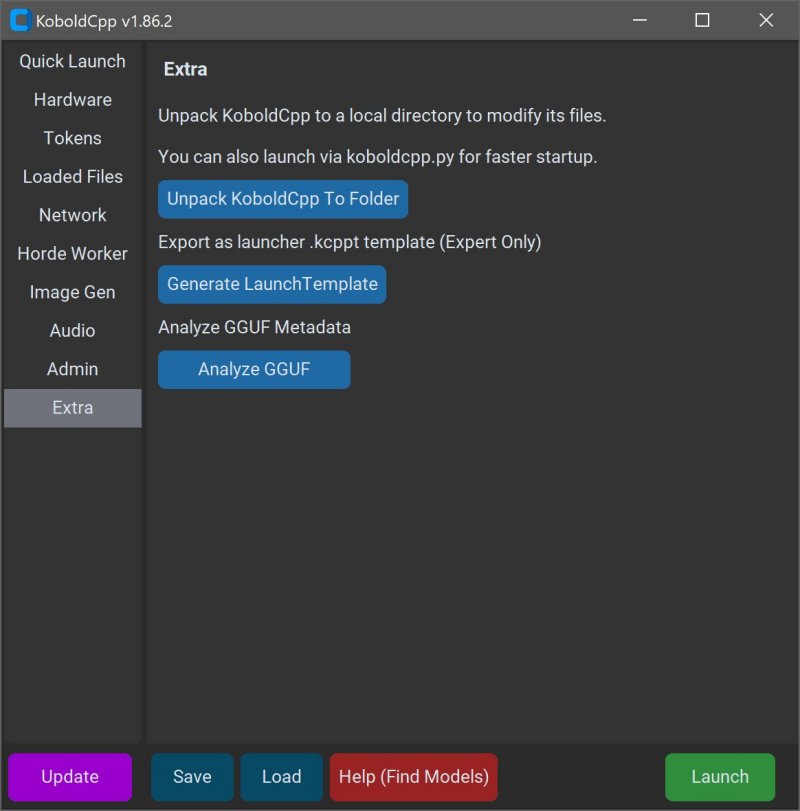
KoboldCPP version 1.124 has been released, presenting a user-friendly option for running AI models directly on your computer without the need for internet access, subscriptions, or data privacy concerns. This tool is particularly beneficial for individuals interested in private projects, storytelling, game development, or experimenting with AI in a secure environment.
What Is KoboldCPP?
KoboldCPP is a lightweight, open-source application designed to operate GGUF-format AI language models locally. It serves as a backend for the KoboldAI web interface, enabling a conversational experience similar to ChatGPT directly on your PC. Users can easily download model files, initiate KoboldCPP, and engage in chat without the need for cloud services. The software supports both CPU and GPU acceleration, enhancing its adaptability to various hardware configurations.
Understanding GGUF
GGUF, or GPT-Generated Unified Format, is a new file format optimized for local AI usage. It is engineered for speed and efficiency, especially with quantized models like 4-bit and 8-bit versions that can run smoothly on mid-range PCs. While many popular models from repositories like Hugging Face are available in GGUF, it is important to note that KoboldCPP does not support GPTQ, Safetensors, or proprietary OpenAI models.
Who Can Benefit from KoboldCPP?
KoboldCPP is ideal for anyone who wishes to explore AI technology without the constraints of cloud services, including:
- Writers seeking to co-create narratives or dialogues.
- RPG designers wanting AI-driven non-player characters.
- Developers testing local AI frameworks.
- Casual users desiring a private, offline alternative to traditional AI chatbots.
Key Features of KoboldCPP:
- Run large language models (LLMs) locally on compatible PCs.
- Operate fully offline, ensuring privacy and security.
- Achieve fast performance through Intel oneAPI and NVIDIA CUDA support.
- Enjoy a simple setup process with no complicated installations.
- Utilize the KoboldAI web interface for enhanced functionalities like memory and character management.
- Customize your experience with various settings and model configurations.
Acquiring AI Models for KoboldCPP
KoboldCPP does not come with pre-installed AI models, so users need to download compatible GGUF files separately. Hugging Face is a reliable source for many models, and users should opt for 4-bit or 8-bit versions for optimal performance on standard PCs.
Usage Guide for KoboldCPP
To get started with KoboldCPP:
1. Launch the KoboldCPP executable.
2. Select your downloaded GGUF model file.
3. Choose the appropriate backend for your system.
4. Adjust settings according to your preferences.
5. Start a local web chat and begin interacting with the AI.
System Requirements
KoboldCPP is accessible to users with varying hardware capabilities:
- Operating System: Windows or Linux.
- RAM: A minimum of 8GB is required; 16GB or more is recommended for better performance.
- CPU: Modern Intel or AMD processors with AVX2 support.
- GPU: Optional, but beneficial for enhanced performance.
Important Considerations
Users should be mindful of the model sizes and ensure adequate disk space is available. Beginners may find the initial setup slightly technical, but the process becomes straightforward with experience. Various versions of KoboldCPP cater to different hardware setups, ensuring optimal performance across a range of systems.
Conclusion
KoboldCPP empowers users to take control of their AI experiences without relying on external services, offering speed and privacy. It is highly suitable for writers, game developers, and anyone eager to explore AI technology in a secure manner. With a strong open-source community behind it, KoboldCPP simplifies the journey towards having a personalized AI assistant right on your desktop. If you need assistance with model selection or setup customization, support is readily available to guide you
What Is KoboldCPP?
KoboldCPP is a lightweight, open-source application designed to operate GGUF-format AI language models locally. It serves as a backend for the KoboldAI web interface, enabling a conversational experience similar to ChatGPT directly on your PC. Users can easily download model files, initiate KoboldCPP, and engage in chat without the need for cloud services. The software supports both CPU and GPU acceleration, enhancing its adaptability to various hardware configurations.
Understanding GGUF
GGUF, or GPT-Generated Unified Format, is a new file format optimized for local AI usage. It is engineered for speed and efficiency, especially with quantized models like 4-bit and 8-bit versions that can run smoothly on mid-range PCs. While many popular models from repositories like Hugging Face are available in GGUF, it is important to note that KoboldCPP does not support GPTQ, Safetensors, or proprietary OpenAI models.
Who Can Benefit from KoboldCPP?
KoboldCPP is ideal for anyone who wishes to explore AI technology without the constraints of cloud services, including:
- Writers seeking to co-create narratives or dialogues.
- RPG designers wanting AI-driven non-player characters.
- Developers testing local AI frameworks.
- Casual users desiring a private, offline alternative to traditional AI chatbots.
Key Features of KoboldCPP:
- Run large language models (LLMs) locally on compatible PCs.
- Operate fully offline, ensuring privacy and security.
- Achieve fast performance through Intel oneAPI and NVIDIA CUDA support.
- Enjoy a simple setup process with no complicated installations.
- Utilize the KoboldAI web interface for enhanced functionalities like memory and character management.
- Customize your experience with various settings and model configurations.
Acquiring AI Models for KoboldCPP
KoboldCPP does not come with pre-installed AI models, so users need to download compatible GGUF files separately. Hugging Face is a reliable source for many models, and users should opt for 4-bit or 8-bit versions for optimal performance on standard PCs.
Usage Guide for KoboldCPP
To get started with KoboldCPP:
1. Launch the KoboldCPP executable.
2. Select your downloaded GGUF model file.
3. Choose the appropriate backend for your system.
4. Adjust settings according to your preferences.
5. Start a local web chat and begin interacting with the AI.
System Requirements
KoboldCPP is accessible to users with varying hardware capabilities:
- Operating System: Windows or Linux.
- RAM: A minimum of 8GB is required; 16GB or more is recommended for better performance.
- CPU: Modern Intel or AMD processors with AVX2 support.
- GPU: Optional, but beneficial for enhanced performance.
Important Considerations
Users should be mindful of the model sizes and ensure adequate disk space is available. Beginners may find the initial setup slightly technical, but the process becomes straightforward with experience. Various versions of KoboldCPP cater to different hardware setups, ensuring optimal performance across a range of systems.
Conclusion
KoboldCPP empowers users to take control of their AI experiences without relying on external services, offering speed and privacy. It is highly suitable for writers, game developers, and anyone eager to explore AI technology in a secure manner. With a strong open-source community behind it, KoboldCPP simplifies the journey towards having a personalized AI assistant right on your desktop. If you need assistance with model selection or setup customization, support is readily available to guide you
KoboldCPP 1.124 released
KoboldCPP is a great choice for running powerful AI models on your computer with no accounts, internet, subscriptions, or privacy trade-offs.