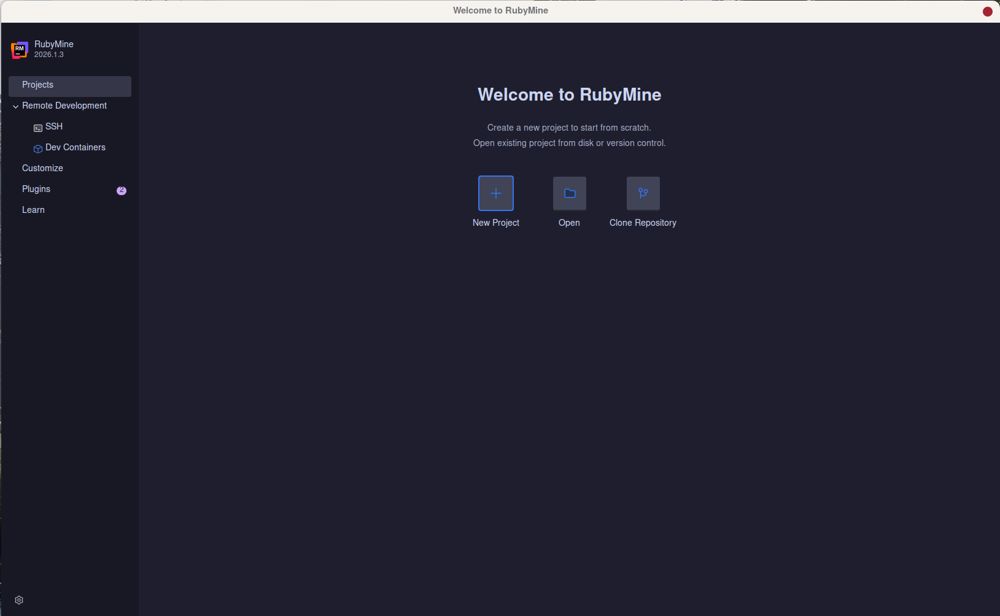
JetBrains has launched RubyMine 2026.2.4, its powerful integrated development environment (IDE) specifically designed for Ruby and Rails development. This latest version is packed with features aimed at enhancing developer productivity, including deep integration with Rails, a built-in debugger, as well as support for Git and local history.
Setup and Key Features
Getting started with RubyMine involves some initial setup, such as configuring interpreters and managing gem dependencies. This guide provides insights to help users navigate through the myriad features, allowing for an optimized coding experience. One of the main advantages of RubyMine is its profound understanding of Rails conventions; for example, if you rename a controller, it automatically updates related routes, views, and tests—saving developers from troubleshooting routing errors that can occur in other editors.
Why Choose RubyMine?
While many developers prefer lightweight editors like VS Code for their speed and simplicity, RubyMine provides a robust solution for those who delve deeply into Rails. Although it requires a paid license for commercial use, there is a free non-commercial license available, making it accessible for hobbyists and open-source contributors. RubyMine’s ability to seamlessly integrate various components of the Rails framework allows developers to focus on building rather than debugging.
Setting Up RubyMine
Installing RubyMine is straightforward, but the real challenge lies in the post-installation configuration. Developers are encouraged to utilize Ruby version managers such as rbenv, RVM, or asdf to streamline the setup process. Properly indexing the Ruby SDK and gemsets is crucial since an unindexed project can significantly hinder performance and code completion capabilities.
Time-Saving Features
RubyMine encompasses an array of tools, but not all are equally beneficial. Key features that save time include:
- Navigation and Symbol Search: Easily locate files or symbols using the double shift shortcut, which is faster than manual navigation.
- Live Templates and Code Completion: Generate test skeletons and enjoy type-aware completion for ERB and HAML files.
- Built-in Debugger and Rails Console: Debugging and testing code directly within the IDE eliminates the need to switch between terminal and editor.
- Git Integration and Local History: Efficiently manage merge conflicts and utilize local history to recover deleted files.
Performance Tips
RubyMine can be resource-intensive, especially with larger projects. Developers are advised to optimize performance by disabling unnecessary frontend features and reducing file watchers. The initial indexing phase may take time, but it is essential for efficient symbol database creation.
Pros and Cons
RubyMine has its share of strengths and weaknesses:
Pros:
- Deep understanding of Rails, automatically managing dependencies.
- Integrated debugging tools that streamline the development process.
- Free for non-commercial use, allowing full access to features for personal projects.
Cons:
- High memory consumption, particularly during indexing.
- Requires significant configuration time before full functionality is realized.
Final Verdict
RubyMine is an excellent choice for serious Rails developers who need a robust tool that minimizes the chances of errors. While it may not be suited for quick projects or casual coding sessions, its deep framework knowledge and powerful debugging capabilities make it a worthy investment for those committed to Rails development. For further assistance, users can engage with the community on platforms like MajorGeeks forums.
Extended Discussion
As development environments continue to evolve, RubyMine's emphasis on deep integration with Rails could set a precedent for future IDEs. The balance between performance and feature set will be crucial as developers increasingly work with larger codebases and more complex applications. Additionally, JetBrains might consider enhancing its onboarding process to reduce the initial configuration overhead, potentially attracting a wider audience. The continuous feedback from the developer community will play a vital role in shaping future updates and maintaining RubyMine’s relevance in an ever-competitive landscape of development tools
Setup and Key Features
Getting started with RubyMine involves some initial setup, such as configuring interpreters and managing gem dependencies. This guide provides insights to help users navigate through the myriad features, allowing for an optimized coding experience. One of the main advantages of RubyMine is its profound understanding of Rails conventions; for example, if you rename a controller, it automatically updates related routes, views, and tests—saving developers from troubleshooting routing errors that can occur in other editors.
Why Choose RubyMine?
While many developers prefer lightweight editors like VS Code for their speed and simplicity, RubyMine provides a robust solution for those who delve deeply into Rails. Although it requires a paid license for commercial use, there is a free non-commercial license available, making it accessible for hobbyists and open-source contributors. RubyMine’s ability to seamlessly integrate various components of the Rails framework allows developers to focus on building rather than debugging.
Setting Up RubyMine
Installing RubyMine is straightforward, but the real challenge lies in the post-installation configuration. Developers are encouraged to utilize Ruby version managers such as rbenv, RVM, or asdf to streamline the setup process. Properly indexing the Ruby SDK and gemsets is crucial since an unindexed project can significantly hinder performance and code completion capabilities.
Time-Saving Features
RubyMine encompasses an array of tools, but not all are equally beneficial. Key features that save time include:
- Navigation and Symbol Search: Easily locate files or symbols using the double shift shortcut, which is faster than manual navigation.
- Live Templates and Code Completion: Generate test skeletons and enjoy type-aware completion for ERB and HAML files.
- Built-in Debugger and Rails Console: Debugging and testing code directly within the IDE eliminates the need to switch between terminal and editor.
- Git Integration and Local History: Efficiently manage merge conflicts and utilize local history to recover deleted files.
Performance Tips
RubyMine can be resource-intensive, especially with larger projects. Developers are advised to optimize performance by disabling unnecessary frontend features and reducing file watchers. The initial indexing phase may take time, but it is essential for efficient symbol database creation.
Pros and Cons
RubyMine has its share of strengths and weaknesses:
Pros:
- Deep understanding of Rails, automatically managing dependencies.
- Integrated debugging tools that streamline the development process.
- Free for non-commercial use, allowing full access to features for personal projects.
Cons:
- High memory consumption, particularly during indexing.
- Requires significant configuration time before full functionality is realized.
Final Verdict
RubyMine is an excellent choice for serious Rails developers who need a robust tool that minimizes the chances of errors. While it may not be suited for quick projects or casual coding sessions, its deep framework knowledge and powerful debugging capabilities make it a worthy investment for those committed to Rails development. For further assistance, users can engage with the community on platforms like MajorGeeks forums.
Extended Discussion
As development environments continue to evolve, RubyMine's emphasis on deep integration with Rails could set a precedent for future IDEs. The balance between performance and feature set will be crucial as developers increasingly work with larger codebases and more complex applications. Additionally, JetBrains might consider enhancing its onboarding process to reduce the initial configuration overhead, potentially attracting a wider audience. The continuous feedback from the developer community will play a vital role in shaping future updates and maintaining RubyMine’s relevance in an ever-competitive landscape of development tools
RubyMine 2026.2.4 released
RubyMine is JetBrains' heavy-duty IDE for Ruby and Rails development, with deep Rails awareness, a built-in debugger, and Git and local history support.