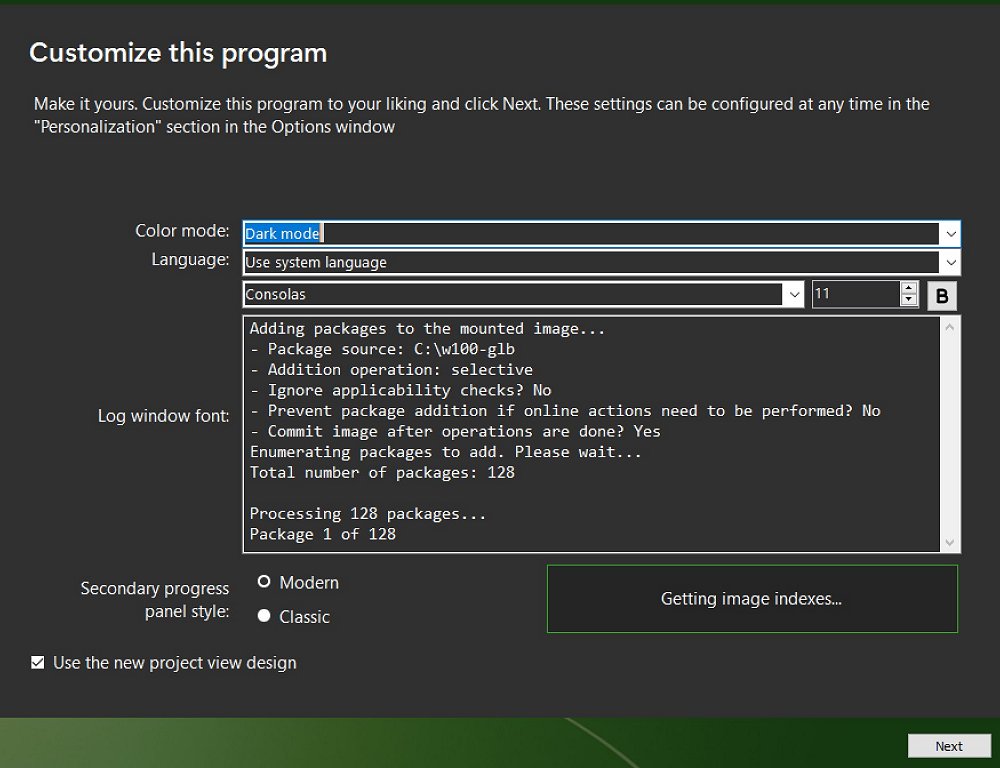
DISMTools is an open-source graphical interface designed to simplify the use of the Deployment Image Servicing and Management (DISM) utility, which is integral for managing Windows Imaging (WIM) files. While DISM is a robust command-line tool for tasks such as adding or removing drivers, repairing system components, and preparing custom images for deployment, its complexity can be daunting for users unfamiliar with command-line operations. DISMTools addresses this by providing an intuitive interface that caters to both novices and IT professionals, enabling them to leverage DISM's functionalities without the need for intricate command-line commands.
With DISMTools, users can effortlessly manage WIM, VHD, and VHDX files, making tasks like mounting, unmounting, and exporting WIM files significantly easier. This is particularly beneficial for those creating customized Windows installations or configuring systems for deployment. The tool streamlines the process of applying updates, drivers, or packages to Windows images, allowing for a tailored setup.
Moreover, DISMTools includes features for cleaning up component stores, which is crucial for freeing disk space, as well as repairing system files and maintaining overall system integrity without necessitating a complete OS reinstallation. One of its key advantages is the ability to quickly repair corrupted Windows components by retrieving clean copies from a WIM image or the component store, thus preserving user configurations and files during system recovery.
In addition to its repair functions, DISMTools helps optimize system performance by clearing out unnecessary files and addressing potential stability issues. This functionality enables users to troubleshoot effectively and maintain a reliable system with minimal disruption.
Despite DISM’s longstanding presence, its command-line format often deters casual users. DISMTools democratizes access to image servicing and system customization, eliminating syntax errors and making it more user-friendly – transforming complex commands into simple button clicks.
As an open-source project hosted on GitHub, DISMTools benefits from community contributions and ongoing updates, ensuring stability and compatibility with the latest Windows versions. This community-driven model enhances the tool's reliability and functionality, solidifying its role as a valuable asset for users looking to streamline their Windows management processes.
Extension: Future Enhancements and Community Involvement
Looking ahead, the DISMTools team is open to community feedback and contributions, suggesting potential enhancements could include additional functionalities such as advanced image customization options, improved support for newer Windows features, and further optimization for faster performance. The team is also exploring integration with other system management tools to create a more comprehensive suite for users.
Additionally, user workshops and tutorials could be organized to help individuals better understand both DISM and DISMTools, fostering a community of knowledgeable users who can share experiences and best practices. As DISMTools continues to evolve, its commitment to user experience and robust functionality will likely attract an even larger user base, further solidifying its position as an essential tool for Windows management
With DISMTools, users can effortlessly manage WIM, VHD, and VHDX files, making tasks like mounting, unmounting, and exporting WIM files significantly easier. This is particularly beneficial for those creating customized Windows installations or configuring systems for deployment. The tool streamlines the process of applying updates, drivers, or packages to Windows images, allowing for a tailored setup.
Moreover, DISMTools includes features for cleaning up component stores, which is crucial for freeing disk space, as well as repairing system files and maintaining overall system integrity without necessitating a complete OS reinstallation. One of its key advantages is the ability to quickly repair corrupted Windows components by retrieving clean copies from a WIM image or the component store, thus preserving user configurations and files during system recovery.
In addition to its repair functions, DISMTools helps optimize system performance by clearing out unnecessary files and addressing potential stability issues. This functionality enables users to troubleshoot effectively and maintain a reliable system with minimal disruption.
Despite DISM’s longstanding presence, its command-line format often deters casual users. DISMTools democratizes access to image servicing and system customization, eliminating syntax errors and making it more user-friendly – transforming complex commands into simple button clicks.
As an open-source project hosted on GitHub, DISMTools benefits from community contributions and ongoing updates, ensuring stability and compatibility with the latest Windows versions. This community-driven model enhances the tool's reliability and functionality, solidifying its role as a valuable asset for users looking to streamline their Windows management processes.
Extension: Future Enhancements and Community Involvement
Looking ahead, the DISMTools team is open to community feedback and contributions, suggesting potential enhancements could include additional functionalities such as advanced image customization options, improved support for newer Windows features, and further optimization for faster performance. The team is also exploring integration with other system management tools to create a more comprehensive suite for users.
Additionally, user workshops and tutorials could be organized to help individuals better understand both DISM and DISMTools, fostering a community of knowledgeable users who can share experiences and best practices. As DISMTools continues to evolve, its commitment to user experience and robust functionality will likely attract an even larger user base, further solidifying its position as an essential tool for Windows management
DISMTools 0.8.2 released
DISMTools is an Open Source, user-friendly graphical interface for the Deployment Image Servicing and Management (DISM) utility.