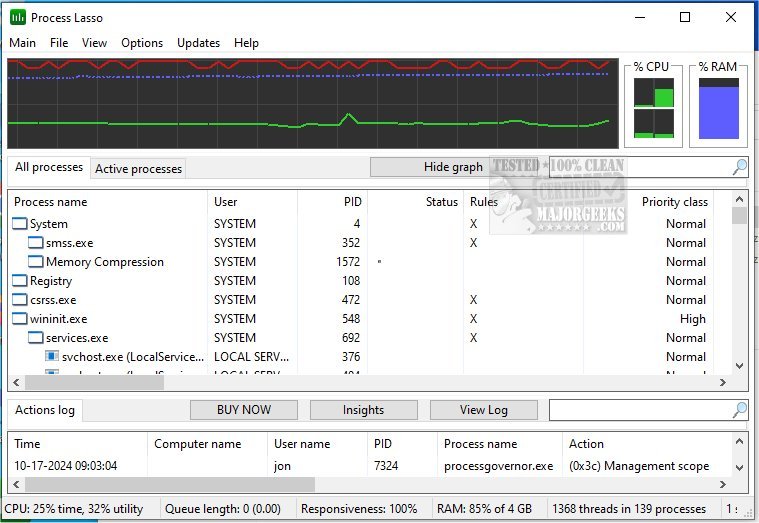
Process Lasso has recently released versions 18.2.3.1 Beta and 18.2.2.10, enhancing its functionality as a free tool for managing and optimizing process and service operations on your computer. This software is designed to improve system responsiveness and stability, offering a diverse range of features to help users customize how their processes run. Key features include:
- ProBalance: This dynamic priority optimization tool helps to improve system responsiveness by adjusting the priority of running processes.
- Persistent Priorities and CPU Affinities: Users can set sticky priorities for processes to ensure they run at the desired priority level consistently.
- Instance Count Limits: This feature allows users to specify how many instances of a particular process can run simultaneously, helping to manage resource utilization effectively.
- Disallowed Processes: Users can terminate processes that are not allowed to run, enhancing system security and performance.
- Auto-Restart: The software can automatically restart processes that are designated to remain running, ensuring critical applications are always available.
- System Responsiveness Graph: This unique feature provides a visual representation of system performance, helping users to identify bottlenecks.
- Prevent PC Sleep: Users can designate certain processes to keep the PC awake, ensuring uninterrupted operation of important tasks.
- Differentiation of svchost.exe Instances: This feature simplifies process management by allowing users to distinguish between the multiple instances of svchost.exe.
- Low Resource Usage: The standalone process management engine is designed to be lightweight, consuming as little as 1MB of RAM.
- Event Logging: Users can keep track of processes and system events for better management and troubleshooting.
In addition to these features, Process Lasso offers various resources for users, such as guides on identifying processes, saving text files of running processes, customizing Task Manager views, and managing startup applications in Windows 10 and 11.
Overall, Process Lasso remains a powerful and efficient tool for users looking to optimize their system performance and manage processes effectively. With the new updates, it continues to evolve, providing enhanced functionalities to meet user needs
- ProBalance: This dynamic priority optimization tool helps to improve system responsiveness by adjusting the priority of running processes.
- Persistent Priorities and CPU Affinities: Users can set sticky priorities for processes to ensure they run at the desired priority level consistently.
- Instance Count Limits: This feature allows users to specify how many instances of a particular process can run simultaneously, helping to manage resource utilization effectively.
- Disallowed Processes: Users can terminate processes that are not allowed to run, enhancing system security and performance.
- Auto-Restart: The software can automatically restart processes that are designated to remain running, ensuring critical applications are always available.
- System Responsiveness Graph: This unique feature provides a visual representation of system performance, helping users to identify bottlenecks.
- Prevent PC Sleep: Users can designate certain processes to keep the PC awake, ensuring uninterrupted operation of important tasks.
- Differentiation of svchost.exe Instances: This feature simplifies process management by allowing users to distinguish between the multiple instances of svchost.exe.
- Low Resource Usage: The standalone process management engine is designed to be lightweight, consuming as little as 1MB of RAM.
- Event Logging: Users can keep track of processes and system events for better management and troubleshooting.
In addition to these features, Process Lasso offers various resources for users, such as guides on identifying processes, saving text files of running processes, customizing Task Manager views, and managing startup applications in Windows 10 and 11.
Overall, Process Lasso remains a powerful and efficient tool for users looking to optimize their system performance and manage processes effectively. With the new updates, it continues to evolve, providing enhanced functionalities to meet user needs
Process Lasso 18.2.3.1 Beta / 18.2.2.10 released
Process Lasso is a free tool designed to manage and edit how your processes and services run.
Process Lasso 18.2.3.1 Beta / 18.2.2.10 released @ MajorGeeks