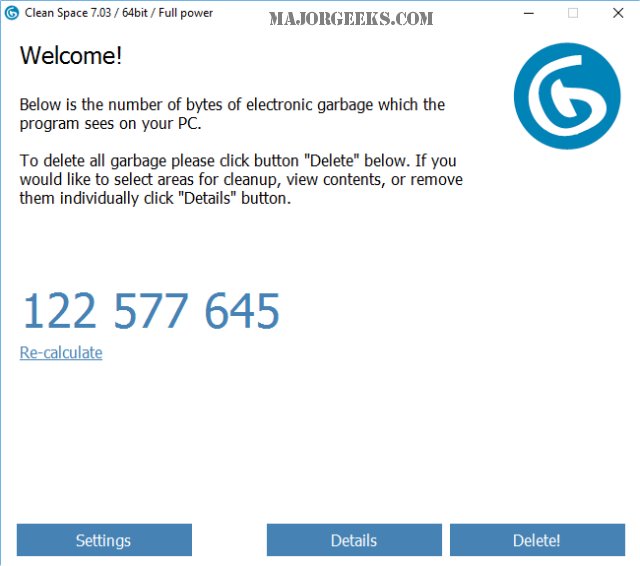
PrivacyRoot has announced the release of Clean Space 723, a tool designed to optimize disk space by removing unnecessary files while also safeguarding user privacy by ensuring that deleted files cannot be recovered. The software is user-friendly, with an option to run in Administrator mode for maximum effectiveness. Upon startup, Clean Space quickly scans the system and provides a summary of deletable files, allowing users to recalculate the potential deletions if they leave the program running for an extended period.
The program categorizes deletable files from various sources, including Windows 10, Windows Apps, and popular browsers like Chrome and Internet Explorer. Users have the ability to selectively preserve certain files, such as cookies and address history, which can be unselected if desired. The deletion process is straightforward—users simply click delete to remove unwanted files.
When compared to other cleaning software, Clean Space appears to be competitive. In tests, it identified 139.8 MB of deletable files, closely matching CCleaner’s 139.6 MB. While it lacks some advanced features found in other cleaners, such as registry cleaning and startup management, Clean Space excels in its simplicity and efficiency, making it an appealing option for users who want a hassle-free way to eliminate junk files without the clutter of complex settings.
In summary, PrivacyRoot Clean Space 723 is an effective and user-friendly utility for maintaining a clean and private computing environment. Its focus on simplicity makes it a strong alternative for users looking for a straightforward solution to disk cleaning, especially in comparison to more complex tools like CCleaner and Wise Disk Cleaner. As digital clutter continues to be an issue for many users, tools like Clean Space provide an essential service to enhance both system performance and privacy
The program categorizes deletable files from various sources, including Windows 10, Windows Apps, and popular browsers like Chrome and Internet Explorer. Users have the ability to selectively preserve certain files, such as cookies and address history, which can be unselected if desired. The deletion process is straightforward—users simply click delete to remove unwanted files.
When compared to other cleaning software, Clean Space appears to be competitive. In tests, it identified 139.8 MB of deletable files, closely matching CCleaner’s 139.6 MB. While it lacks some advanced features found in other cleaners, such as registry cleaning and startup management, Clean Space excels in its simplicity and efficiency, making it an appealing option for users who want a hassle-free way to eliminate junk files without the clutter of complex settings.
In summary, PrivacyRoot Clean Space 723 is an effective and user-friendly utility for maintaining a clean and private computing environment. Its focus on simplicity makes it a strong alternative for users looking for a straightforward solution to disk cleaning, especially in comparison to more complex tools like CCleaner and Wise Disk Cleaner. As digital clutter continues to be an issue for many users, tools like Clean Space provide an essential service to enhance both system performance and privacy
PrivacyRoot Clean Space 723 released
PrivacyRoot Clean Space can remove unneeded files that waste space on your drive and protect your privacy by making deleted files unrecoverable.