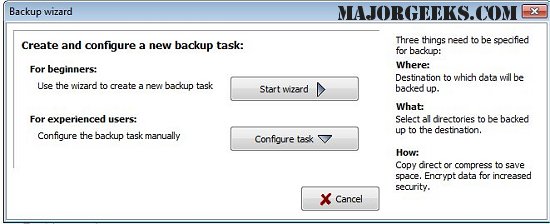
The latest version of Personal Backup, 6.4.13.0, has been released, providing users with a robust tool for safeguarding personal data. This software allows users to save their data to any designated folder on local or removable drives, Windows network servers, or FTP servers. Users have the flexibility to configure and store an unlimited number of backup tasks, selecting files for backup on a folder-by-folder basis. The program automatically includes all subfolders but also allows for the exclusion or inclusion of specific subdirectories through user selection or filters.
Users can apply additional criteria for their backups, such as file type, age, and name filters. The software organizes original drives (C, D, etc.) as subdirectories labeled LwC, LwD, and maintains the original directory structure intact. It also offers options for compressing files using gzip or creating zip files, with the possibility of AES encryption for enhanced security.
Key features of Personal Backup include:
- A user-friendly wizard for creating new backup tasks
- The ability to configure an unlimited number of backup tasks
- Comprehensive backup of entire directory structures
- Options for on-demand backups or automatic scheduling
- FTP support, including options for proxy use and FTPS (FTP over SSL)
- Various backup options, including:
- Compression with or without data compression
- Arrangement into single files or zip files, accommodating files larger than 4GB
- Customizable directory structures for file organization
In addition to these features, users can benefit from related resources on Windows system management, such as guides on resetting or reinstalling Windows 10, managing system restore points, and changing system protection storage sizes.
Overall, Personal Backup 6.4.13.0 offers a comprehensive solution for personal data protection, making it an essential tool for users looking to safeguard their information efficiently and securely
Users can apply additional criteria for their backups, such as file type, age, and name filters. The software organizes original drives (C, D, etc.) as subdirectories labeled LwC, LwD, and maintains the original directory structure intact. It also offers options for compressing files using gzip or creating zip files, with the possibility of AES encryption for enhanced security.
Key features of Personal Backup include:
- A user-friendly wizard for creating new backup tasks
- The ability to configure an unlimited number of backup tasks
- Comprehensive backup of entire directory structures
- Options for on-demand backups or automatic scheduling
- FTP support, including options for proxy use and FTPS (FTP over SSL)
- Various backup options, including:
- Compression with or without data compression
- Arrangement into single files or zip files, accommodating files larger than 4GB
- Customizable directory structures for file organization
In addition to these features, users can benefit from related resources on Windows system management, such as guides on resetting or reinstalling Windows 10, managing system restore points, and changing system protection storage sizes.
Overall, Personal Backup 6.4.13.0 offers a comprehensive solution for personal data protection, making it an essential tool for users looking to safeguard their information efficiently and securely
Personal Backup 6.4.13.0 released
Personal Backup saves personal data to any destination folder located on a local fixed or removable drive, Windows network server, or an FTP server.