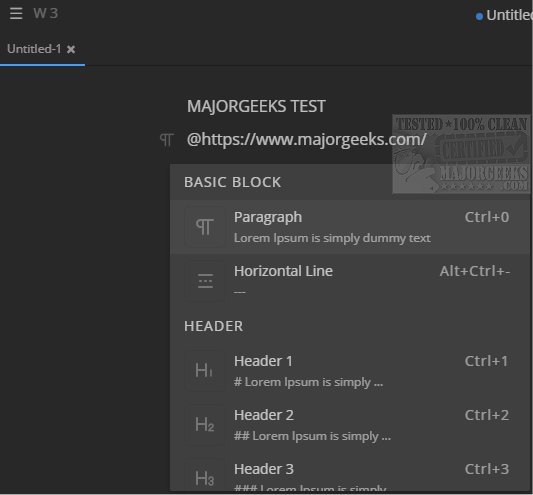
Mark Text version 0.19.0 has been released, offering users a versatile cross-platform markdown editor that excels in note-taking, real-time previewing, and formatting of markdown code. This application is designed to cater to a variety of tasks, including creating plain text documents, web pages, and other formats, with the capability to easily export files to HTML or PDF.
The interface of Mark Text is intentionally clutter-free, aiming to provide a distraction-free writing experience reminiscent of Notepad, but with enhanced functionality tailored for specific tasks. Users can customize aspects of the editor, such as switching to a dark theme or selecting different view types from drop-down menus. A standout feature is the focus mode, which emphasizes the current paragraph, helping users maintain concentration while writing.
Mark Text also supports various markdown features, making it a powerful tool for users who require advanced formatting options. Some notable features include:
- Table Block Support: Users can easily manage tables with the ability to add or remove rows and columns.
- Diagram Support: The editor can create flowcharts, sequence diagrams, Gantt charts, and Vega charts, enhancing visual representation of information.
- Inline Formats: It supports CommonMark and GitHub Flavored Markdown specifications, ensuring compatibility with widely used markdown formats.
- Math Formula Support: Users can include mathematical expressions using markdown extensions like KaTeX.
- Code Block Support: It allows for GFM code fences and syntax highlighting through prismjs.
In summary, Mark Text is a feature-rich markdown editor that balances simplicity and functionality, making it an excellent choice for anyone needing a reliable tool for markdown editing. Its recent updates continue to enhance usability and performance, providing users with the tools necessary for effective document creation and management. As it evolves, users can expect ongoing improvements and possibly even more advanced features in future releases
The interface of Mark Text is intentionally clutter-free, aiming to provide a distraction-free writing experience reminiscent of Notepad, but with enhanced functionality tailored for specific tasks. Users can customize aspects of the editor, such as switching to a dark theme or selecting different view types from drop-down menus. A standout feature is the focus mode, which emphasizes the current paragraph, helping users maintain concentration while writing.
Mark Text also supports various markdown features, making it a powerful tool for users who require advanced formatting options. Some notable features include:
- Table Block Support: Users can easily manage tables with the ability to add or remove rows and columns.
- Diagram Support: The editor can create flowcharts, sequence diagrams, Gantt charts, and Vega charts, enhancing visual representation of information.
- Inline Formats: It supports CommonMark and GitHub Flavored Markdown specifications, ensuring compatibility with widely used markdown formats.
- Math Formula Support: Users can include mathematical expressions using markdown extensions like KaTeX.
- Code Block Support: It allows for GFM code fences and syntax highlighting through prismjs.
In summary, Mark Text is a feature-rich markdown editor that balances simplicity and functionality, making it an excellent choice for anyone needing a reliable tool for markdown editing. Its recent updates continue to enhance usability and performance, providing users with the tools necessary for effective document creation and management. As it evolves, users can expect ongoing improvements and possibly even more advanced features in future releases
Mark Text 0.19.0 released
Mark Text provides a simple cross-platform markdown editor that permits note-taking as well as real-time preview and formatting of markdown code.