LastPass Password Manager has recently released version 5.4.4, reinforcing its position as an efficient and user-friendly solution for managing passwords. This tool is designed to simplify online security by allowing users to remember just one master password, making it easier and safer to browse the web without juggling multiple passwords.
Key features of the LastPass Password Manager include the ability to generate strong passwords, enabling users to log into their favorite websites with a single click, and seamless access to manage important data across different devices. Additionally, it offers a convenient way to share logins with friends and to receive shared logins from others.
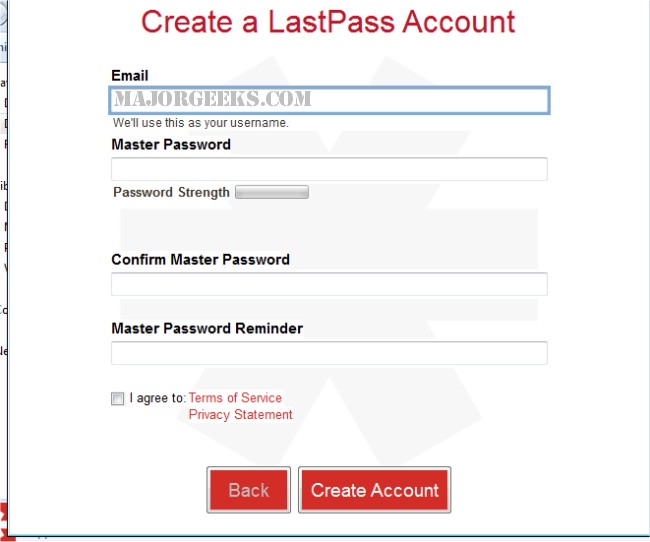
The Universal Windows installer supports various web browsers, including Internet Explorer, Firefox, Chrome, Safari, and Opera. It facilitates the creation of a LastPass account and provides an easy import of existing passwords, making it the most efficient method to set up LastPass on Windows systems. The 64-bit installer also supports a 32-bit version for Internet Explorer.
For those exploring alternatives, there are several other prominent password managers available, each offering unique features and benefits. Users can also learn to manage their Google Chrome passwords effectively as part of their overall digital security strategy.
In summary, LastPass continues to enhance its offerings with the latest version, emphasizing user convenience and security. This evolution in password management reflects the growing importance of protecting online identities in an increasingly digital world. Future updates may focus on further integration with emerging technologies and enhancing user experience through intuitive design and additional features
Key features of the LastPass Password Manager include the ability to generate strong passwords, enabling users to log into their favorite websites with a single click, and seamless access to manage important data across different devices. Additionally, it offers a convenient way to share logins with friends and to receive shared logins from others.
The Universal Windows installer supports various web browsers, including Internet Explorer, Firefox, Chrome, Safari, and Opera. It facilitates the creation of a LastPass account and provides an easy import of existing passwords, making it the most efficient method to set up LastPass on Windows systems. The 64-bit installer also supports a 32-bit version for Internet Explorer.
For those exploring alternatives, there are several other prominent password managers available, each offering unique features and benefits. Users can also learn to manage their Google Chrome passwords effectively as part of their overall digital security strategy.
In summary, LastPass continues to enhance its offerings with the latest version, emphasizing user convenience and security. This evolution in password management reflects the growing importance of protecting online identities in an increasingly digital world. Future updates may focus on further integration with emerging technologies and enhancing user experience through intuitive design and additional features
LastPass Password Manager 5.4.4 released
LastPass Password Manager - The last password you'll ever have to remember. This easy to use password manager will make your browsing a lot easier and much more secure without having to remember multiple passwords.