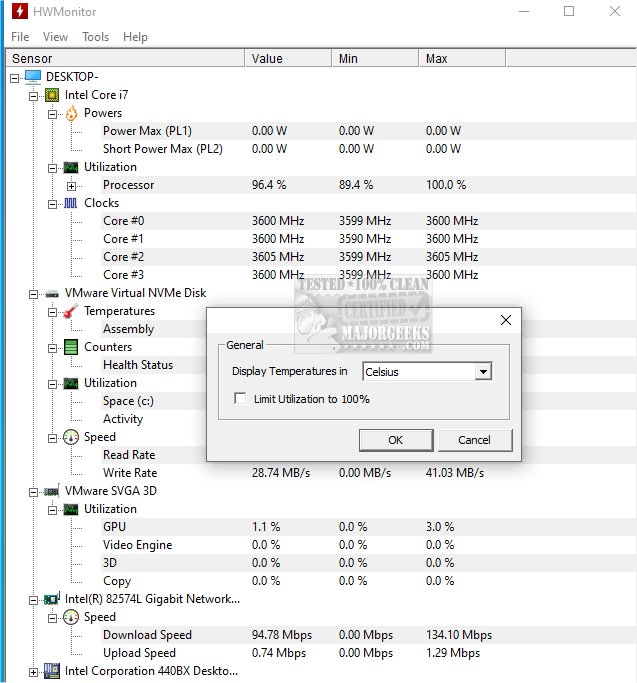
HWMonitor 1.65 has been released, providing users with a free and efficient hardware monitoring solution. This program, developed by CPUID—the creators of CPU-Z—offers real-time data on vital system metrics, including voltages, temperatures, and fan speeds. A portable version is also available through PortableApps, allowing for easy access on-the-go.
HWMonitor serves as an essential tool for diagnosing hardware issues, especially during activities such as gaming, stress-testing, or overclocking. It tracks key parameters like CPU and GPU temperatures, fan speeds, system voltages, and, for laptops, battery status and power consumption. While it does not offer fixes, it provides critical insights that can guide users in making necessary adjustments, such as improving cooling systems or cleaning dust from components.
The program is lightweight and user-friendly, requiring minimal system resources. Users simply download and open the application without the need for installation, ensuring a quick startup and no intrusive background processes. HWMonitor is compatible with Windows 11, 10, 8, and 7, and supports a wide range of Intel and AMD processors, as well as many modern graphics cards and motherboards. For those needing a portable solution, the ZIP version can be run directly from a USB stick.
For users seeking advanced capabilities, HWMonitor PRO is available for purchase, offering features such as data logging, graph generation, and remote monitoring, which is particularly beneficial for server management or testing environments. However, the free version is robust enough for most users.
Pros of HWMonitor include its small file size, quick startup time, and comprehensive real-time monitoring capabilities. Conversely, it lacks alert systems and fan control features, and its interface may appear dated to some users, as it does not support dark mode or customizable themes.
In summary, HWMonitor is an invaluable utility for anyone looking to monitor their PC's health effectively. Whether you're troubleshooting issues or simply curious about your system's performance, HWMonitor is a reliable and straightforward tool that meets those needs efficiently. For those interested in exploring their computer's hardware health, downloading HWMonitor presents a practical, no-cost solution
HWMonitor serves as an essential tool for diagnosing hardware issues, especially during activities such as gaming, stress-testing, or overclocking. It tracks key parameters like CPU and GPU temperatures, fan speeds, system voltages, and, for laptops, battery status and power consumption. While it does not offer fixes, it provides critical insights that can guide users in making necessary adjustments, such as improving cooling systems or cleaning dust from components.
The program is lightweight and user-friendly, requiring minimal system resources. Users simply download and open the application without the need for installation, ensuring a quick startup and no intrusive background processes. HWMonitor is compatible with Windows 11, 10, 8, and 7, and supports a wide range of Intel and AMD processors, as well as many modern graphics cards and motherboards. For those needing a portable solution, the ZIP version can be run directly from a USB stick.
For users seeking advanced capabilities, HWMonitor PRO is available for purchase, offering features such as data logging, graph generation, and remote monitoring, which is particularly beneficial for server management or testing environments. However, the free version is robust enough for most users.
Pros of HWMonitor include its small file size, quick startup time, and comprehensive real-time monitoring capabilities. Conversely, it lacks alert systems and fan control features, and its interface may appear dated to some users, as it does not support dark mode or customizable themes.
In summary, HWMonitor is an invaluable utility for anyone looking to monitor their PC's health effectively. Whether you're troubleshooting issues or simply curious about your system's performance, HWMonitor is a reliable and straightforward tool that meets those needs efficiently. For those interested in exploring their computer's hardware health, downloading HWMonitor presents a practical, no-cost solution
HWMonitor 1.65 released
HWMonitor is a free hardware monitoring program that reads PC systems' primary health sensors: voltages, temperatures, and fan speeds. Portable version via PortableApps is also available.