HelpEdit 2.0 is a free, versatile Windows-based help authoring tool designed to facilitate the creation of high-quality documentation, including user manuals, online help systems, and technical guides. With its user-friendly interface and robust features, HelpEdit empowers authors to produce clear and organized documentation, making it an essential resource for independent writers and organizations alike.
Key Features of HelpEdit
HelpEdit excels in organizing documentation through a structured topic tree, allowing users to create and manage root topics and child topics with ease. This feature supports a coherent hierarchy and a logical table of contents for manuals. Each topic is linked to its own HTML content file, providing options for keywords, index entries, and tailored publishing formats. The built-in editor eliminates the need for manual HTML coding, offering various formatting options such as text styling, font selection, color customization, and list creation.
Additionally, HelpEdit supports image integration, enabling users to resize images and create tables with editable rows and columns. Internal topic links, external hyperlinks, and custom HTML insertion further enhance the flexibility of documentation creation. Users can also import HTML pages along with local assets to streamline the authoring process.
Export Options and Customization
HelpEdit allows users to export their documentation in several formats, including WebHelp (browser-based online help), CHM Help (compiled HTML Help for desktop applications), and PDF manuals using Microsoft Edge’s headless printing feature. This versatility ensures that documentation can be easily shared and accessed in various environments.
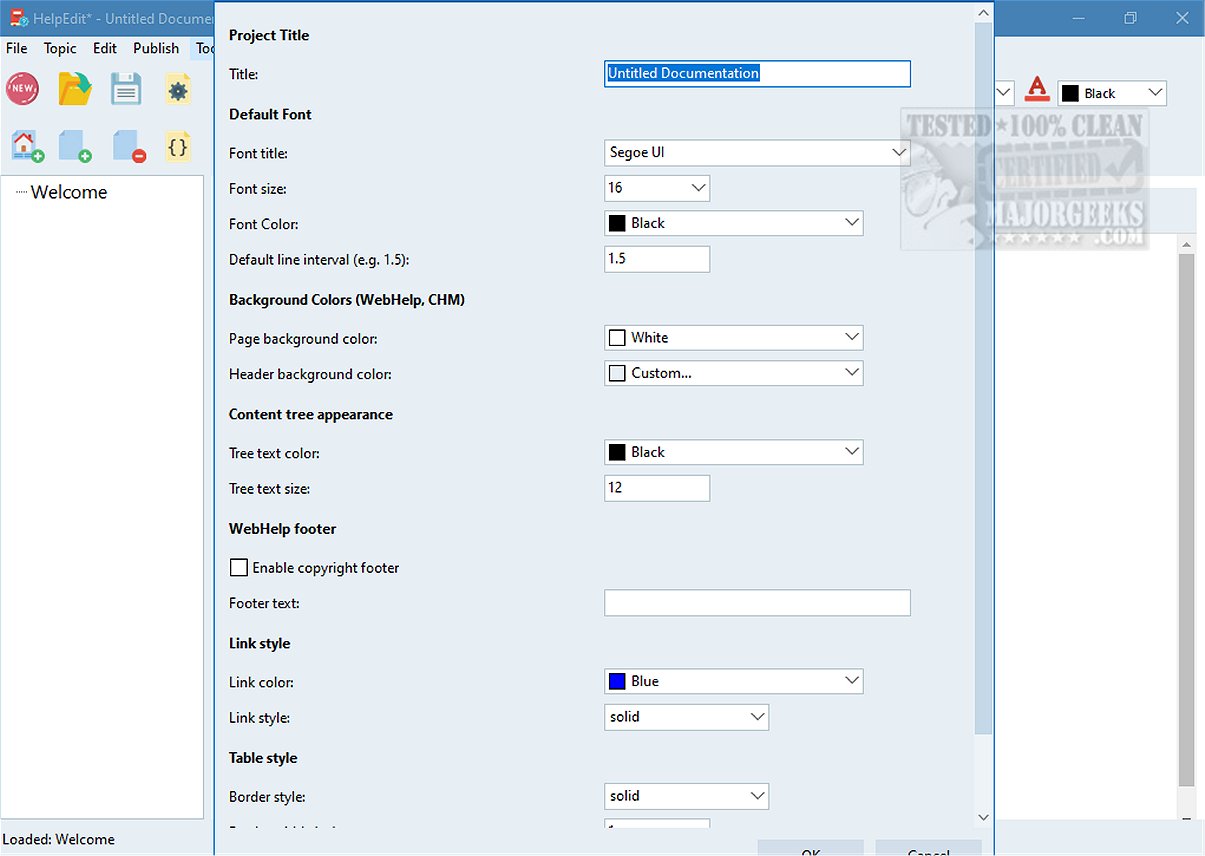
The tool promotes consistency across topics through reusable features such as variables, snippets, and conditions. These features enable efficient integration of recurring elements like product names and version numbers. Project-level settings further enhance customization, allowing users to configure the appearance of WebHelp, including project titles, fonts, colors, and layout options, ensuring alignment with branding and improved user experience.
Conclusion
HelpEdit 2.0 is an ideal solution for creating detailed documentation that guides users through complex tools and systems. With its comprehensive features, it caters to both experienced authors and those less familiar with technical writing, ensuring that everyone can effectively understand and utilize the documentation. Whether for personal projects or professional use, HelpEdit stands out as a powerful tool for creating high-quality technical communication
Key Features of HelpEdit
HelpEdit excels in organizing documentation through a structured topic tree, allowing users to create and manage root topics and child topics with ease. This feature supports a coherent hierarchy and a logical table of contents for manuals. Each topic is linked to its own HTML content file, providing options for keywords, index entries, and tailored publishing formats. The built-in editor eliminates the need for manual HTML coding, offering various formatting options such as text styling, font selection, color customization, and list creation.
Additionally, HelpEdit supports image integration, enabling users to resize images and create tables with editable rows and columns. Internal topic links, external hyperlinks, and custom HTML insertion further enhance the flexibility of documentation creation. Users can also import HTML pages along with local assets to streamline the authoring process.
Export Options and Customization
HelpEdit allows users to export their documentation in several formats, including WebHelp (browser-based online help), CHM Help (compiled HTML Help for desktop applications), and PDF manuals using Microsoft Edge’s headless printing feature. This versatility ensures that documentation can be easily shared and accessed in various environments.
The tool promotes consistency across topics through reusable features such as variables, snippets, and conditions. These features enable efficient integration of recurring elements like product names and version numbers. Project-level settings further enhance customization, allowing users to configure the appearance of WebHelp, including project titles, fonts, colors, and layout options, ensuring alignment with branding and improved user experience.
Conclusion
HelpEdit 2.0 is an ideal solution for creating detailed documentation that guides users through complex tools and systems. With its comprehensive features, it caters to both experienced authors and those less familiar with technical writing, ensuring that everyone can effectively understand and utilize the documentation. Whether for personal projects or professional use, HelpEdit stands out as a powerful tool for creating high-quality technical communication
HelpEdit 2.0 released
HelpEdit is a versatile, free Windows-based help authoring tool tailored for creating professional-quality documentation. This software is ideal for developing user manuals, comprehensive online help systems, and detailed technical guides.